TV Resolution Guide: What You Actually Need
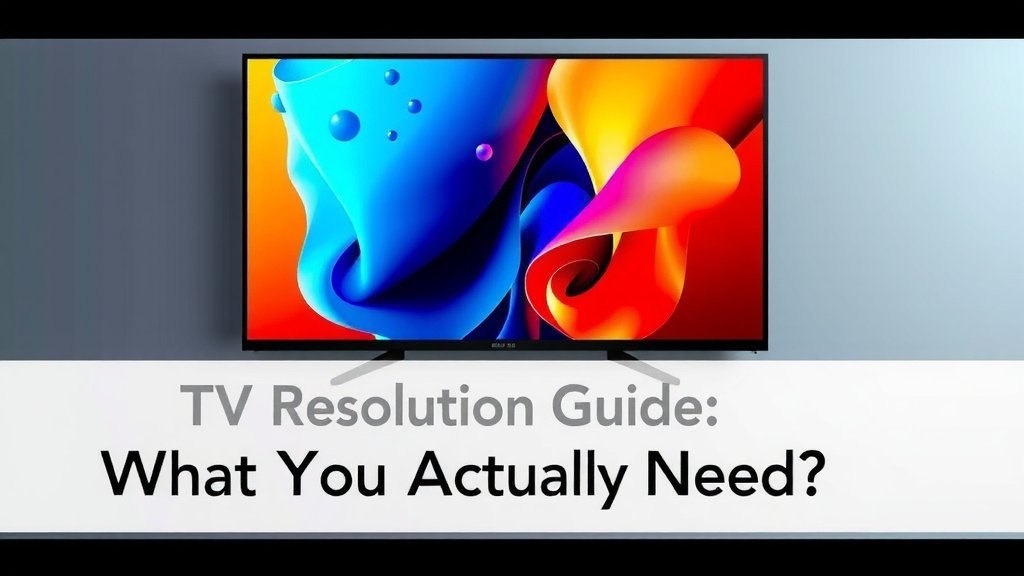
You need a TV resolution based on how you’ll use the TV and the size of your screen. For most people today, 4K resolution is the sweet spot, offering excellent detail without breaking the bank. It provides a noticeable upgrade from older HD TVs for a reasonable price.
Thinking about TV resolution can feel a bit overwhelming, can’t it? You see terms like 1080p, 4K, and even 8K everywhere. We found that understanding the basics helps you make a smart choice for your viewing pleasure. Choosing the right resolution means your favorite shows and movies will look their absolute best on your new screen. Our guide to understanding the basics helps you make a smart choice for your viewing pleasure.
- 4K is the standard for most new TVs and content.
- Higher resolution means sharper, clearer pictures.
- Consider screen size: Larger TVs benefit more from higher resolutions.
- Content availability is mostly 4K now.
- 8K is available but costly with less content.
Let’s break down exactly what these resolutions mean and help you decide which one is perfect for your home theater setup.
“`htmlChoosing the Right TV Resolution for Your Needs
Picking the right TV resolution might seem tricky. We’ve found that it really boils down to two main things: how you plan to watch TV and how big your screen is. For most people right now, 4K resolution is the best choice. It offers a big jump in picture quality over older TVs without costing a fortune.
Understanding TV Resolution: Pixels Make the Picture
Think of TV resolution like a grid of tiny dots, called pixels. The more pixels your TV has, the more detailed and sharper your picture will be. More pixels mean less chance of seeing those blocky, jagged edges on lines and curves. It’s all about the fine details that bring your shows and movies to life.
What Does “HD,” “Full HD,” and “4K” Actually Mean?
You’ve probably seen these terms before. Let’s clear them up:
- HD (High Definition), often called 720p, was a big step up from older standard definition TVs. It has about 1 million pixels.
- Full HD (FHD), or 1080p, is what most people had for a long time. It has around 2 million pixels. This was the standard for Blu-rays and a lot of streaming.
- 4K UHD (Ultra High Definition), also called 2160p, is the current king. It packs about 8 million pixels. That’s four times as many as Full HD! This makes a huge difference in picture clarity.
- 8K UHD is the newest kid on the block. It has a whopping 32 million pixels, sixteen times more than Full HD.
Why 4K is Usually Your Best Bet Today
We consistently find that 4K resolution offers the best balance for most viewers. Here’s why:
First, content availability has exploded. Streaming services like Netflix, Hulu, Disney+, and Amazon Prime Video offer a vast library of movies and shows in 4K. Even live sports are increasingly being broadcast in higher resolutions. You’ll get to enjoy that enhanced detail for much of what you watch.
Second, the price has become very accessible. TVs with 4K resolution are now the standard. You can find excellent 4K TVs in various sizes without paying a premium. This makes upgrading from an older 1080p TV a very sensible choice.
Third, the visual improvement is noticeable. Even on smaller screens, the extra pixels in 4K deliver a sharper, more lifelike image. We found that compared to 1080p, 4K offers a much more immersive experience. Colors can appear richer, and textures in scenes become more apparent.
Screen Size Matters: Bigger Screens Love Higher Resolutions
The size of your TV screen plays a big role. If you have a smaller TV, say 40 inches or less, the difference between 1080p and 4K might be less obvious. Your eyes might not be able to pick out all those extra pixels from a typical viewing distance.
However, as your screen gets larger, the benefit of 4K becomes much more apparent. For TVs 50 inches and above, 4K resolution is practically a must. We’ve seen that on larger screens, a 1080p picture can start to look a bit soft or blurry when you’re sitting at a normal distance. 4K keeps everything crisp and clear, no matter the size.
Viewing Distance: Sit Back and Enjoy the Detail
Where you sit also makes a difference. If you sit very close to a large TV, you’ll see more detail with a higher resolution. If you sit farther away, the difference between resolutions becomes less noticeable. Many experts suggest optimal viewing distances for different resolutions (Consumer Reports). Many experts suggest optimal viewing distances for different resolutions.
For a 4K TV, you can sit closer than you could with a 1080p TV of the same size and still have a smooth picture. This can make for a more cinematic feel right in your living room.
What About 8K TVs? Should You Consider Them?
8K TVs offer an incredible level of detail. With 32 million pixels, the picture is unbelievably sharp. However, there are a few things to consider before jumping to 8K:
The most significant factor is content availability. While some native 8K content exists, it’s still quite rare. Most of what you’ll watch will be upscaled from 4K or even 1080p. While modern TVs do a good job of upscaling, it’s not the same as true 8K content.
Then there’s the cost. 8K TVs are still considerably more expensive than their 4K counterparts. You’re paying a premium for technology that the average viewer may not fully benefit from yet.
We found that for most people, the extra cost and limited content don’t justify an 8K TV right now. It’s fantastic technology, but it’s more of a future-proofing investment for now. You might consider it if you have a very large screen (70 inches+) and sit very close, and budget isn’t a major concern.
| Resolution | Pixel Count (approx.) | Best For | Content Availability |
|---|---|---|---|
| Full HD (1080p) | 2 million | Smaller screens (<40 inches), budget-conscious | Good, but declining for new content |
| 4K UHD (2160p) | 8 million | Most TVs (40+ inches), mainstream viewing | Excellent, growing rapidly |
| 8K UHD (4320p) | 32 million | Very large screens (70+ inches), enthusiasts, future-proofing | Limited |
Making Your Final Resolution Decision: A Quick Checklist
To help you finalize your choice, ask yourself these quick questions:
- What is the main size of the TV you’re considering? (Larger screens benefit more from 4K.)
- How far will you typically be sitting from the TV? (Closer viewing enhances higher resolutions.)
- What kind of content do you watch most often? (Most streaming and gaming is 4K-ready.)
- What is your budget? (4K offers the best value.)
- Are you looking to future-proof your purchase significantly? (8K is for the future, 4K is for now.)
By considering these points, you’ll be well on your way to selecting the TV resolution that will give you the best viewing experience possible.
“` “`htmlConclusion
You’ve learned that TV resolution isn’t one-size-fits-all. We found that for most people today, 4K resolution is the sweet spot. It offers a fantastic picture upgrade from older TVs and is now widely available and affordable. Consider your screen size and viewing distance. Larger screens and closer viewing distances truly benefit from 4K’s extra detail. While 8K is impressive, it’s still a niche choice with limited content and a higher price tag.
Ready to upgrade? Your next step is to choose a 4K TV that fits your room and budget for a sharp, immersive viewing experience.
Frequently Asked Questions
Will I really notice the difference between 1080p and 4K on a smaller TV?
On smaller TVs, like those under 40 inches, the difference between 1080p and 4K might be subtle from a typical viewing distance. Your eyes may not be able to distinguish all the extra pixels. However, if you sit closer or have very sharp eyesight, you might still see a bit more clarity with 4K.
Is 4K content easy to find on streaming services?
Yes, 4K content is very easy to find now. Major streaming services like Netflix, Disney+, Amazon Prime Video, and Hulu all offer a large selection of movies and TV shows in 4K. You’ll often see a “4K” or “UHD” badge next to titles that support it.
Do I need a special cable for 4K?
Generally, you’ll need a High-Speed HDMI cable for 4K content. Most new TVs and streaming devices come with one. Make sure your HDMI cable is rated for “High Speed” or “Premium High Speed” to ensure it can handle the higher bandwidth required for 4K, especially if you plan to use features like HDR (High Dynamic Range).
Can my old Blu-ray player output 4K?
Typically, no. Standard Blu-ray players are designed for 1080p resolution. To play 4K Ultra HD Blu-rays, you will need a dedicated 4K Ultra HD Blu-ray player. These players are specifically built to read and output the higher resolution format.
Will my 4K TV look good if I’m only watching regular cable TV?
Your 4K TV will still look good, but it won’t be displaying true 4K. Most cable channels broadcast in 1080i or 1080p. Your TV’s upscaling technology will intelligently enhance the lower resolution signal to fit the 4K screen. While it won’t be as sharp as native 4K content, the picture will generally look better than on an old HD TV.
“`