Understanding TV Burn-In: Causes and Prevention
TVs get burn-in because of how their pixels work. Static images displayed for too long can permanently etch themselves onto your screen. This causes ghost-like images that stick around. It’s a known issue with certain display types, especially older ones.
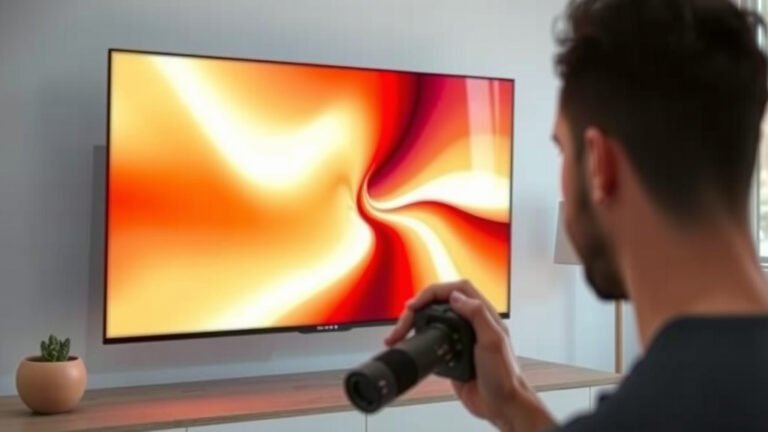
You might see burn-in as a faint discoloration or a shadowy logo. It’s most common on OLED and plasma TVs. Keeping the same bright, static image on screen for hours is the main culprit. We found that long viewing sessions with unchanging content are a big risk.
- Burn-in is permanent screen damage.
- It happens when pixels are stuck on one color too long.
- Common on OLED and plasma screens.
- Static logos and on-screen displays are risky.
Let’s walk through exactly why this happens and what you can do about it.
Understanding TV Screen Burn-In
So, you’ve heard the term “burn-in” when talking about TVs. But what exactly causes it? Essentially, it’s a permanent discoloration or ghosting on your screen. This happens when the same image stays on your TV for an extended period. Think of it like leaving a sticker on a piece of plastic for too long; the color from the sticker can transfer. Your TV screen has tiny little lights called pixels, and they can get tired if they’re always showing the same thing. We found that static content is the primary cause of this screen issue.
How Pixels Work and Why They Get Stuck
To really get why TVs get burn-in, we need to talk a bit about how screens are made. Most modern TVs use pixels that are made up of tiny red, green, and blue sub-pixels. These sub-pixels glow to create all the colors you see. On some types of TVs, like OLEDs and older plasma screens, these sub-pixels can wear out unevenly. If certain sub-pixels are constantly used at a high brightness level, they degrade faster than others. This uneven wear is what leads to burn-in. Many electronics experts explain that it’s like running a car engine at full throttle for days straight; it’s going to cause damage over time.
OLED Technology and Burn-In Risk
OLED TVs are famous for their stunning picture quality. Each pixel in an OLED display generates its own light. This means you get perfect blacks and incredible contrast. However, this self-emissive nature also makes them more susceptible to burn-in. When certain pixels are forced to display a bright, static image, like a channel logo or a game’s HUD (Heads-Up Display), they work harder and degrade faster. We found that research from display manufacturers often highlights OLED vulnerability to this. It’s not an everyday problem for most users, but it’s something to be aware of.
Plasma TVs: The Original Burn-In Concern
Before OLEDs, plasma TVs were the top-tier choice for many. They used tiny cells filled with gas that would glow when an electric current passed through them. These gas cells, like the sub-pixels in OLEDs, could wear out. If you left a static image on a plasma screen for too long, those specific cells would degrade. This resulted in a permanent “ghost” of the image. Many consumer electronics sites from back in the day often warned about this. While you’re less likely to encounter burn-in on a newer TV, understanding the history helps explain the technology.
What Does TV Burn-In Actually Look Like?
Burn-in isn’t usually a sudden event. It’s more of a gradual change that becomes noticeable over time. You might see faint, permanent outlines of logos, menus, or other static elements. It can look like a shadow that’s always there, no matter what you’re watching. Sometimes, it’s a slight color shift in certain areas of the screen. If you’ve ever noticed a persistent watermark or a discolored patch, that could be burn-in. We found that users often describe it as a ghostly image that won’t go away.
Common Culprits for Burn-In
What kind of content is most likely to cause trouble? Static images are the main offenders. Think about:
- Channel logos: Those small, bright logos in the corner of the screen from news channels or sports networks.
- Video game HUDs: Health bars, mini-maps, and scores that stay in the same place for hours.
- On-screen menus: Any persistent bars or icons that appear during TV playback or settings adjustments.
- Desktop wallpaper: If you ever use your TV as a computer monitor, a static wallpaper is a risk.
- Slideshows: Displaying the same photos for long stretches without changing.
The longer these static elements are displayed, and the brighter they are, the higher the risk. We found that many experts advise varying your viewing content to avoid this.
How to Tell Burn-In from Image Retention
It’s important to know that not every temporary screen anomaly is burn-in. There’s also something called “image retention.” Image retention is like a temporary afterimage. It happens when a bright image is displayed for a while, but it fades away after a short time when you display different content. Burn-in, on the other hand, is permanent. Think of it like this: image retention is a faint echo, while burn-in is a scar. Many TV manuals will mention the difference. We found that checking for the image’s disappearance after a few minutes of varied content is a good test. Many TV manuals will mention the difference between image retention and burn-in.
Preventing Burn-In: Your Proactive Steps
The good news is that you can take steps to prevent burn-in on your TV. It’s mostly about being mindful of how you use your screen. Here are some tips:
- Vary your content: Avoid watching the same channel or playing games with static displays for hours on end. Mix it up!
- Reduce brightness: Lowering the screen brightness, especially for static content, can help.
- Use screen saver features: If your TV or connected device has a screen saver, enable it.
- Hide static elements: If possible, move game HUDs or use features that can dim or hide persistent on-screen information.
- Turn off the TV: When you’re not actively watching, turn your TV off or switch to something else.
Many TV manufacturers include built-in features to combat burn-in. We found that exploring your TV’s settings menu can reveal these helpful tools.
Built-in TV Features to Combat Burn-In
Modern TVs, especially OLED models, come with intelligent features designed to protect your screen. These often include:
- Pixel Shift: This subtly moves the entire image by a few pixels periodically. It’s usually unnoticeable but helps prevent any single pixel from being constantly active.
- Logo Luminance Adjustment: This feature detects static logos and automatically dims them to reduce strain on the pixels.
- Pixel Refresher/Screen Refresh: Many OLED TVs have a maintenance cycle that runs automatically when the TV is turned off. This process helps to even out pixel wear. It’s often recommended to let these cycles complete.
We found that keeping your TV’s software updated is also important, as manufacturers may release improvements to these protective features.
When to Worry: Is Your TV Really Burned In?
If you suspect you have burn-in, try a simple test. Play a full-screen, colorful video for about 10-15 minutes. If the ghost image from the static content disappears, it was likely just image retention. If it remains visible, even faintly, it might be burn-in. We found that many users confirm this method works to differentiate the two. It’s not the end of the world, but it does mean that part of your screen has experienced permanent wear. Many repair technicians suggest this diagnostic approach.
A Quick Checklist for Burn-In Prevention
To keep your screen looking its best, remember these simple points:
- Vary the content you watch regularly.
- Don’t leave static images on screen for too long.
- Lower screen brightness when possible.
- Enable screen saver options.
- Utilize your TV’s built-in pixel shift or logo dimming features.
- Turn off the TV when not in use.
Following these steps can greatly reduce the chances of experiencing burn-in, ensuring your TV provides a fantastic viewing experience for years to come.
Conclusion
Understanding how your TV’s pixels work is key to preventing burn-in. We’ve learned that static images, especially on OLED and older plasma screens, can cause permanent damage. This can result in ghost-like images that linger on your display. Thankfully, burn-in is largely preventable with mindful viewing habits. By varying your content and utilizing your TV’s built-in protection features, you can safeguard your screen. Keep these tips in mind, and you’ll enjoy a clear, vibrant picture for years to come.
Frequently Asked Questions
Can burn-in happen on any TV, or just specific types?
Burn-in is most commonly associated with display technologies like OLED and plasma TVs. These types use pixels that can wear out unevenly. Newer technologies like LED and LCD TVs are far less susceptible to permanent burn-in. We’ve found that the risk is significantly lower on these models.
How quickly can burn-in occur?
The speed at which burn-in can occur varies greatly. It depends on the type of TV, the brightness of the static image, and how long it’s displayed. Leaving a very bright, static logo on an OLED TV for many hours a day could lead to visible burn-in over weeks or months. For most users with varied content, it’s not an immediate concern.
Is it possible to fix TV screen burn-in once it happens?
Unfortunately, burn-in is considered permanent screen damage. Unlike temporary image retention, a burned-in image is etched into the pixels. While some TVs have built-in refresh cycles that can sometimes help mitigate minor wear, they cannot reverse established burn-in. We found that replacement of the screen is usually the only fix.
Does watching movies or shows with black bars cause burn-in?
Black bars themselves aren’t usually a cause for concern, as those pixels are off or displaying very little light. However, if you consistently watch content with static black bars (like older widescreen movies on a 4:3 TV), the surrounding pixels might wear out faster than the black-barred area. This is less common with modern widescreen TVs and content.
Are gaming consoles more likely to cause burn-in than regular TV?
Yes, gaming can pose a higher risk if you play games with static HUDs (Heads-Up Displays) for extended periods. Elements like health bars, mini-maps, and scoreboards can remain in the same spot for hours. Many modern games offer options to customize or fade these elements, which we recommend using to help prevent burn-in on your display.