HDMI 2.1 for Gaming: Do You Really Need It
You don’t always need HDMI 2.1 for gaming, but it does offer some big advantages. For many gamers, their current HDMI setup is perfectly fine. However, if you want the absolute best possible gaming experience, especially with newer consoles and high-end PCs, HDMI 2.1 is worth considering.
This newer connection standard opens the door to features like 4K resolution at 120Hz refresh rates and even 8K. It also supports Variable Refresh Rate (VRR) and Auto Low Latency Mode (ALLM). Many experts agree that these features lead to smoother gameplay and a more responsive feel, particularly for fast-paced games. But don’t worry if you don’t have it yet; your current setup might still be great!
- HDMI 2.1 offers better gaming features like 4K at 120Hz.
- It supports VRR and ALLM for smoother, more responsive games.
- You don’t strictly need it for all gaming, but it enhances the experience.
- Older HDMI versions still work well for many gamers.
- Consider your current and future gaming needs.
Let’s dive into what HDMI 2.1 actually means for your gaming setup and whether it’s the right upgrade for you.
You’ve seen the buzzwords: HDMI 2.1, 4K 120Hz, VRR. But what does it all mean for your gaming setup? Let’s break down if this newer connection standard is something you truly need for your gaming adventures.
Is HDMI 2.1 a Must-Have for Gaming Today?
So, do you really need HDMI 2.1 for your gaming? The short answer is: it depends on your setup and what you play. For many, their current HDMI ports will work just fine. But if you’re aiming for the smoothest, most visually stunning experience, especially with the latest gear, HDMI 2.1 offers some compelling advantages.
Think of it like upgrading your car tires. If you’re just cruising around town, your old tires might be okay. But if you’re hitting the highway for a road trip, better tires make a huge difference. HDMI 2.1 is like those upgraded tires for your gaming.
Understanding the HDMI 2.1 Advantage
HDMI 2.1 is the latest version of the HDMI standard. It’s designed to handle much higher bandwidth than its predecessors. This increased bandwidth is key to supporting newer, more demanding features that can transform your gaming experience.
Higher Resolutions and Refresh Rates
This is where HDMI 2.1 really shines. It allows for higher resolutions like 4K and even 8K at much higher refresh rates. What does this mean for you?
- Smoother Motion: High refresh rates, like 120Hz, mean your game’s visuals update 120 times per second. This results in incredibly fluid and responsive gameplay, especially noticeable in fast-moving scenes.
- Sharper Images: Combined with higher resolutions, this means you get crisper, more detailed visuals. You’ll see enemies faster and enjoy the scenery more.
Many gamers are finding that 4K at 120Hz is the sweet spot for a truly next-gen feel. You can get this on consoles like the PlayStation 5 and Xbox Series X, as well as modern gaming PCs.
Variable Refresh Rate (VRR)
Variable Refresh Rate, or VRR, is a real game-changer. In older setups, your console or PC might send frames at a slightly different pace than your TV can display them. This can cause screen tearing (where you see parts of two different frames at once) or stuttering.
VRR syncs your display’s refresh rate with your game’s frame rate. This means the screen refreshes only when a new frame is ready. We found that this eliminates tearing and stuttering, leading to a much smoother and more enjoyable visual experience. Many experts agree this is one of the biggest benefits for gamers.
Auto Low Latency Mode (ALLM)
Who likes input lag? Nobody! Auto Low Latency Mode, or ALLM, is designed to help. When a game is launched, ALLM tells your TV to automatically switch to its lowest latency mode. This mode prioritizes speed over image processing.
This means your controller inputs translate to on-screen actions much faster. We found that for competitive games or anything requiring quick reactions, ALLM is a huge plus. It ensures your game feels as responsive as possible.
Do You Need HDMI 2.1 for Your Current Setup?
Let’s get down to brass tacks. Is HDMI 2.1 essential for everyone right now? Probably not.
Your Current TV or Monitor
The first thing to check is your display. Does your TV or monitor actually support HDMI 2.1? Many older or even mid-range displays only have HDMI 2.0 ports. If your display doesn’t support HDMI 2.1 features, you won’t be able to take advantage of them, no matter how fancy your console or graphics card is.
We found that checking the specifications of your TV or monitor is the first crucial step. Look for “HDMI 2.1 support,” “4K 120Hz,” “VRR,” or “ALLM” in its feature list.
Your Gaming Console or PC
Next, consider your gaming device. The latest consoles, like the PlayStation 5 and Xbox Series X, were built with HDMI 2.1 in mind. They are capable of outputting games at 4K 120Hz and supporting VRR. High-end gaming PCs with recent graphics cards (like NVIDIA GeForce RTX 30-series or AMD Radeon RX 6000-series and newer) also support these features.
If you have an older console (like a PS4 or Xbox One) or a PC that’s a few years old, you likely won’t benefit from HDMI 2.1, as these devices aren’t built to output those high-end signals.
The Games You Play
What kind of games do you enjoy? If you’re a fan of slow-paced RPGs or strategy games, you might not notice a huge difference with 120Hz or VRR. The visual fidelity might be more important to you.
However, if you play fast-paced shooters, racing games, or fighting games, the benefits of VRR and higher refresh rates can be significant. Smoother motion and reduced input lag can genuinely give you a competitive edge. Many professional esports players swear by these features.
When is HDMI 2.1 Worth the Upgrade?
If you’re looking to future-proof your setup or you’re experiencing limitations with your current gear, HDMI 2.1 is a smart investment.
You Have a New Console or High-End PC
If you’ve recently invested in a PS5, Xbox Series X, or a powerful gaming PC, you’re likely leaving performance on the table without an HDMI 2.1-capable display and cable. We found that these systems are designed to push visual boundaries, and HDMI 2.1 helps them do just that.
You Want the Best Visual Experience
You’ve got a high-end gaming rig and a top-tier monitor. You want every pixel to look its best and every frame to be as smooth as possible. HDMI 2.1 is your ticket to achieving that peak visual performance. It’s about getting the most out of your hardware.
You’re Buying a New TV or Monitor Soon
If you’re in the market for a new display, prioritize one with HDMI 2.1 support. Even if you don’t use all the features immediately, it ensures your new TV or monitor will be ready for future consoles, games, and technologies. Many sources, like tech reviewers, suggest HDMI 2.1 is becoming the new standard for high-performance displays (Rtings.com).
What About the HDMI Cables?
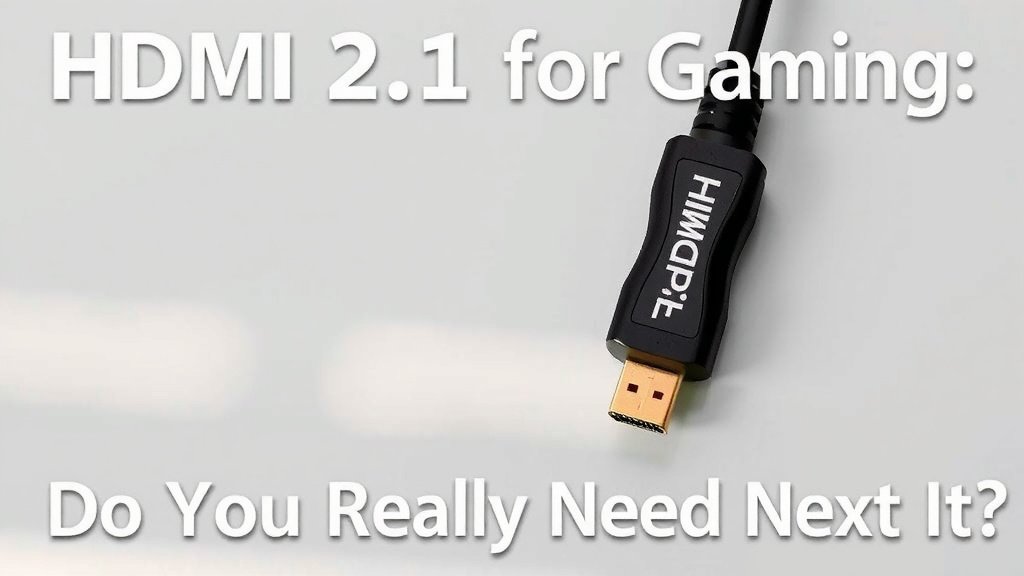
It’s not just the ports; you also need the right cable. For HDMI 2.1 features like 4K 120Hz and 8K, you need a cable that can handle the increased bandwidth. Look for cables labeled as “Ultra High Speed HDMI Cable.”
While older HDMI cables might sometimes work for lower resolutions or refresh rates, they can cause issues or simply not support the full capabilities of HDMI 2.1. Using the correct cable ensures you get the best possible performance.
Quick Checklist for Your Gaming Setup
To help you decide if HDMI 2.1 is right for you, ask yourself these questions:
- Do you own a PS5 or Xbox Series X?
- Does your TV or monitor support 4K at 120Hz?
- Is your gaming PC equipped with a recent graphics card?
- Do you play a lot of fast-paced, competitive games?
- Are you planning to buy a new display in the next year or two?
- Do you want the smoothest possible visuals?
If you answered “yes” to several of these, then exploring HDMI 2.1 for your gaming setup is likely a very good idea.
Conclusion
So, do you need HDMI 2.1 for gaming? For many, your current setup is just fine. But if you’re chasing the smoothest visuals and the most responsive gameplay, especially with a PS5, Xbox Series X, or a high-end PC, then HDMI 2.1 is a clear step up. It unlocks features like 4K 120Hz, VRR, and ALLM that can really boost your experience. We found that ensuring your TV, console, and cables are all on board is key to enjoying these benefits. If you’re thinking about an upgrade soon, make sure your new gear supports HDMI 2.1 to future-proof your gaming.
Your next step? Check the specs on your current display and gaming devices. If they don’t support HDMI 2.1, consider it for your next purchase to get the best possible gaming performance.
Frequently Asked Questions
Will my old HDMI cable work with HDMI 2.1?
Maybe, but probably not for all the new features. Older HDMI cables might work for basic HD or 4K at lower refresh rates. However, to get the full benefits of 4K 120Hz or 8K, you absolutely need an “Ultra High Speed HDMI Cable” that’s specifically designed for HDMI 2.1 bandwidth.
Can I still game if my TV doesn’t have HDMI 2.1?
Yes, you can definitely still game! Your existing HDMI ports (likely HDMI 2.0) will work perfectly fine for most consoles and PCs. You just won’t get the extra perks like 4K 120Hz, VRR, or ALLM that HDMI 2.1 offers.
Is 120Hz really that much better than 60Hz for gaming?
For many games, yes! We found that 120Hz provides noticeably smoother motion and can make fast-paced games feel much more fluid and responsive. You’ll see a big difference in titles like racing games or first-person shooters compared to 60Hz.
Do I need HDMI 2.1 for PC gaming specifically?
It depends on your PC’s hardware and what you’re aiming for. If you have a powerful graphics card and a high-refresh-rate monitor, HDMI 2.1 can help you achieve 4K 120Hz and take advantage of VRR. However, if you play at lower resolutions or refresh rates, older HDMI versions might be sufficient.
What happens if I connect my PS5 to a TV without HDMI 2.1?
Your PS5 will still work, but it will default to a maximum of 4K 60Hz or 1080p 120Hz (if your TV supports that over HDMI 2.0). You won’t get the full 4K 120Hz experience, nor will you be able to use VRR features unless your TV also has HDMI 2.1.