Do All TVs Have HDMI ARC? Your Essential Guide
Not all TVs come with an HDMI ARC port, but it’s becoming much more common on newer models. HDMI ARC, which stands for Audio Return Channel, lets your TV send audio back to your soundbar or receiver using a single HDMI cable. This means you get simpler setup and less cable clutter. If your TV doesn’t have ARC, you might need extra audio cables.
When you’re looking to connect your audio devices, knowing about HDMI ARC is helpful. It’s a fantastic feature for anyone wanting to improve their TV’s sound without a complex wiring mess. Many people wonder if their current TV supports it, and the answer often depends on when the TV was made and its specific model. We’ve researched this to help you figure it out.
- HDMI ARC is not on every TV.
- It simplifies audio connections to soundbars.
- Look for the “ARC” label on HDMI ports.
- Most TVs made after 2010 have it.
- Check your TV’s manual for details.
So, if you’re wondering whether your TV has this handy ARC feature, let’s walk through how to check and what it really means for your home theater setup.
Do All TVs Have HDMI ARC Support? Let’s Find Out!
It’s a common question for folks setting up their home entertainment systems: do all TVs come with an HDMI ARC port? We did some digging, and the straightforward answer is **no**, not every single TV has this handy feature. However, it’s become quite **standard on most newer models**. Think of HDMI ARC (Audio Return Channel) as a smart way for your TV to send audio signals back to your soundbar or AV receiver, all through a single HDMI cable.
This means you get a much cleaner setup with **fewer wires** and often a simpler connection process. If your TV lacks ARC, you might find yourself needing extra audio cables, which can be a bit of a hassle. We’re here to help you figure out if your TV is one of the lucky ones.
What Exactly is HDMI ARC?
HDMI ARC is a specific function built into certain HDMI ports. Its main job is to allow audio to travel in both directions over one cable. Normally, HDMI is used to send video and audio signals *to* your TV. But with ARC, your TV can also send audio *from* its built-in apps (like Netflix or Hulu) or its tuner *out* to a separate audio device.
Imagine your TV is like a busy highway. Without ARC, traffic (audio) can only go one way – into the TV. With ARC, you’ve added a special lane that lets some traffic (audio) go back the other way. This is super useful when you want to use your TV’s smart features and still get great sound from your dedicated sound system.
Why Is HDMI ARC So Useful?
The biggest benefit of HDMI ARC is **simplified wiring**. Instead of needing one HDMI cable for video and a separate optical or analog audio cable to send sound to your soundbar, you can often use just one HDMI cable. This is a big win for reducing cable clutter behind your TV, making it look much tidier.
It also makes setup **easier**. You connect your soundbar or receiver to the HDMI port labeled “ARC” on your TV. Then, you just need to configure your TV’s audio output settings. This single cable solution is a huge step up from older methods that required multiple connections.
Which TVs Have HDMI ARC?
As we mentioned, not all TVs have it. However, the technology has been around for a while, and it became **widely adopted** by manufacturers in the years following its introduction. Many sources suggest that most TVs manufactured after **2010** likely include HDMI ARC support.
This means if you bought a TV in the last decade or so, there’s a good chance it has an ARC-enabled port. Of course, the **specific model and its price point** can play a role. Higher-end models often included it earlier and more consistently than budget options.
How to Check Your TV for an HDMI ARC Port
There are a couple of easy ways to determine if your TV is ARC-ready. You don’t need to be a tech wizard to do this!
Look at the HDMI Ports
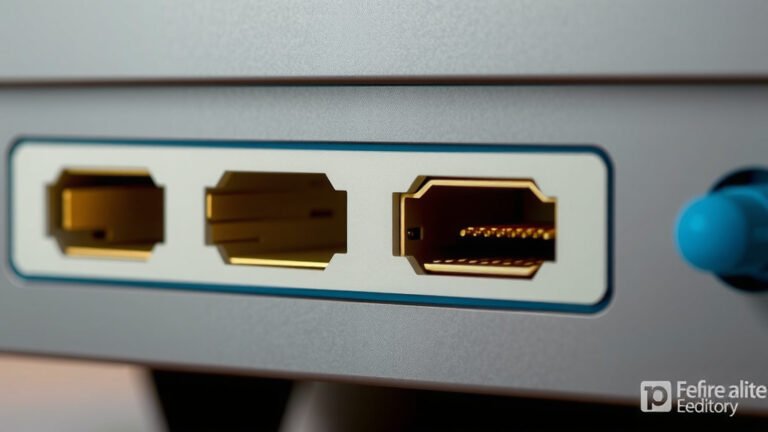
The most direct way is to physically inspect the HDMI ports on the back or side of your television. Manufacturers usually label the HDMI port that supports ARC. You’ll often see the letters “**ARC**” printed right next to it. Sometimes, it might be written out as “Audio Return Channel.”
It’s important to note that your TV might have multiple HDMI ports, but only one (or sometimes two) will be designated for ARC. So, don’t be surprised if you find several HDMI inputs, but only one has that special label. If you don’t see the ARC label, your TV likely doesn’t support it through that port.
Consult Your TV’s Manual
If the labels are hard to see, or you’ve misplaced your TV’s remote and can’t navigate the on-screen menus easily, your **user manual** is your best friend. It will clearly state whether your TV model supports HDMI ARC and which specific port(s) to use. You can usually find digital versions of your manual on the manufacturer’s website if you’ve lost the physical copy.
Check Your TV’s Settings Menu
Even if you don’t see a label, your TV might still support ARC. You can often confirm this by navigating through your TV’s settings menu. Look for options related to **audio output**, sound settings, or external device connections. If there’s a setting to enable or configure HDMI ARC, then your TV supports it.
We found that this option is typically located under the “Sound” or “Audio” section. Sometimes it’s buried a bit deeper, so a quick scan of the entire settings menu might be necessary. If you can’t find any mention of ARC, it’s a strong indicator that your TV doesn’t have the feature.

What If My TV Doesn’t Have HDMI ARC?
Don’t despair if your TV isn’t ARC-equipped! Many people still enjoy excellent audio from their soundbars and receivers. You’ll just need to use a different type of audio connection. The most common alternative is an **optical audio cable** (also known as an S/PDIF or TOSLINK cable).
Optical cables transmit audio signals using light pulses. They are also very reliable and support high-quality audio formats. Many soundbars and receivers come with an optical input port alongside their HDMI options. You’ll simply connect the optical out port on your TV to the optical in port on your audio device.
Another option, though less common for modern setups, is using **analog RCA cables**. These are the red and white audio cables. However, they typically offer a lower audio quality compared to HDMI ARC or optical connections. We generally recommend HDMI ARC or optical if your TV has those options.
A Quick Checklist for Your TV
Ready to check your own TV? Here’s a quick guide to help you:
- Physically inspect your TV’s HDMI ports for an “ARC” label.
- Review your TV’s user manual for specifications on audio connections.
- Navigate your TV’s settings menu and look for audio output options.
- Note the manufacturing date of your TV – newer models are more likely to have ARC.
- Search online for your specific TV model number and “HDMI ARC support.”
By following these steps, you should be able to confidently determine whether your TV is equipped with the convenient HDMI ARC feature. It makes a surprising difference in simplifying your home theater experience!
Conclusion
So, do all TVs have HDMI ARC? We found that the answer is no, but it’s a feature you’ll find on most televisions made in the last decade. HDMI ARC simplifies your audio setup by allowing a single cable to send sound from your TV to your soundbar or receiver. This means less cable clutter and an easier connection process. If your TV lacks this port, don’t worry! An optical audio cable is a great alternative for high-quality sound. Your next step is to check your TV’s ports and settings to see if you’re ready to upgrade your home audio experience!
Frequently Asked Questions
How do I know if my TV’s HDMI port supports ARC?
The easiest way is to look closely at the HDMI ports on your TV. Manufacturers typically label the port that supports ARC with the letters “ARC” right next to it. If you don’t see this label, that specific port likely doesn’t support ARC. You can also check your TV’s manual or settings menu for confirmation.
My TV doesn’t have an ARC label on any HDMI port. Does this mean I can’t use a soundbar?
Not at all! While ARC offers a simpler setup, you can still connect a soundbar or receiver using other audio cables. Most modern TVs have an optical audio output port, which is an excellent alternative. You can connect your TV’s optical out to your soundbar’s optical in using an optical cable for great sound quality.
When did HDMI ARC become common on TVs?
HDMI ARC technology has been around for a while, and it started becoming widely adopted by TV manufacturers in the early 2010s. Our research suggests that most TVs manufactured after 2010 are likely to have HDMI ARC support. However, it’s always best to check your specific model to be sure.
Can I use any HDMI cable for ARC, or do I need a special one?
For basic ARC functionality, a standard High-Speed HDMI cable should work perfectly fine. However, if you want to take advantage of features like eARC (Enhanced Audio Return Channel), which supports higher bandwidth audio formats like Dolby Atmos, you’ll need a “High Speed with Ethernet” or an Ultra High-Speed HDMI cable.
What’s the difference between HDMI ARC and eARC?
HDMI eARC is an advanced version of ARC. It offers much higher bandwidth, allowing for the transmission of higher-quality audio formats like Dolby Atmos and DTS:X from your TV to your soundbar or receiver. While ARC is great for standard surround sound, eARC is for the most immersive, uncompressed audio experiences.