How to Level a Wall Mounted TV: Easy Guide
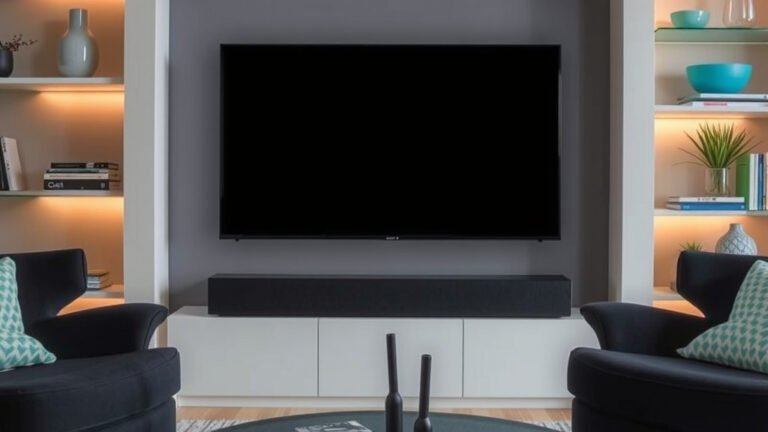
You can definitely level a wall-mounted TV yourself without a professional. The key is using the right tools and a bit of patience. We found that with a good bubble level and some careful adjustments, you can get your screen perfectly straight.
A crooked TV can be more than just an eyesore. It can actually affect how you view your favorite shows and movies. Making sure your TV is mounted perfectly level ensures the best viewing angle and can prevent unnecessary strain on your eyes. It’s a simple fix with a big impact on your home theater experience.
- You can level a wall-mounted TV yourself.
- A bubble level is your most important tool.
- Check for levelness before tightening everything.
- Minor adjustments can make a big difference.
Ready to fix that tilt? Let’s walk through exactly how to get your TV mounted straight and looking great!
Getting Your Wall-Mounted TV Perfectly Straight
So, your TV is mounted, but something just looks… off? You can absolutely fix a tilted TV screen yourself. It’s not as tricky as it might seem. Most wall mounts have a little give that lets you make fine adjustments.
The Tools You’ll Need to Level Your TV
Before you start, gather your supplies. Having everything ready makes the process much smoother. You don’t need a professional toolbox for this job.
Essential Tools for TV Leveling
You’ll want a good quality bubble level. These are inexpensive and readily available at hardware stores or online. They come in various lengths, and a longer one can be more accurate.
- Bubble Level: The star of the show.
- Screwdriver or Wrench: Depending on your mount’s adjustment screws.
- Possibly a Second Person: To help hold or steady things.
Understanding Your TV Mount
Not all mounts are created equal. Some are fixed, meaning they don’t offer much adjustment once installed. Others are tiltable or full-motion mounts. You’ll need to know what kind you have.
Fixed Mounts
If you have a fixed mount, leveling happens before you fully tighten everything. If it’s already installed and crooked, you might need to loosen it significantly or even unmount and remount it.
Tiltable and Full-Motion Mounts
These mounts are designed for easy adjustments. They usually have screws or levers that allow you to tilt the TV up or down. This is where the magic happens for fixing a crooked screen.
Step-by-Step: How to Level Your Wall-Mounted TV
Now, let’s get down to business. We’ll guide you through the actual leveling process. Remember, patience is key here.
Initial Assessment: Is It Really Crooked?
Sometimes our eyes can play tricks on us. Before you start adjusting, confirm the tilt. Many modern TVs have a slight bezel that can make them appear off even when the screen is level.
You can test this by looking at a known horizontal line on your screen, like the bottom edge of a picture-in-picture window or the bottom of a menu bar. Is it parallel with the floor?
Using Your Bubble Level Correctly
This is where your bubble level comes in. You need to place it in a few key spots to get an accurate reading.
Placing the Level on Top of the TV
The simplest method is to place the bubble level directly on top of your TV’s bezel. Make sure the TV itself is powered off. Look at the bubble. If it’s centered between the two lines, your TV is level.
If the bubble is off to one side, you know which way your TV is tilted. For example, if the bubble is to the left, your TV is likely tilted down on the left side.
Checking Multiple Positions
For best results, place the level in a couple of different spots across the top of the TV. This helps account for any slight curvature in the TV’s frame.
You can also try placing the level on a horizontal surface near the TV, like a shelf or a table, to confirm your bubble level is accurate and your floor isn’t sloped.
Making the Adjustments
This is the part where you make the actual corrections. Your mount will dictate how you do this.
Finding the Adjustment Screws or Levers
Most tiltable mounts have adjustment screws located on the sides or bottom of the TV bracket. These screws allow you to lock the TV in a specific tilted position. You might need to loosen these first.
If your mount has a locking mechanism, you’ll likely need to disengage it. Research your specific mount model if you can’t find these points. Many manufacturers have online manuals.
The Back-and-Forth Process
Here’s the common workflow we’ve seen:
- Loosen the adjustment screws slightly.
- Place your bubble level on top of the TV.
- Gently push or pull the top edge of the TV in the direction that centers the bubble.
- While holding it steady, tighten the adjustment screws.
- Remove the level and check again.
When to Re-evaluate Mounting Hardware
If your mount has absolutely no adjustment points, or if the screws are already fully tightened and it’s still off, the issue might be with the initial wall mounting. This could mean the mounting bracket itself is not level on the wall.
In such cases, we’ve found that you may need to loosen the lag bolts attaching the wall plate to the studs, slightly reposition the plate using your level, and then re-tighten. This requires a bit more caution and possibly a second person.
Troubleshooting Common Leveling Issues
Sometimes, things don’t go as smoothly as planned. Here are a few common hiccups and how to navigate them.
The TV Feels Unstable After Adjustment
If your TV feels wobbly after you’ve made adjustments, double-check that all screws are tightened securely. Ensure the TV is properly seated in its brackets. A common mistake is not ensuring the safety tabs or locking mechanisms are engaged.
Can’t Find Adjustment Screws?
If you’re truly stumped and can’t locate any adjustment points on your mount, consult the manufacturer’s instructions. If you don’t have them, a quick search online for your mount’s model number usually brings up a PDF manual. Many user manuals show exactly where these adjustment points are.
Mount Doesn’t Allow Enough Tilt Adjustment
Some mounts have very limited tilt range. If you’ve maxed out the adjustment and it’s still not quite level, you might consider if the mount is the right one for your needs. However, for most common tilting, the adjustment screws should offer enough play.
A Quick Checklist for a Level TV
Let’s recap the key steps to ensure your TV ends up perfectly straight:
- Gather your bubble level and necessary tools.
- Confirm your mount type (fixed, tilt, full-motion).
- Place the bubble level on top of the TV bezel.
- Loosen adjustment screws if needed.
- Make small adjustments until the bubble is centered.
- Tighten screws securely and re-check.
Conclusion
You’ve got this! Fixing a tilted TV is totally achievable with the right approach. We found that using a simple bubble level and making patient adjustments to your mount is the key. Remember to confirm your mount type and always double-check that screws are snug.
By following these steps, you’ll enjoy a perfectly straight screen and an improved viewing experience. Don’t let a crooked TV get you down – take a deep breath and go get that TV leveled!
Frequently Asked Questions
What if my TV mount doesn’t have adjustment screws?
If your mount lacks visible adjustment screws, check your owner’s manual for specific instructions. Some mounts may require loosening the bolts attaching the wall plate to the studs. If you can’t find any adjustment points, it might be time to consider a different mount.
Can I level a TV that’s already fully tightened and crooked?
Yes, but it may require loosening the mounting hardware. You’ll likely need to slightly loosen the screws holding the TV to the mount or even the wall plate itself. This allows you to make the necessary tilt adjustments before re-tightening everything.
How often should I check if my TV is still level?
You generally don’t need to check it frequently. Once you’ve properly tightened all the adjustment screws on your mount, the TV should stay level. However, if you notice it tilting again, it’s worth re-securing the hardware.
My floor is sloped, will that affect leveling my TV?
A sloped floor won’t directly affect your TV’s levelness if you’re using a bubble level placed on the TV itself. However, it’s a good idea to place your level on other horizontal surfaces nearby to ensure your level tool is accurate and you’re not misinterpreting readings.
Is it safe to loosen the lag bolts holding the mount to the wall?
Yes, it’s generally safe, but you must be cautious and ideally have a second person assist you. Ensure the TV is securely supported before loosening any wall hardware, and always re-tighten securely into wall studs to maintain stability.