What is a TV Operating System? Your Smart TV Explained
A TV operating system, or TV OS, is the software that controls your smart TV. It acts like the brain, managing all the apps and features. Think of it as the foundation for your viewing experience, dictating how you interact with your television. Your TV OS is essential for everything from streaming your favorite shows to adjusting picture settings.
You interact with the TV OS every time you turn on your device. It powers the user interface you see on your screen. Different brands use different operating systems, which is why your Samsung TV might look and feel different from your LG TV. Understanding your TV OS can help you get the most out of your smart TV and troubleshoot issues.
- A TV operating system is the core software of a smart TV.
- It manages apps, features, and the user interface.
- Different TV brands use different operating systems.
- The TV OS determines how you interact with your television.
- Knowing your TV OS helps you optimize its performance.
Let’s dive into what makes these systems tick and how they shape your smart TV experience.
Understanding Your TV’s Brain: What is a TV Operating System?
Your smart TV’s operating system is the master conductor. It’s the software that makes everything on your screen work together. You’ve probably heard of operating systems on computers and phones. Well, your TV has one too!
Think of it like the control center for all your entertainment. This system manages your apps, settings, and how you navigate menus. It’s the reason you can click on Netflix and watch a movie. Or switch to your favorite channel with a press of a button. It truly shapes your entire viewing experience.
How Does a TV Operating System Actually Work?
At its core, a TV OS is a set of instructions. These instructions tell your TV’s hardware what to do. It’s like a chef following a recipe. The hardware is the kitchen, and the OS is the recipe book and the chef all in one.
The OS loads when you turn on your TV. It then creates the user interface you see. This includes the home screen, app icons, and menus. It also handles background tasks. These tasks keep your TV running smoothly.
The Key Functions of Your TV’s OS
Your TV’s operating system does a lot behind the scenes. It’s responsible for several vital functions that make your smart TV smart.
- App Management: It allows you to download, install, and run apps like Hulu, Disney+, or YouTube. It also manages updates for these apps.
- Hardware Control: It communicates with your TV’s physical components. This includes the screen, speakers, and remote control receiver.
- Network Connectivity: It manages your Wi-Fi or Ethernet connection. This is how your TV accesses the internet for streaming and updates.
- User Interface Display: It generates the visuals you see on your screen. This is your gateway to all the TV’s features.
Without these functions, your smart TV would just be a regular TV. It wouldn’t be able to connect to the internet or run any of your favorite streaming services. It really is the heart of the smart experience.
Popular TV Operating Systems You’ll Encounter
You might notice that different brands have different looks and feels for their smart TV interfaces. This is because they use different operating systems. Many major tech companies have developed their own TV OS.
Google TV (and Android TV)
Google TV is Google’s latest smart TV platform. It’s built on top of Android TV. Many TV brands use this system. It offers a vast library of apps. You can also use Google Assistant for voice commands. It’s known for its personalized recommendations.
You’ll find Google TV on sets from Sony, TCL, and Hisense, among others. It focuses on bringing together content from across your apps. This makes finding something to watch much easier.
Roku TV
Roku TV is a very popular choice. It’s known for its simple and intuitive interface. Many manufacturers license the Roku OS for their TVs. This includes brands like TCL and Hisense. Roku offers a huge selection of streaming channels.
Its strength lies in its ease of use. You don’t need to be a tech wizard to navigate Roku TV. It’s a great option if you want a straightforward streaming experience.
webOS (LG)
LG uses its own operating system called webOS. It’s praised for its clean design and smooth performance. webOS features a launcher bar at the bottom of the screen. This bar gives you quick access to apps and inputs.
LG has put a lot of effort into making webOS user-friendly. It often feels very responsive. Many users enjoy the visual appeal of this OS.
Tizen (Samsung)
Samsung’s smart TVs run on Tizen. This is another in-house operating system. Tizen is known for its fast performance and wide range of features. It also has a simple layout. This makes it easy to find what you’re looking for.
Samsung TVs often come with a hub-like interface. This centralizes apps, live TV, and connected devices. It’s designed to give you a unified control panel.
Fire TV (Amazon)
Amazon’s Fire TV is also found on some smart TVs. It uses a version of the Fire OS. This is based on Android. Fire TV offers deep integration with Amazon’s ecosystem. This includes Alexa voice control. It also has a large app store.
Brands like Insignia and Toshiba have used Fire TV. It’s a good choice if you’re already invested in Amazon services. It provides a familiar interface for many users.
Comparing Popular TV Operating Systems
Choosing a smart TV often comes down to its operating system. While they all perform similar tasks, they do so differently. We found that each OS has its own strengths and weaknesses.
| Operating System | Primary Brand(s) | Ease of Use | App Selection | Voice Assistant |
|---|---|---|---|---|
| Google TV / Android TV | Sony, TCL, Hisense | Moderate | Very Large | Google Assistant |
| Roku TV | TCL, Hisense, Sharp | Very Easy | Large | Yes (via remote) |
| webOS | LG | Easy | Good | LG ThinQ AI |
| Tizen | Samsung | Easy | Good | Bixby, Alexa |
| Fire TV | Insignia, Toshiba, Amazon | Easy | Large | Alexa |
As you can see, the best OS for you depends on your needs. Do you prioritize a massive app store? Or perhaps the simplest navigation possible? Many experts suggest looking at the user interface and available apps first.
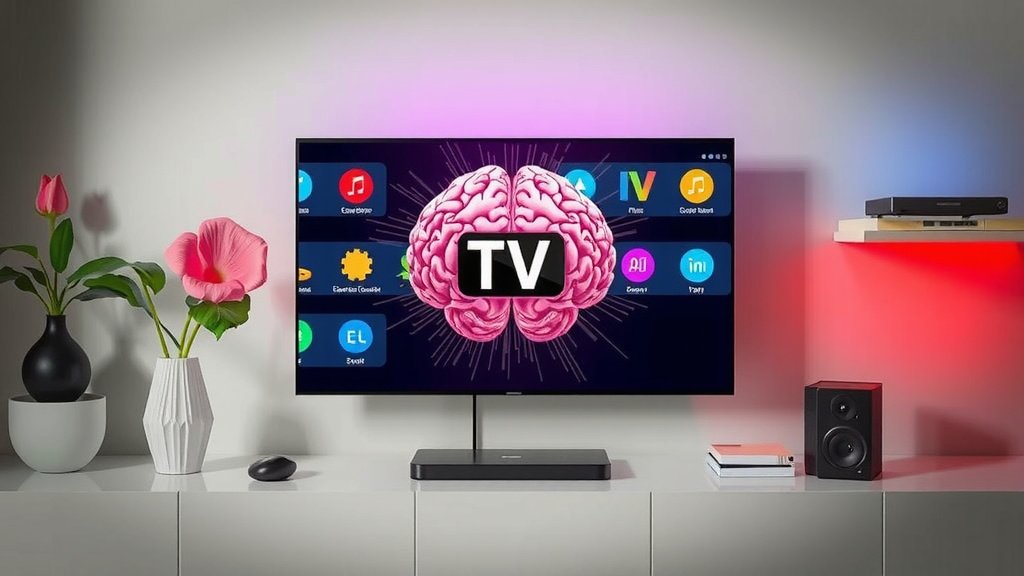
Why Your TV OS Matters for Your Experience
The operating system is more than just pretty menus. It directly impacts how you interact with your TV. It also affects its speed, reliability, and what features are available.
Performance and Speed
A well-optimized OS will make your TV feel fast. Apps will load quickly. Navigating menus will be smooth. Older or less powerful hardware can sometimes struggle. This can lead to laggy performance.
We found that some operating systems are simply more efficient. They require less processing power. This can result in a better experience, even on mid-range TVs. Research has shown that OS optimization is key to perceived speed (PCMag).
App Availability and Updates
The OS determines which apps you can download. Some platforms have hundreds of thousands of apps. Others have a more curated selection. It’s also important to consider how often the OS and its apps are updated.
Regular updates often bring new features. They also patch security vulnerabilities. This ensures your TV remains functional and safe. Think about your favorite streaming services. Are they available on the TV OS you’re considering?
Future-Proofing and Longevity
Smart TVs are an investment. You want them to last. The operating system plays a role in this. If an OS is no longer supported by the manufacturer, you might miss out on updates. This could eventually make your TV less functional.
Major manufacturers usually support their operating systems for several years. However, it’s wise to research a brand’s track record. They say good support ensures your TV stays up-to-date with the latest services and security patches.
Making the Most of Your TV’s Operating System
Once you understand your TV’s OS, you can optimize it. Here are a few tips to enhance your experience.
- Keep it Updated: Always install software updates when they are available. This keeps your TV secure and running optimally.
- Organize Your Apps: Most OSs allow you to rearrange or delete apps. Put your most-used ones front and center.
- Explore Settings: Take time to browse through the settings menu. You might find hidden features for picture quality, sound, or connectivity.
- Use Voice Control: If your TV has a voice assistant, learn its commands. It can be a huge time-saver.
- Troubleshoot Smartly: If you encounter issues, knowing your TV’s OS is the first step to finding solutions. Many fixes involve simple restarts or clearing cache.
Conclusion
You’ve learned that your TV’s operating system is the essential software driving your smart TV experience. It’s the foundation that allows you to stream, manage apps, and control your device. From Google TV’s recommendations to Roku’s simplicity, each OS offers a unique way to interact with your entertainment. Understanding your TV’s OS helps you make better choices and get more out of your device. Now that you know what’s under the hood, take a moment to explore your TV’s settings and ensure it’s running smoothly with the latest updates. Your viewing experience will thank you!
Frequently Asked Questions
What happens if my TV’s operating system stops getting updates?
If your TV’s operating system no longer receives updates, it might become less secure over time. You may also find that newer apps won’t be compatible. Some features might eventually stop working correctly as services change. It’s good to research a brand’s update policy before buying.
Can I change the operating system on my smart TV?
Generally, you cannot change the built-in operating system of a smart TV. The OS is deeply integrated with the TV’s hardware by the manufacturer. However, you can often connect external devices like a Roku stick or Amazon Fire TV stick to bypass the built-in system and use their interfaces.
How do I find out which operating system my TV is using?
You can usually find your TV’s operating system information in the “About” or “System Information” section of your TV’s settings menu. It might also be displayed briefly when you first turn on your TV. Checking your TV’s manual or the manufacturer’s website is another reliable way to find this information.
Does a TV’s operating system affect its speed and performance?
Yes, absolutely. A well-optimized operating system can make your TV feel much faster and more responsive. It impacts how quickly apps load and how smoothly you can navigate menus. Older or less efficient operating systems can sometimes lead to laggy performance, even on powerful hardware.
Which TV operating system has the most apps?
Platforms like Google TV (Android TV) and Fire TV generally offer the largest selections of apps due to their broad Android base. Roku TV also has a very extensive channel (app) selection. While sheer numbers are important, it’s also good to check if your favorite streaming services are available on the platform you prefer.