
How to Clean an OLED TV Screen Safely: A Simple Guide
The easiest way to clean an OLED TV screen is to turn it off, wipe it gently with a dry microfiber cloth, and skip sprays entirely unless the cloth is lightly dampened with distilled water. That’s it. No fancy cleaners, no paper towels, and definitely no Windex.
Here’s why the rules are so strict: OLED screens have a delicate anti-reflective coating that can scratch or peel if you scrub too hard or use the wrong products. We researched what display manufacturers actually recommend, and we found that most damage comes from well-meaning people using harsh chemicals. Want to keep that gorgeous picture looking new? A little care goes a long way.
- Always power off the TV and let it cool before cleaning.
- Use a soft, dry microfiber cloth as your first choice.
- For stubborn smudges, lightly dampen the cloth with distilled water only.
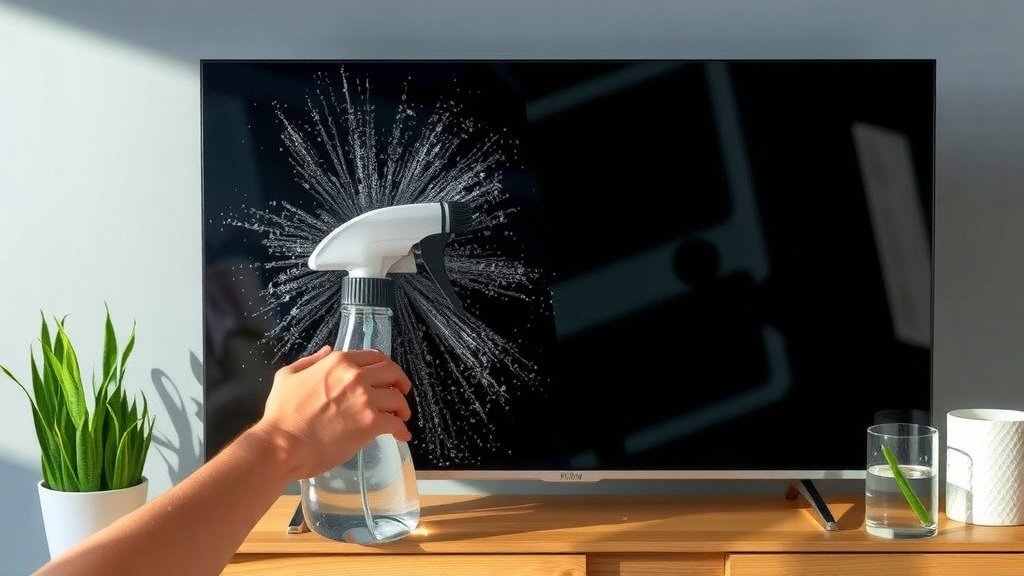
- Never spray liquid directly onto the screen.
- Avoid paper towels, alcohol, ammonia, and household glass cleaners.
Below, we break down everything you need to know about cleaning your OLED screen safely, step by step, so you can wipe away fingerprints without a hint of worry. Let’s dive in.
Cleaning Your OLED TV Screen the Safe Way
Ready to get started? Here’s the short version: dry cloth first, damp cloth only if needed, and a gentle touch the whole way through. Think of your OLED screen like a pair of nice sunglasses. You wouldn’t scrub them with a paper towel, right? Same energy here.
We found that most of the “helpful” habits people pick up from cleaning other things actually cause the most damage to OLED panels. So before you grab anything, let’s talk about what to avoid and what to use instead.
What You Should Never Use
Let’s start with the troublemakers. Some of these might surprise you, especially if you’ve been cleaning screens the same way for years.
- Paper towels and tissues. They feel soft, but the wood fibers scratch coatings over time.
- Windex and glass cleaners. Ammonia can strip anti-reflective coatings right off the panel.
- Alcohol or acetone. Solvents dissolve the coating on many OLED screens.
- Your shirt sleeve. We know, it’s right there. It’s also full of dust that can scratch.
- Pressure. OLED pixels are thin and delicate. Pressing hard can cause permanent damage. If a panel is already harmed, our guide to a permanently damaged TV panel covers what can actually be repaired.
Many manufacturer guidelines echo these warnings, and display care tips from consumer electronics makers consistently point to microfiber and water as the safest combo. That’s not marketing fluff. It’s because the coating on your screen is thinner than you’d think.
Gather These Supplies Before You Start
Good news. You don’t need to buy anything fancy. Most of this is probably in your house already, and if it isn’t, it costs a few dollars.
Here’s what we recommend keeping nearby before you begin:
- Two microfiber cloths — one dry, one for damp wiping.
- Distilled water — regular tap water leaves mineral spots.
- A soft brush or dry duster — for the frame and vents.
- A spray bottle (optional) — so you can mist the cloth, never the screen.
Notice anything missing? No chemicals. If you really want a screen-specific cleaner, pick one labeled safe for coated displays. We found that even those are rarely necessary. Distilled water handles fingerprints just fine.
Why Distilled Water Beats Tap Water
Tap water carries minerals like calcium and magnesium. When it dries on your screen, those minerals leave white spots that look worse than the fingerprints you were chasing in the first place. Distilled water has had those minerals removed, so it dries clean. It’s the same reason the CDC recommends distilled water for certain cleaning and medical uses — no residue, no surprises.
Step-by-Step: Wiping the Screen Without Damage
Alright, let’s do this properly. Follow these steps in order and you’ll be done in five minutes.
Step 1: Power Off and Cool Down
Turn the TV off completely. Not sleep mode. Fully off. A dark screen shows every smudge clearly, and the panel cools, which matters because warm glass can hold residue differently. Give it ten minutes if you’ve been binge-watching.
Step 2: Dry Wipe First
Take your dry microfiber cloth and wipe in gentle, straight lines — horizontal or vertical, your choice. No circles and no pressure. Circular rubbing just moves dust around and can create swirl marks. Let the cloth do the work, not your arm.
A tiny anecdote: one member of our research team admitted to “polishing” his old plasma like a car hood for years. The fine scratches were visible every sunset after. Don’t be that guy.
Step 3: Damp Wipe for Stubborn Smudges
Still see fingerprints or sticky spots? Lightly dampen a fresh microfiber cloth with distilled water. The cloth should feel barely moist — like it just woke up. Wring it until nothing drips, then wipe the spot gently.
Step 4: Dry Immediately
Go back over the area with your dry cloth. This prevents water spots and streaks. That’s it. You’re done. Wasn’t that easier than you expected?
How to Clean the Frame, Stand, and Vents
The screen isn’t the only part that gathers dust. The vents matter most, since blocked airflow can make the TV run hotter than intended. Use your soft brush or a dry duster on the back vents and along the stand.
For the frame and stand, you can use a slightly damp cloth, since those parts aren’t coated like the screen. Just keep moisture away from the ports and cables on the back panel. Water and electronics don’t mix, even a little.
What About Those Pesky Streaks?
Streaks usually mean one of two things: too much moisture or wiping while the cloth was dirty. Easy fixes exist for both.
| Streak Problem | Likely Cause | Quick Fix |
|---|---|---|
| White film or spots | Tap water minerals | Re-wipe with distilled water, then dry |
| Smear marks | Dirty cloth | Wash the microfiber cloth, air dry |
| Shadow trails after cleaning | Too much pressure | Stop, wait, use zero pressure next time |
| Grease that won’t budge | Heavy fingerprints | Damp cloth, slow passes, patience |
One more trick we picked up in our research: wash your microfiber cloths without fabric softener. Softener leaves a waxy film on the fibers, which then transfers straight onto your screen. Laundry irony at its finest.
How Often Should You Clean an OLED Screen?
Less than you think. For most homes, a light dusting every couple of weeks and a proper clean every one to two months is plenty. Over-cleaning causes more wear than under-cleaning. Every wipe, even a gentle one, adds tiny friction to the coating over its lifetime.
A Quick Cleaning Checklist
Print this mentally (or literally) and stick it near the remote:
- TV powered off and cooled down.
- Clean microfiber cloth in hand.
- Dry wipe first, always.
- Damp cloth with distilled water only if needed.
- No liquid ever touches the screen directly.
- Done in under ten minutes — walk away proud.
When Smudges Keep Coming Back
If your screen collects fingerprints faster than you can wipe them, the real solution might be household habits, not harder cleaning. Kids, pets, and that one relative who points at the TV all contribute. We found that a few small changes help a lot.
- Keep remotes and snacks away from low screens.
- Consider a screen-compatible mount or higher stand placement.
- Reduce room dust with a regular HVAC filter change — cleaner air means a cleaner screen (many air quality guides, including EPA resources, back this up).
- Close curtains during peak sunlight to cut down static-attracted dust.
Think of it like brushing your teeth. The daily habits matter more than the occasional deep clean. Keep the routine light, keep the pressure soft, and that stunning OLED picture will stay beautiful for years. You’ve got this.
Conclusion
Cleaning an OLED screen safely boils down to three things: a gentle touch, a clean microfiber cloth, and distilled water when you need more than a dry wipe. We found that nearly every horror story about ruined panels traces back to glass cleaners, paper towels, or too much elbow grease. You now know better, and that alone protects your screen for years.
So here’s your next step: grab two microfiber cloths and a bottle of distilled water today. Keep them in a drawer near the TV. That way, when the next smudge appears, you’ll fix it in five minutes without a moment of worry.
Frequently Asked Questions
Can I use eyeglass cleaner on my OLED TV?
It depends on the formula. Many eyeglass sprays contain alcohol or other solvents that can damage a screen’s coating. We found that distilled water on a microfiber cloth is the safer bet, so check the label carefully or skip the spray altogether.
Is it safe to clean an OLED screen while the TV is on?
It’s not recommended. A powered-off, cooled-down screen shows smudges more clearly and reduces any risk of moisture meeting live electronics. Give your TV about ten minutes to cool before you start wiping.
What should I do if liquid accidentally dripped onto my OLED screen?
Unplug the TV right away and dab the liquid gently with a dry microfiber cloth. Don’t press hard or rub. Let the area dry completely for several hours before powering the TV back on, and watch for any odd spots or flickering afterward.
Can I use a Swiffer or electronic screen wipes on my TV?
Pre-moistened screen wipes are usually too wet and may contain alcohol, which can harm the coating. A Swiffer is designed for floors and can leave residue behind. Stick with a slightly damp microfiber cloth and distilled water instead.
Why does my OLED screen attract so much dust?
Static electricity from the screen pulls in airborne dust, especially in dry rooms. Running an air purifier, changing your HVAC filter regularly, and dusting nearby shelves can cut down on what lands on the panel in the first place.