Can You Wall Mount Any TV? The Definitive Guide
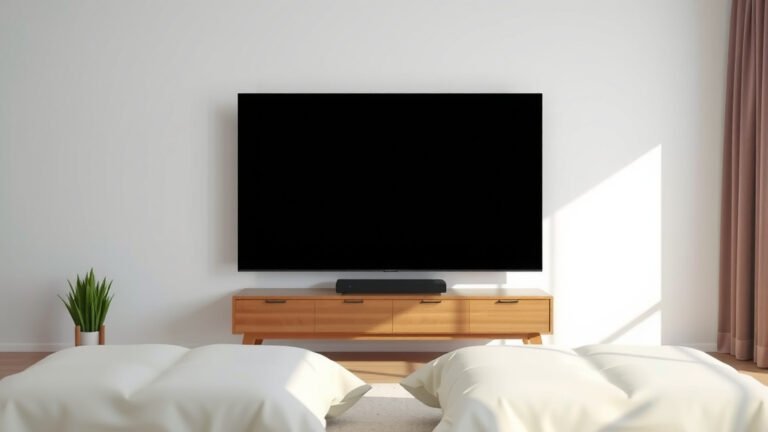
Yes, you can usually wall mount almost any TV, but there are a few important things to check first. Most modern TVs are designed with mounting holes on the back. This makes them ready for a wall mount. You just need to confirm your specific TV has these. It’s not as complicated as it might sound!
The main consideration is whether your TV has standard VESA mounting patterns. These are the universal screw hole patterns used by most wall mounts. We found that if your TV has these holes, finding a compatible mount is generally straightforward. Size and weight are also key factors to consider for safety.
- Most TVs can be wall mounted.
- Look for VESA mounting holes on your TV’s back.
- Check your TV’s weight against the mount’s capacity.
- Ensure your wall can support the mounted TV.
Let’s break down exactly what you need to look for to make sure your TV can safely hang on your wall.
Is Your TV Mountable? Checking Compatibility
So, can you really hang any TV on your wall? The short answer is: usually, yes! Most modern televisions are designed with the future in mind. They come equipped with mounting holes on the back. These holes are your ticket to a clean, space-saving wall mount. It’s not magic; it’s just good design.
The key thing to look for is a specific pattern of holes. This is known as the VESA mounting pattern. Think of it like a universal language for TV mounts. If your TV speaks this language, finding a mount is typically straightforward. We found that if your TV has these holes, you’re already halfway there.
Understanding VESA Patterns
VESA stands for Video Electronics Standards Association. They created a standard for mounting TVs and monitors. This standard ensures that different brands of TVs and mounts can work together. A VESA pattern is simply the distance between the mounting holes on the back of your TV. These distances are measured in millimeters (mm), both horizontally and vertically. For example, you might see a VESA pattern like 200x200mm or 400x400mm.
Most TVs, especially those 32 inches and larger, will have VESA compliant mounting holes. Smaller TVs or older models might be an exception. It’s always best to double-check. You can find your TV’s VESA pattern in the user manual. If you can’t find the manual, a quick online search for your TV model number should tell you. We’ve found that most manufacturers list this specification clearly.
How to Find Your TV’s VESA Pattern
First, look at the back of your TV. You’ll see four threaded holes. These are where the mount screws will go. Measure the distance between the horizontal holes. Then, measure the distance between the vertical holes. These two measurements give you your VESA pattern (e.g., 400mm wide x 200mm high).
Alternatively, and often more easily, check your TV’s user manual. It will explicitly state the VESA pattern. If you’ve tossed the manual, go to the manufacturer’s website. Search for your specific TV model. The product specifications page should list the VESA dimensions. If all else fails, a quick internet search for “[Your TV Model Number] VESA pattern” usually does the trick. We found this to be a reliable method.
Beyond VESA: Weight and Size Matter
Even if your TV has VESA holes, there’s more to consider. Your TV has a specific weight. Wall mounts also have a maximum weight capacity. You must ensure the mount you choose can safely support your TV’s weight. Think of it like choosing a shelf for your books. You wouldn’t put a whole encyclopedia set on a tiny shelf.
Manufacturers are usually very clear about their TV’s weight. It’s listed in the manual and on the product page. Similarly, wall mount packaging and descriptions will clearly state the maximum weight they can hold. Always pick a mount that supports well over your TV’s weight for an added margin of safety. We recommend choosing a mount rated for at least 10-20 pounds more than your TV’s actual weight.
Size is also a factor, though less directly than weight. A mount is often designed to accommodate a range of TV sizes within a certain weight class. For example, a mount might be listed for 32-inch to 65-inch TVs. However, always confirm that the VESA pattern compatibility matches your TV. A mount might fit the size range but not your specific VESA holes. It’s a bit like buying clothes – the size might seem right, but the fit is key.
What About Older or Unusual TVs?
What if you have an older flat-screen TV, or perhaps a TV that doesn’t seem to have standard mounting holes? It’s less common now, but it can happen. For older flat-screen TVs, the main concern is whether they were manufactured with VESA compliance in mind. Many early flat-screens did not follow the VESA standard.
If your older TV lacks VESA holes, you might be out of luck for standard wall mounts. However, there are some universal mounting kits available. These kits often use brackets that attach to the sides or top and bottom of the TV. They then connect to a wall plate. These are generally less elegant and may not be suitable for all TV designs. We found that these kits require very careful installation and a thorough check of compatibility with your specific TV model.
For very old, non-flat-screen (CRT) TVs, wall mounting is generally not feasible or safe. These TVs are extremely heavy and have an irregular shape. Their weight distribution is also not suited for wall mounting. Trying to mount a CRT TV could lead to serious damage or injury. Stick to modern flat-panel TVs for wall mounting. They are designed with this possibility in mind.
Mounting Considerations for Your Wall
Your TV and mount are only part of the equation. You also need to consider the wall itself. Is it strong enough to hold the weight of your TV and mount? Different wall materials require different mounting techniques and hardware.
Studs are Your Best Friend
The most secure way to mount a TV is to attach the wall mount directly to a wall stud. Studs are the vertical wooden beams inside your walls. They provide a solid anchor point. Most standard wall mounts come with hardware designed to screw directly into wood studs. Locating studs is often the first step many DIYers take. The most secure way to mount a TV is to attach the wall mount directly to a wall stud.
You can find studs using a stud finder tool, which is highly recommended. You can also tap on the wall; it sounds hollow between studs and solid over a stud. Many experts say that mounting directly into drywall without hitting a stud is unsafe for anything but the lightest of components (Wirecutter). Always aim for at least one, preferably two, studs for a TV mount. Your TV’s weight needs solid support.
Drywall, Plaster, and Concrete
What if you can’t hit a stud, or you have a different type of wall? For drywall, if a stud isn’t an option, you must use specialized heavy-duty drywall anchors. These anchors are designed to spread out behind the drywall, creating a stronger anchor point. However, even the best drywall anchors have limits. They are generally suitable for lighter TVs. Always check the weight rating of the anchor and the mount.
Plaster walls are similar to drywall but can be more brittle. You’ll likely need specific anchors designed for plaster. For concrete or brick walls, you’ll need masonry anchors. These are robust anchors that are drilled into the concrete or brick itself. They offer a very strong mounting solution. Always use the correct hardware for your wall type. We found that using the wrong hardware is a common mistake that can lead to disaster.
Weight Capacity Checklist
Before you buy a mount, take a moment to confirm these details:
- What is the exact weight of your TV?
- What is the VESA pattern of your TV?
- What is the maximum weight capacity of the wall mount?
- Does the mount support your TV’s VESA pattern?
- What type of wall are you mounting to?
- Do you have the correct hardware for your wall type?
Conclusion
So, can you wall mount almost any TV? Yes, usually! Your TV’s compatibility hinges on having standard VESA mounting holes and ensuring the chosen mount can handle its weight and size. Always double-check your TV’s manual for its VESA pattern and weight. Remember, the strength of your wall is just as important as the mount itself. If you’re unsure about hitting studs or choosing the right anchors, it’s wise to consult a professional. Your next step is to gather your TV’s specs and your wall type to pick the perfect mount!
Frequently Asked Questions
What if my TV isn’t VESA compatible?
If your TV lacks standard VESA holes, you might need to look for a universal mounting kit. These often use adjustable brackets that attach to the sides or top/bottom of your TV. Be sure to carefully check the kit’s compatibility with your specific TV model before purchasing.
Can I mount a TV on a wall that isn’t made of wood studs?
Yes, you can mount a TV on other wall types like drywall, plaster, or concrete. For drywall, you’ll need heavy-duty drywall anchors rated for your TV’s weight. For concrete or brick, use appropriate masonry anchors. Always ensure the hardware matches your wall material and its weight capacity.
How much heavier should my wall mount be than my TV?
It’s smart to choose a wall mount with a weight capacity that significantly exceeds your TV’s weight. We recommend a mount that can handle at least 10-20 pounds more than your TV’s actual weight. This provides an essential safety margin.
Are older flat-screen TVs generally mountable?
Older flat-screen TVs might be mountable, but it’s less guaranteed than with newer models. The key is still checking for VESA mounting holes. Many early flat-screens didn’t adhere to the VESA standard, so you’ll need to verify this specification.
Is it okay to mount a TV if I can only hit one wall stud?
While hitting at least one stud is better than none, mounting directly into two studs is always the most secure method for any TV. If you can only hit one stud, ensure you use appropriate heavy-duty anchors or brackets for the other side, carefully considering the weight distribution.