How to Fix TV Ghosting: 7 Proven Solutions That Work

TV ghosting happens when faint, blurry copies of images trail behind moving objects on your screen, and you can often fix it by checking your cables, adjusting your picture settings, or updating your TV’s firmware. It’s annoying, but it’s usually not a sign your TV is dying.
Ghosting can come from a few places: a loose or damaged HDMI cable, a slow response setting, or even a signal problem from your cable box. We researched the most common causes and found that most fixes take less than 10 minutes. Who knew a little troubleshooting could save you a repair bill?
- Ghosting is when faint image trails follow fast-moving objects on your screen.
- Common causes include bad cables, wrong picture settings, and outdated firmware.
- Quick fixes include reseating cables, turning off motion smoothing, and updating software.
- If ghosting appears on all inputs, the panel itself may be the problem.
- Most solutions are free and take just a few minutes.
Below, we walk through each cause and fix step by step, so you can get back to a crisp, clear picture without the spooky shadows.
Fixing TV Ghosting Step by Step
The fastest fix is to reseat your HDMI cables and then work through your picture settings. Most ghosting comes from connection or settings issues, not a broken screen. We found that following the steps below in order saves time, because you rule out the cheap and easy causes first.
Think of it like fixing a leaky faucet. You check the washer before you replace the whole sink, right?
Check Your Cables and Connections First
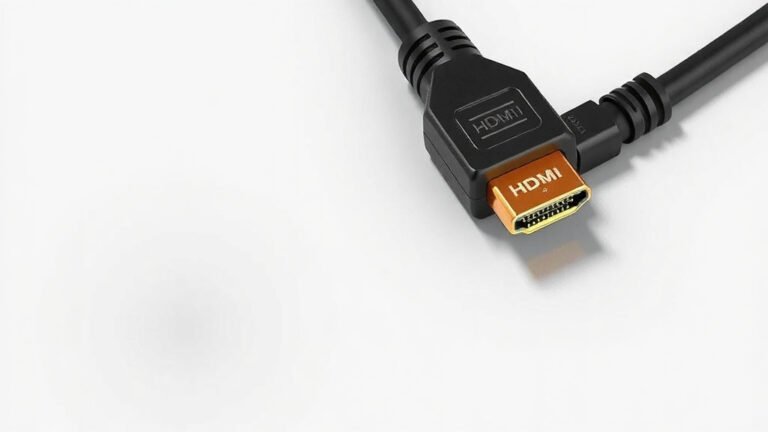
Cables cause more ghosting than people realize. A loose plug, a bent pin, or a cheap HDMI cord can scramble the signal just enough to leave trails on your screen. Unplug each cable, look for damage, then plug it back in firmly until it clicks.
We found that simply swapping a suspect cable for a known-good one solves ghosting in many cases. If the trails vanish with the new cable, you just found your culprit. High-speed HDMI cables cost under $15, so this is a low-stakes test. If you’re unsure which cable to buy, our guide to HDMI cable versions breaks down the differences.
Inspect Each Input One at a Time
Switch between every source: cable box, streaming stick, game console, and Blu-ray player. Write down where the ghosting shows up.
- Ghosting on all inputs points to the TV itself.
- Ghosting on one input points to that device or its cable.
- Ghosting only on antenna TV often means a weak or noisy signal.
This one trick cuts your troubleshooting time in half. It tells you exactly which direction to go next.
Adjust Your Motion and Picture Settings
Your TV’s settings can create ghosting all on their own. Motion smoothing, low response modes, and overdone noise reduction are the usual suspects. Open your picture menu and try these changes one at a time:
- Turn motion smoothing off (sometimes called Motionflow or Auto Motion Plus).
- Switch to a Game mode if you play video games, since it prioritizes speed over processing.
- Reduce noise reduction and MPEG smoothing to zero or low.
- Reset the picture settings to default before making new tweaks.
Many experts say motion smoothing is the number one settings-based cause of trails and blur. Your TV is trying so hard to smooth motion that it smears it instead. A little less help from the TV often means a much clearer picture.
Try a Test Pattern to Confirm the Fix
Not sure if the ghosting is gone? Play something with fast horizontal movement, like a hockey puck or a scroll banner on a news channel. These make trails easy to spot.
Watch the same clip before and after each settings change. Your eyes are the best test equipment you own, and they’re free.
Update Your TV’s Firmware
Outdated firmware is a sneaky cause of ghosting, especially on smart TVs. Manufacturers release updates that fix image processing bugs, and your TV might be sitting on an old version. Go to Settings, then Support or System, and look for a software update option.
We found that some ghosting complaints in owner forums get resolved by a single update. Let the TV download and install while you grab a snack. Don’t unplug it mid-update, or you’ll trade a small problem for a big one.
Fix Signal Issues From Antenna or Cable Sources
If ghosting shows up only on live TV, the problem may be the signal, not the screen. Over-the-air antenna signals can arrive weak or with interference, which looks like ghosting on your TV.
Improve a Weak Antenna Signal
Try these fixes in order:
- Move the antenna near a window or higher up.
- Point it toward your local broadcast towers.
- Rescan for channels after each move.
- Replace old, frayed coaxial cable.
The FCC offers free guidance on antenna placement and rescanning, and it’s worth a look if you’re wrestling with reception. Sometimes moving an antenna three feet fixes what hours of settings tweaks couldn’t.
Rule Out the Cable Box
Unplug your cable box for 30 seconds, then plug it back in. This reboot clears its memory and often cleans up a scrambled picture. If ghosting continues, ask your provider to check the signal at your wall or swap the box.

Common Ghosting Causes and Fixes at a Glance
Here’s a quick table so you can match your symptom to the likely fix:
| Symptom | Likely Cause | Quick Fix |
|---|---|---|
| Trails on all inputs | Panel or settings issue | Reset picture settings, update firmware |
| Trails on one device only | Cable or source device | Swap the HDMI cable, reboot the device |
| Blur during fast action | Motion smoothing on | Turn motion smoothing off |
| Ghosting only on antenna TV | Weak signal | Reposition antenna, rescan channels |
| Trails after a power outage | Firmware glitch | Power cycle the TV fully |
Your Ghosting Troubleshooting Checklist
Keep this list handy and check items off as you go:
- Unplug and reseat every HDMI and coax cable.
- Test each input to find where ghosting appears.
- Turn off motion smoothing and noise reduction.
- Install any pending firmware updates.
- Power cycle the TV by unplugging it for one minute.
- Reposition and rescan your antenna if only live TV is affected.
When Ghosting Means a Bigger Problem
If you’ve tried everything and the trails persist on every input, the panel itself may be failing. We found that panel-level ghosting is rare, but it does happen, especially on older LCD TVs with worn-out components.
Signs It’s the Panel, Not the Settings
Watch for these red flags:
- Trails appear even on the TV’s built-in menus and apps.
- Ghosting is getting worse week after week.
- Image retention or burn-in shows up alongside the trails.
At that point, contact the manufacturer about warranty service. If the TV is more than seven or eight years old, compare the repair quote against the price of a new set. Sometimes the smartest fix is knowing when to stop fixing.
Prevent Ghosting Down the Road
Buy decent cables, keep your firmware current, and don’t crank motion settings to max. A few minutes of care now saves you another spooky picture later. Your eyes will thank you during the next big game.
Conclusion
TV ghosting looks scary, but it’s usually a cable, setting, or signal issue you can fix yourself in minutes. We found that reseating connections, testing each input, and dialing back motion smoothing solve most cases. Firmware updates and a good antenna repositioning handle the rest. Only a small number of cases come down to a failing panel, and by now you know exactly how to spot those. So grab that remote, work through your checklist, and give your picture one more look. If the trails still follow every puck and scroll banner across every input, that’s your cue to call the manufacturer’s support line about warranty service.
Frequently Asked Questions
Can a bad HDMI cable really cause ghosting, or is that a myth?
It’s real, and it’s one of the cheapest problems to rule out. A damaged or low-quality cable can distort the signal enough to leave faint trails. Swapping in a known-good cable takes two minutes and tells you right away.
Does ghosting mean my TV screen is burnt in?
Not necessarily. Burn-in is a permanent image stuck on the screen, while ghosting is a trailing effect during motion. They can show up together on older panels, but most ghosting comes from connections, settings, or signal problems instead.
Why does my TV only ghost when I play video games?
Games push fast motion and heavy processing at the same time, which exposes slow picture settings. Try enabling Game mode, which cuts down the TV’s image processing to prioritize speed. If the trails disappear there, your settings were the culprit.
Will a factory reset fix ghosting on my smart TV?
It can, if the problem comes from a settings change or a software glitch. A reset wipes custom picture adjustments and gives you a clean slate. Just know it also erases your apps and sign-ins, so try simpler fixes first.
How much does it cost to repair a TV with a ghosting panel?
Panel replacements often run from a couple hundred dollars up to more than the TV is worth, depending on the model. We found that for sets older than seven or eight years, a replacement TV usually makes more sense than a repair. Always get a quote before deciding.