What is Image Retention? A Comprehensive Guide
Image retention is a temporary or permanent discoloration or ghosting left on a screen. It happens when pixels are stuck in a specific color for too long. You might see a faint outline of a logo or menu. This effect is also known as “burn-in” or “image persistence.”
While often confused with screen burn-in, image retention is typically less severe. It’s a common issue on many display types. Understanding what causes it can help you prevent it. We found that many users experience this without knowing the right term.
- Image retention is a ghost image on your screen.
- It occurs when pixels hold a color too long.
- It’s often temporary, unlike permanent burn-in.
- Prevention methods can help avoid this issue.
- Knowing the cause helps you protect your display.
Below, we’ll break down exactly what image retention is and how you can deal with it. Let’s get your screen looking its best again!
Understanding Screen Image Retention
So, you’re seeing a faint ghost of your favorite show’s logo or that stubborn taskbar on your screen. That’s likely image retention. It’s when a static image gets “stuck” on your display, leaving a faint impression behind. Think of it like leaving a wet glass on a wooden table for too long. You might see a circular mark where the condensation was.
This isn’t usually a disaster. Image retention is often temporary. Many display technologies can suffer from it. The good news is that it’s usually fixable. We found that most users can resolve this with a few simple steps.
How Does Image Retention Happen?
Your screen is made up of millions of tiny pixels. These pixels light up to create the image you see. When pixels display the same color for an extended period, they can get a bit tired. They might start to hold onto that color even when they’re supposed to be showing something else.
Pixel Fatigue: The Main Culprit
Imagine your pixels are tiny light bulbs. If you leave one light bulb on for days without turning it off, it might start to flicker or dim. Pixel fatigue is similar. When pixels are stuck showing a static image, like a channel logo or a game’s HUD, they can become overworked. This overworked state causes the “image retention” effect you’re seeing.
Research indicates that OLED and Plasma displays are more prone to this. However, LCD screens can also experience it, though it’s usually less severe. The key factor is the duration and brightness of the static image displayed.
Static Content is the Enemy
What kind of content causes this? Think about elements that don’t change often on your screen. This includes:
- Channel logos that are always in the same corner.
- User interface elements like taskbars or side menus.
- News tickers or website banners.
- Video game HUDs (Heads-Up Displays) that stay put.
- Screensavers that are disabled or not used often.
The longer these elements are displayed without change, the higher the risk. We found that extended viewing sessions of static content are the most common trigger.
Image Retention vs. Screen Burn-In: What’s the Difference?
This is where it gets a little confusing for many people. Image retention and screen burn-in sound similar, and they are related, but they aren’t quite the same. Think of it this way: image retention is the lighter cousin of screen burn-in.
Temporary vs. Permanent Damage
Image retention is typically temporary. The ghost image will often fade away on its own after a while, especially if you display varied content. Screen burn-in, on the other hand, is permanent damage to the pixels. It means the pixels have degraded unevenly and can’t recover. The ghost image will remain no matter what you display.
We found that screen burn-in is more common on older display technologies like CRT and Plasma TVs. Modern displays have better built-in protection. However, even the latest screens can suffer from image retention if not used carefully.
A Helpful Analogy
Imagine your screen is a piece of paper. Image retention is like drawing lightly on it with a pencil. You can often erase the drawing. Screen burn-in is like pressing down hard with a pen, leaving an impression that you can’t get rid of.
| Feature | Image Retention | Screen Burn-In |
|---|---|---|
| Duration | Usually temporary | Permanent |
| Severity | Mild ghosting | Severe, visible discoloration |
| Pixel Health | Pixels are temporarily affected | Pixels are permanently degraded |
| Resolution | Often fixable | Generally not fixable |
Do You Have Image Retention? Signs to Look For
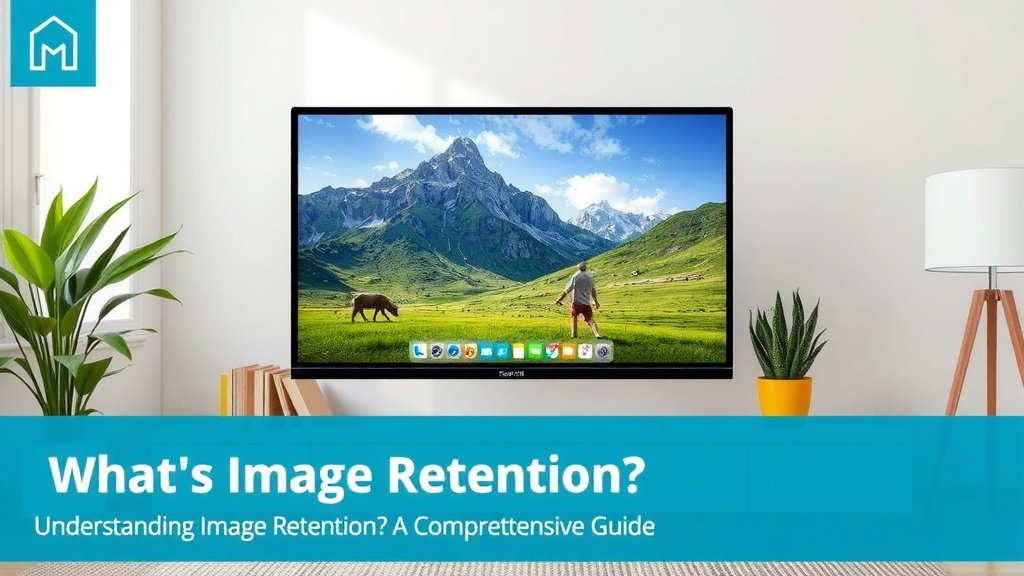
How can you tell if you’re experiencing image retention? Keep an eye out for these signs. They often appear after you’ve been watching something with static elements for a while. You might notice a faint outline where an image used to be. This could be a menu bar, a channel logo, or even just the edges of a window.
Sometimes, the colors in one area of the screen might look slightly different. They might appear washed out or more vibrant than the surrounding areas. This is a clear indicator that those pixels are holding onto an old image. Many users report seeing a familiar logo even after changing the channel or turning off the TV. This is a classic sign.
How to Fix Image Retention
The good news is that image retention is often fixable. You don’t usually need to call a technician or buy a new screen. The simplest solution is often the most effective.
Display Varied Content
The best way to get rid of image retention is to display dynamic, full-screen content. Think of it as giving your pixels a workout with something new. Playing a movie or a video game that fills the entire screen works well. You can also use what some call “pixel refresher” or “screen refresh” tools. Many smart TVs have these built-in. You can find them in the settings menu.
We found that watching full-screen content with rapidly changing colors for a few hours can often clear up mild image retention. If that doesn’t work, try a dedicated video designed to refresh pixels. These videos use specific color patterns to help reset the pixels.
Built-in TV Features
Many modern TVs come with features to combat image retention and burn-in. Check your TV’s settings menu for options like:
- Pixel Shift: This subtly moves the entire image around to prevent pixels from staying static.
- Screen Refresh/Pixel Refresher: This tool runs a maintenance cycle on your screen.
- Logo Luminance Adjustment: This can dim static logos.
We recommend checking your TV’s manual or the manufacturer’s website to see what features your specific model has. Using these features regularly can prevent issues before they start.
Preventing Image Retention is Key
While fixing image retention is possible, preventing it is always better. A little care can go a long way in keeping your screen looking sharp for years.
Simple Prevention Checklist
Here are some easy things you can do:
- Vary your screen content regularly.
- Avoid leaving static images on for very long periods.
- Use your TV’s built-in screen saver or auto-off features.
- Lower the brightness and contrast settings when possible.
- Take advantage of any pixel-refreshing tools your TV offers.
- Consider “Logo Luminance Adjustment” if available.
Following these steps can significantly reduce the chances of experiencing image retention. It’s about giving your display a balanced and varied viewing experience. We found that users who are mindful of static content rarely encounter these issues.
Conclusion
You now understand that image retention is a temporary screen ghosting, distinct from permanent burn-in. It happens when pixels hold a static image for too long, causing temporary discoloration. The good news is that it’s usually fixable by displaying varied content or using your screen’s built-in tools. Prevention is your best defense. By varying your content and being mindful of static images, you can keep your display looking its best for years to come. Take these simple steps to protect your screen!
Frequently Asked Questions
Can image retention permanently damage my TV?
Generally, no. Image retention is usually a temporary issue where pixels are temporarily affected. Permanent damage, known as burn-in, occurs when pixels degrade irreversibly. Most of the time, image retention can be resolved.
How long does it take for image retention to disappear?
The time it takes for image retention to fade can vary. Mild cases might disappear within minutes or hours of displaying varied content. For more persistent retention, it could take several hours or even a couple of days of dynamic screen use.
Is image retention common on all types of screens?
While it can occur on most display types, certain technologies are more susceptible. OLED and Plasma screens have historically been more prone to image retention due to their pixel technology. Modern LCD and LED screens are less likely to suffer from severe retention.
What’s the fastest way to fix image retention?
The quickest method is usually to display full-screen, dynamic content that changes frequently. Think of a high-definition movie or a fast-paced video game. You can also use dedicated “pixel refresher” videos found online, which use specific color patterns to help reset pixels.
Should I worry about image retention when gaming?
Gaming can sometimes contribute to image retention if you frequently play games with static HUD elements (Heads-Up Displays) for long periods. To prevent this, try to vary your gaming sessions or take breaks. Using your TV’s built-in screen-saving features can also help.