What Is a Voice Remote And How Does It Work

A voice remote is a TV remote control that lets you change channels, search for shows, or adjust settings using your voice. Instead of finding tiny buttons, you just speak your commands. This makes navigating your entertainment much simpler and faster.
Think of it as a hands-free assistant for your television. Many smart TVs and streaming devices now include them. They often use voice recognition technology to understand your requests. This means you can easily find what you want to watch without typing.
- Voice remotes use your voice to control your TV.
- You can search for shows or change channels by speaking.
- They make watching TV more convenient.
- Many modern TVs and streaming devices come with them.
Let’s take a closer look at how voice remotes work and what makes them so handy.
Understanding How Voice Remotes Work
Voice remotes are a really smart way to interact with your TV. They use technology to understand your spoken words. This lets you control your television without touching a single button. It’s like having a personal assistant for your entertainment system.
The Technology Behind the Magic
At their core, voice remotes rely on sophisticated voice recognition software. When you speak, the remote captures your voice. It then sends this audio to a processing unit. This unit analyzes the sound waves. It compares them to a vast library of known words and phrases. Once it identifies your command, it sends the appropriate signal to your TV or streaming device.
Microphones and Processors
You’ll notice a small microphone built into the remote. This is your direct line to the system. Some remotes have dedicated buttons you press to activate the microphone. Others might listen for a wake word, like “Hey Google” or “Alexa.” The speed and accuracy depend on the quality of the microphone and the power of the processing chip.
Cloud vs. Local Processing
Where does the voice get processed? That’s a good question! Some voice remotes send your voice data to the cloud for analysis. This often leads to more accurate results. However, it requires an internet connection. Other remotes use onboard processors. These can work offline but might be less precise. Many modern systems combine both approaches for the best experience.
Making Your Commands Understandable
How does the remote know you want to watch a comedy and not a drama? It’s all about context and the way you phrase things. Voice assistants are trained on millions of examples. They learn to distinguish between different shows, actors, and genres. They can also understand commands related to volume, channels, and playback.
Natural Language Processing
This is the key to making voice remotes feel so natural. Instead of memorizing specific codes, you can speak in everyday language. You might say, “Play The Office” or “Turn up the volume.” The system interprets your intent through natural language processing (NLP). NLP allows the device to understand the meaning behind your words, even if you don’t use exact phrasing.
Learning Your Preferences
Over time, some voice remotes can even learn your preferences. If you frequently watch certain channels or types of shows, the assistant might start suggesting them. This personalization makes finding something to watch even faster. It’s like the remote gets to know your taste in entertainment.
What Can You Actually Do With a Voice Remote?
The possibilities are quite broad. You’re not just limited to changing the channel. Think about all the different functions your TV or streaming device offers. Voice remotes can help you access many of them with ease.
Content Discovery and Playback
This is where voice remotes truly shine. Searching for specific movies or TV shows can be a chore. You often have to type out long titles. With a voice remote, you can simply say the name. You can also ask for content by actor, director, or genre. For example, “Show me action movies from the 90s.”
Beyond searching, you can control playback. Want to pause, rewind, or fast-forward? Just ask. You can even skip entire segments. For instance, you might say, “Skip intro” or “Go to the 30-minute mark.” This makes watching much more fluid.
System Settings and Navigation
Voice commands aren’t just for finding shows. You can adjust your TV’s settings too. Need to change the picture mode or turn on subtitles? A quick voice command can do it. It’s a much faster way to access these features than hunting through menus.
Navigation becomes simpler. You can ask to open specific apps, like Netflix or YouTube. You can switch between inputs, such as your game console or Blu-ray player. This hands-free control is especially useful when your hands are full.
Smart Home Integration
Many voice remotes are part of a larger smart home ecosystem. If your TV is connected to other smart devices, your remote can act as a hub. You can use it to control smart lights, thermostats, or security cameras. For example, you might say, “Dim the living room lights” before starting a movie.
This interconnectivity turns your TV remote into a central command center for your home. It simplifies managing different devices. Many people find this integration very convenient. It’s one of the most powerful features of modern voice remotes.
Is a Voice Remote Right for You?
Considering a voice remote? Here are a few things to think about. They offer clear advantages for many users. We found that ease of use is a major factor.
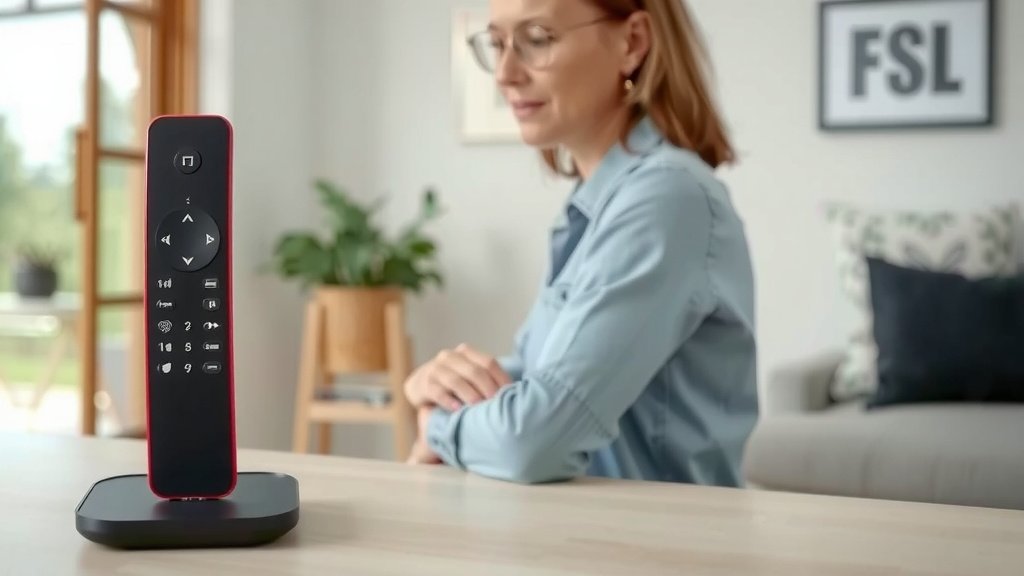
Think about how you currently use your TV. Do you spend a lot of time typing searches? Do you wish you could navigate menus faster? If so, a voice remote could be a great upgrade. They are especially helpful for people with physical limitations that make typing difficult.
Are you comfortable with voice commands? Most people adapt quickly. The technology has improved so much. It’s far more reliable than it used to be. Many experts suggest it’s the future of device interaction (National Academies of Sciences, Engineering, and Medicine).
Here’s a quick checklist to see if a voice remote fits your needs:
- You often search for shows by typing titles.
- You want to find content faster.
- You enjoy using smart home devices.
- You find navigating TV menus cumbersome.
- You appreciate hands-free convenience.
- You want to control your TV without a lot of button pressing.
For many, the answer is a resounding yes. They simplify entertainment and offer a more modern way to interact with your devices. It’s about making your viewing experience as smooth and enjoyable as possible.
Conclusion
You’ve learned that a voice remote is your new best friend for TV control. It transforms how you find shows and manage your entertainment. By simply speaking, you can search for content, adjust settings, and even control other smart devices. This hands-free approach saves you time and hassle. If you love convenience and a modern way to interact with your tech, a voice remote is likely a great addition to your home. Consider trying one out to see how much simpler your viewing experience can become.
Frequently Asked Questions
Do I need an internet connection for a voice remote to work?
Many voice remotes require an internet connection to process your commands. This is because they often send your voice to the cloud for analysis. However, some basic functions or remotes with local processing might work offline for simpler tasks.
Can a voice remote control other devices in my home?
Yes, many voice remotes can integrate with other smart home devices. If your TV and remote are part of a smart home ecosystem, you can often use voice commands to control lights, thermostats, and more.
How accurate are voice remotes?
Voice remote accuracy has improved significantly. They use advanced natural language processing to understand your commands. Factors like microphone quality and internet speed can affect performance, but they are generally very reliable for everyday use.
Will a voice remote understand accents?
Modern voice remotes are designed to understand a wide range of accents. The voice recognition software is trained on diverse datasets. While occasional misunderstandings can happen, they are usually quite good at recognizing different speaking styles.
Is it difficult to learn how to use a voice remote?
No, most people find voice remotes very easy to use. You speak commands in plain language, like “Play The Office” or “Turn up the volume.” The system interprets your intent, making it intuitive and quick to pick up.