How to Clean Your TV Screen Safely and Effectively
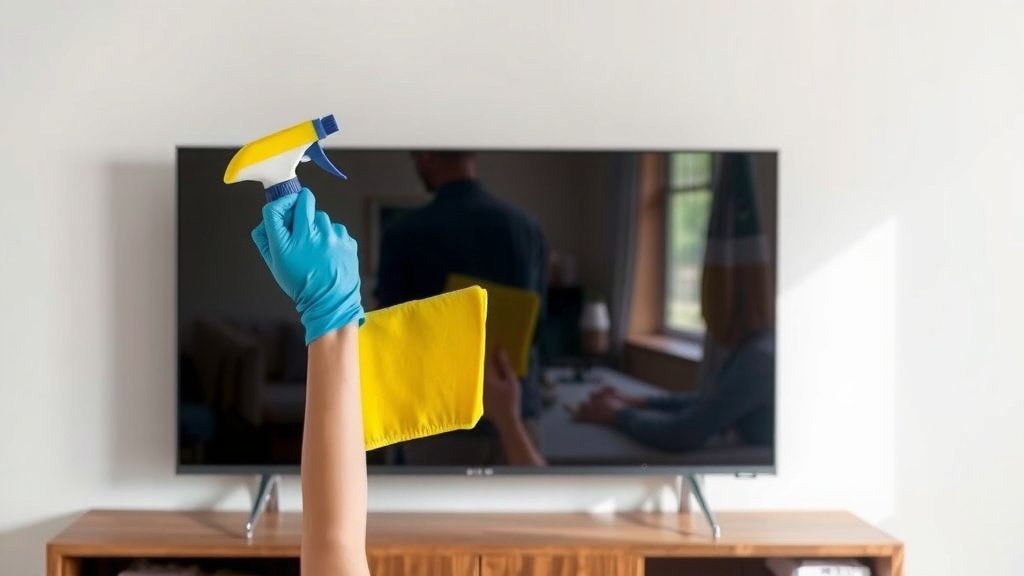
The best way to clean a TV screen is by using a microfiber cloth dampened with distilled water. Avoid harsh chemicals or abrasive materials. This gentle approach prevents scratches and damage to your display.
Keeping your TV screen clean not only makes your viewing experience better but also helps prolong the life of your device. Dust and grime can accumulate quickly, dimming picture quality over time. Many experts recommend this simple method for all types of screens, including LED, LCD, and OLED.
- Use a dry microfiber cloth first for light dust.
- If needed, slightly dampen the cloth with distilled water.
- Wipe gently in one direction.
- Never spray liquid directly onto the screen.
- Avoid ammonia, alcohol, or window cleaners.
Ready to get rid of those smudges? Let’s walk through exactly how to clean your TV screen safely and effectively, step by step.
Safely Reviving Your TV Screen’s Clarity
Your TV is likely the centerpiece of your living room. You want it looking its best. Over time, dust, fingerprints, and smudges can build up. This can really dull the picture. Learning how to properly clean your TV screen is simple. It ensures a clearer, more vibrant viewing experience. Plus, it helps protect your investment. Many experts agree that a gentle approach is key.
The Essential Cleaning Toolkit
You don’t need a lot of fancy supplies. In fact, simpler is often better when it comes to electronics. Gathering a few key items will set you up for success.
What You’ll Need
Here’s a quick rundown of what you should have on hand. You probably already have most of these things in your home.
- Two clean microfiber cloths: These are your best friends for screen cleaning. They are soft and won’t leave lint behind.
- Distilled water: Tap water can contain minerals that leave spots. Distilled water is pure and safe for your screen.
What to Absolutely Avoid
Some common household cleaners can cause permanent damage. It’s critical to steer clear of certain substances. Think of these as the “no-fly zone” for your TV screen.
- Paper towels or tissues: These can scratch your screen. They also tend to leave lint.
- Harsh chemicals: Ammonia, alcohol, acetone, or window cleaner are big no-nos. They can strip protective coatings and damage pixels.
- Abrasive cleaners or pads: Anything gritty will scratch. Even a soft-bristled brush can be too much.
- Spraying directly on the screen: Liquid can drip into the TV’s internal components. This can cause serious, costly damage.
Step-by-Step Guide to a Spotless Screen
Ready to get started? Following these steps will make cleaning your TV screen a breeze. Remember, gentle is the name of the game.
Step 1: Power Down and Cool Off
Safety first! Always turn off your TV. Unplug it from the wall if possible. Allow the screen to cool down for a few minutes. A cool screen is less likely to be damaged by cleaning. It also makes smudges and dust easier to see.
Step 2: The Dry Wipe-Down
For everyday dust, a dry microfiber cloth is often all you need. Take one of your clean, dry microfiber cloths. Gently wipe the screen in a single direction. Move from top to bottom or side to side. This helps prevent smudges from reappearing. Don’t scrub or apply pressure. Just let the cloth do the work.
Step 3: Tackling Stubborn Smudges
If the dry cloth didn’t get everything, it’s time for a little moisture. Dampen your second microfiber cloth lightly with distilled water. It should be just barely damp, not wet. Wring it out thoroughly. You want it to feel cool to the touch, not soaked.
The Damp Cloth Technique
Gently wipe the smudged areas with the damp cloth. Again, use a single, sweeping motion. Avoid circular scrubbing. This motion helps prevent streaks. If a spot is particularly stubborn, you might need a few gentle passes. We found that this minimal moisture is usually enough to lift grime.
Step 4: Drying and Final Check
Once you’ve addressed any smudges, you might see a little moisture left on the screen. Use your first dry microfiber cloth to gently buff the screen dry. This helps prevent water spots. Inspect the screen from different angles. If you still see any marks, repeat the damp cloth step and dry again.
Step 5: Cleaning the Bezel and Stand
Don’t forget the rest of your TV! The frame around the screen (bezel) and the stand can also collect dust. Use a slightly damp microfiber cloth for these parts. For the stand, you can use a little mild soap if it’s very grimy. Just be sure to wipe it clean with a damp cloth afterward. Always ensure these areas are dry before plugging your TV back in.
Special Considerations for Different Screen Types
While the basic method works for most modern TVs, some manufacturers offer specific advice. It’s always a good idea to check your TV’s manual. Most LED, LCD, and OLED screens can be cleaned using the distilled water and microfiber method.
Understanding Screen Coatings
Many high-end TVs have special anti-glare or anti-reflective coatings. These are delicate. Harsh chemicals can easily damage them. This is why sticking to distilled water and microfiber is so important. Many guidelines suggest avoiding any kind of screen cleaner that isn’t manufacturer-approved (Cleveland Clinic).
Troubleshooting Common TV Screen Cleaning Issues
Even with the best intentions, you might run into a few snags. Here’s how to handle them.
Persistent Streaks
Streaks often happen when you use too much water. They can also appear if you used tap water. Make sure your cloth is only slightly damp. For stubborn streaks, try wiping again with a completely dry microfiber cloth. Sometimes, a second dry buffing is all it takes.
Scratches or Damage
Unfortunately, if you’ve already scratched your screen, cleaning won’t fix it. This is why it’s so important to use soft materials. Prevention is truly the best cure here. Always use microfiber cloths and avoid abrasive cleaners.
Sticky Residue
Did something sticky get on your screen? For very sticky spots, you might need a solution specifically designed for electronics screens. However, research and found that a tiny bit of mild dish soap mixed with distilled water (a drop or two per cup) can sometimes work. Always test this on an inconspicuous area first. Dampen your cloth with this solution, clean the spot, and then wipe with a clean, damp cloth (with just distilled water) to remove soap residue. Dry thoroughly.
Quick Checklist for Your Next Cleaning Session
Keep this handy list nearby for a quick reference:
- Turn off and unplug the TV.
- Use a dry microfiber cloth for dust.
- Dampen a second cloth with distilled water if needed.
- Wipe gently in one direction.
- Dry with a clean microfiber cloth.
- Avoid all harsh chemicals.
Conclusion
You’ve learned that keeping your TV screen clean is a straightforward process. By sticking to a microfiber cloth and distilled water, you protect your screen from damage. Remember to always power down your TV first. A gentle wipe-down, followed by careful drying, will restore its clarity. Avoid harsh chemicals and abrasive materials at all costs. By following these simple steps, you’ll ensure a stunning viewing experience and help your TV last longer. Go ahead and give your screen the care it deserves!
Frequently Asked Questions
Can I use a screen cleaner spray on my TV?
Generally, it’s best to avoid most commercial screen cleaners unless they are specifically recommended by your TV manufacturer. Many contain chemicals that can damage delicate screen coatings. Our research and findings suggest that distilled water is the safest option for most screens.
How often should I clean my TV screen?
You can clean your TV screen as needed. For light dusting, a quick wipe with a dry microfiber cloth every week or two can keep it looking good. For fingerprints or smudges, you might need to clean it more frequently, perhaps once a month or when you notice them.
Is it safe to use my eyeglasses cleaning cloth?
Eyeglasses cleaning cloths are typically made of microfiber, so they might seem like a good option. However, they are designed for smaller lenses and may have been exposed to dust or debris that could scratch your TV screen. It’s always best to use a dedicated, clean microfiber cloth for your TV.
What if I accidentally sprayed liquid directly onto the screen?
If you accidentally sprayed liquid directly onto the screen, turn off and unplug your TV immediately. Gently dab away any excess moisture with a dry microfiber cloth. Allow the TV to air dry completely for at least 24 hours before plugging it back in. Liquid getting inside the TV can cause serious damage.
Can I use a damp paper towel if I don’t have a microfiber cloth?
We strongly advise against using paper towels, even if damp. Paper towels are made from wood pulp and can be surprisingly abrasive. They can leave behind lint and, more importantly, cause tiny scratches on your screen’s surface that will be visible during playback.