Safely Clean Your Flat Screen TV: A Step-by-Step Guide
The easiest way to clean your flat screen TV safely involves a few simple steps. You’ll want to use a microfiber cloth and distilled water, avoiding harsh chemicals. This gentle approach helps prevent damage to your screen. Remember, your TV screen is more delicate than you might think.
Many people worry about scratching their screens or using the wrong cleaners. We found that sticking to the basics is best for keeping your TV looking its best. Using the wrong products can lead to permanent streaks or damage. It’s important to protect your investment.
- Turn off and unplug your TV first.
- Use a dry microfiber cloth for light dust.
- For tougher spots, use a damp cloth with distilled water.
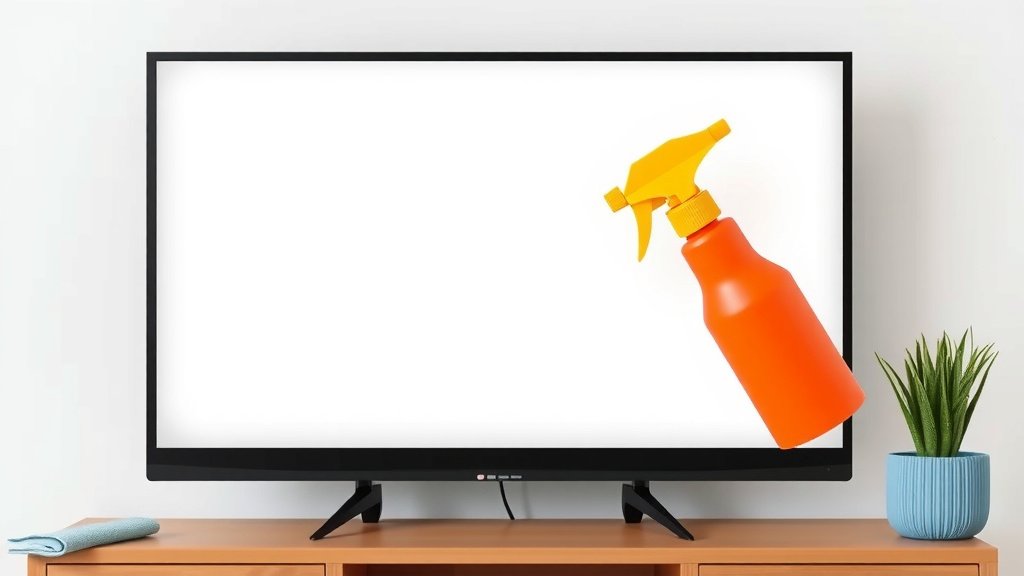
- Never spray liquid directly onto the screen.
- Avoid ammonia, alcohol, or window cleaner.
Ready to get that screen sparkling clean without any worries? Below, we’ll walk you through the safest and most effective methods for cleaning your flat screen TV.
Keeping Your Flat Screen TV Squeaky Clean Safely
You’ve invested in a beautiful flat screen TV, and you want it to stay that way. Dust and smudges are inevitable, but cleaning them doesn’t have to be a risky business. We found that a few simple rules can help you avoid damaging your screen. It’s all about using the right materials and techniques.
Why Gentle Cleaning is Key for Your Screen
Flat screen TVs, especially LED and LCD models, have delicate surfaces. Unlike older tube TVs, these screens are often coated with anti-glare or other sensitive materials. These coatings can be easily scratched or dissolved by harsh chemicals. Think of it like washing a delicate silk scarf; you wouldn’t toss it in with your jeans and a harsh detergent. We found that many experts recommend a light touch and the simplest of methods (Consumer Reports).
Gathering Your Cleaning Supplies
Before you start, make sure you have the right tools. You don’t need a fancy cleaning kit. Just a few common household items will do the trick. Having these ready will make the cleaning process smooth and efficient.
The Essential Microfiber Cloth
This is your most important tool. Microfiber cloths are made of tiny, synthetic fibers that are excellent at trapping dust and dirt without scratching. They are much softer than regular cloths or paper towels. We found that using a clean microfiber cloth is the first step for almost any screen cleaning task.
Make sure you have at least two. One can be used for dry dusting, and the other can be slightly dampened if needed. Always use a cloth specifically designed for electronics or lenses if you have one handy.
The Power of Distilled Water
When you need a little more cleaning power than a dry cloth, distilled water is your best friend. Unlike tap water, distilled water has had minerals and impurities removed. This prevents mineral streaks from drying on your screen. We found that using distilled water is a safe and effective way to tackle fingerprints and smudges.
What to Absolutely Avoid
This is where many people go wrong. Certain common household cleaners can cause irreversible damage. You should never use:
- Window cleaners (like Windex).
- Ammonia-based cleaners.
- Alcohol-based cleaners (like isopropyl alcohol).
- Abrasive cleaners or paper towels.
- Sprays directly onto the screen.
These can strip away protective coatings, leave permanent cloudy spots, or even damage the pixels themselves. We found that even mild household cleaners can be too harsh for modern TV screens (Cleveland Clinic).
The Safest Cleaning Methods Step-by-Step
Now that you have your supplies, let’s get your TV looking clear and bright. The key is to be patient and gentle.
Step 1: Power Down and Unplug
This is a safety measure. Turning off your TV allows you to see smudges and dust more easily against a dark screen. Unplugging it is also a good practice to prevent any accidental electrical issues. We found that a dark screen makes it much easier to spot dirt (Rtings.com).
Step 2: Dry Dusting for Everyday Grime
For light dust, a dry microfiber cloth is all you need. Gently wipe the screen in a single direction, either horizontally or vertically. Start from the top and work your way down. This method is quick and removes surface dust without any moisture.
Avoid pressing hard. Let the cloth do the work. If you notice dust bunnies clinging stubbornly, a gentle sweep should lift them. This is the best way to keep your screen clean on a regular basis.
Step 3: Tackling Stubborn Smudges with Moisture
If dry dusting doesn’t cut it, it’s time for a slightly damp cloth. Lightly dampen a clean microfiber cloth with distilled water. It should feel barely moist, not wet. Never spray water directly onto the TV screen.
Gently wipe the smudged areas with the damp cloth. Again, use light pressure and wipe in one direction. You can then follow up with a dry part of the cloth or a second dry microfiber cloth to remove any moisture and prevent streaks.
Step 4: Dealing with Really Tough Spots (Use Sparingly!)
For very stubborn marks, like dried-on food or sticky fingerprints, you might consider a cleaner specifically designed for electronic screens. However, we found that many experts still recommend caution and suggest trying distilled water first. If you must use a cleaner, ensure it is alcohol-free and ammonia-free.
Always spray a small amount of cleaner onto your microfiber cloth, never directly onto the screen. Then, gently wipe the affected area. Immediately follow up with a dry, clean microfiber cloth to buff the screen dry. This approach minimizes the risk of damage.
A Quick Reference Checklist
Here’s a simple checklist to keep handy:
- Turn off your TV.
- Unplug your TV for safety.
- Use a clean, dry microfiber cloth first.
- For tough spots, slightly dampen cloth with distilled water.
- Wipe gently in one direction.
- Never spray liquids directly on the screen.
Common Mistakes to Avoid
Learning what not to do is just as important as knowing what to do. Avoiding these common pitfalls will save you from costly repairs or screen replacements.
The Temptation of Paper Towels and Tissues
You might think paper products are soft enough, but they can be surprisingly abrasive. Their rough fibers can leave tiny scratches that are invisible at first but become more noticeable over time. We found that even soft tissues can create micro-scratches (SoundGuys).
The Allure of Household Cleaners
It’s tempting to grab the Windex from under your sink. However, these cleaners often contain chemicals like ammonia or alcohol that are far too harsh for delicate TV screens. They can leave permanent streaks and damage the anti-glare coating. Experts consistently warn against these common cleaners (Wirecutter).
Spraying Directly Onto the Screen
This is a big no-no. Liquids can seep into the edges of the screen and damage internal components. It’s like pouring water into the back of your computer. Always apply any liquid to your cloth first. This ensures you have control over how much moisture is used.
Special Considerations for Different Screen Types
While the general advice applies to most flat screens, there are minor differences:
OLED and QLED Screens
These newer technologies are particularly sensitive. Many manufacturers recommend using only a dry microfiber cloth for routine cleaning. For smudges, a slightly dampened cloth with distilled water is usually the safest bet. Always check your TV’s manual for specific cleaning instructions.
Touchscreen TVs
If your TV has a touchscreen function, you might find it gets smudged more often. The same gentle cleaning methods apply. The key is to avoid excessive pressure, as this could potentially damage the touch sensors. We found that regular, gentle cleaning is best for maintaining touchscreen functionality.
Maintaining a Clean Screen Over Time
The best way to keep your TV looking great is through regular, light maintenance. Dust your screen weekly with a dry microfiber cloth. Address fingerprints or smudges as soon as you notice them, using the damp cloth method. This prevents grime from building up, making deep cleaning less necessary and much easier.
Conclusion
You’ve learned that keeping your flat screen TV clean doesn’t require harsh chemicals or expensive kits. By sticking to simple tools like a microfiber cloth and distilled water, you can effectively tackle dust and smudges. Remember to always power down your TV and gently wipe in one direction. Avoiding common mistakes, like using paper towels or spraying directly onto the screen, will protect your investment. Start implementing these safe cleaning habits today to enjoy a crystal-clear picture for years to come.
Frequently Asked Questions
Can I use a regular cloth to clean my TV screen?
We found that regular cloths are not recommended. Their rough fibers can cause micro-scratches on your delicate screen surface. Always opt for a soft microfiber cloth, which is designed to trap dust and dirt without causing damage.
Is it really okay to use water on my TV screen?
Yes, but only distilled water and with caution. Tap water contains minerals that can leave streaks. Lightly dampen your microfiber cloth with distilled water for smudges. Never spray water directly onto the screen, as this can damage internal components.
What if I have a very stubborn spot, like dried-on toothpaste?
For extremely tough spots, we found that a cleaner specifically designed for electronic screens can be used sparingly. Make sure it’s alcohol-free and ammonia-free. Always spray a small amount onto your cloth, never directly onto the TV, and then wipe the spot gently.
How often should I be cleaning my TV screen?
Regular, light cleaning is best. Dust your screen weekly with a dry microfiber cloth to prevent buildup. Address fingerprints and smudges as soon as you notice them using the slightly damp cloth method. This routine maintenance makes deep cleaning less necessary.
Will cleaning my TV void the warranty?
Generally, using the recommended gentle cleaning methods (microfiber cloth, distilled water) will not void your TV’s warranty. However, using harsh chemicals or improper techniques, such as spraying liquid directly onto the screen, could potentially void it. Always check your TV’s manual for specific cleaning guidelines.