Screen Size and Picture Quality: What You Need to Know
Yes, screen size absolutely affects picture quality, but not in the way you might think. It’s not just about how big the screen is. Instead, it’s how the screen’s resolution and viewing distance interact with its size. A larger screen can show more detail, but only if the resolution is high enough. If not, it can actually make the picture look worse.
We found that the sweet spot for viewing is when the screen size matches the resolution. Think of it like this: a tiny picture blown up huge gets blurry. Many experts agree that resolution, such as 1080p or 4K, is the key driver of crispness on any screen. Your viewing distance also plays a big role in how you perceive the picture’s quality.
- Screen size matters, but resolution is more important.
- Larger screens need higher resolutions to look good.
- 4K resolution is best for most modern screen sizes.
- Viewing distance impacts how you see picture quality.
Let’s break down how screen size and resolution work together, and how to find the perfect setup for your eyes.
“`htmlHow Screen Size and Resolution Play Together
Screen size and resolution are like dance partners. One can’t shine without the other. We found that a bigger screen needs a higher resolution to look its best. Think of a tiny postage stamp photo blown up to fill your wall. It would look pretty fuzzy, right?
This is exactly what happens if you put a low-resolution image on a giant TV. The pixels, those tiny dots that make up the picture, get stretched out. This stretching makes the image look blocky and soft. You lose all that fine detail.
Understanding Pixels and Resolution
Pixels are the building blocks of any digital image. More pixels mean more detail can be shown. Resolution tells you how many pixels are in an image or on a screen. It’s usually written as width x height.
For example, 1920 x 1080 is Full HD. It has over 2 million pixels. 3840 x 2160 is 4K Ultra HD. That’s over 8 million pixels! That’s four times the pixels of Full HD. More pixels mean a sharper, clearer picture.
The Sweet Spot: Matching Size and Pixels
So, does a bigger screen mean better quality? Not necessarily. It depends on the resolution. We found that for a given resolution, there’s an optimal screen size. Going too big without enough pixels leads to a loss of detail.
Many experts agree that 4K resolution is now the standard for good reason. It packs a lot of pixels. This makes it suitable for larger screens. A 4K TV, even a big one, can still look incredibly sharp. You won’t easily see individual pixels from a normal viewing distance.
On the other hand, a smaller TV might look perfectly fine with Full HD. You might not notice the difference in pixel count as much on a 32-inch screen. But put that same Full HD resolution on a 75-inch TV, and you might start to see the pixels.
Viewing Distance: Your Secret Weapon for Picture Quality
This is where viewing distance comes in. How far away you sit from your screen makes a big difference. It’s not just about comfort. It affects how your eyes perceive the picture’s detail.
Imagine looking at a newspaper very closely. You can see the dots that make up the printed text. Now, step back a few feet. The dots disappear, and you see a smooth image. Your screen works the same way. The further back you sit, the less you’ll notice pixelation.
Finding Your Ideal Viewing Distance
There are guidelines for this. For Full HD TVs, a common recommendation is to sit about 1.5 to 2.5 times the screen’s diagonal size away. For 4K TVs, you can sit much closer. Some suggest about 1 to 1.5 times the screen’s diagonal size.
Why? Because 4K has so many more pixels packed into the same space. Your eyes can’t resolve those individual pixels from closer up. This allows you to enjoy the extra detail 4K offers. It makes the image look more immersive.
So, if you have a large room and plan to sit far back, a bigger screen with a higher resolution is a great choice. If you have a smaller space and sit close, you might not need the absolute largest screen or the highest resolution. You’re already getting a good experience.
Resolution: The True Star of Picture Crispness
Let’s be clear: resolution is arguably the most important factor for picture quality. It dictates how much detail the screen can actually display. Think of it like the resolution of a photo you take with your phone.
A camera with more megapixels can capture finer details. This means you can zoom in or crop the photo without it becoming blurry. Your TV screen is similar. A higher resolution screen can display more intricate details in movies and shows.
The Rise of 4K and What It Means for You
We’ve seen a big shift towards 4K resolution. Many TVs and streaming services now offer 4K content. This is because 4K provides a noticeably sharper image compared to older resolutions like 1080p or 720p.
For most modern screen sizes, especially those over 40 inches, 4K is the way to go. We found that it really makes a difference. The extra pixels mean you can see textures, fine lines, and subtle color variations much more clearly. It brings you closer to the action.
When Lower Resolutions Still Shine
Does this mean older resolutions are useless? Not at all! For smaller screens, like monitors for your computer or smaller secondary TVs, Full HD (1080p) can still be perfectly adequate. You might not need the pixel density of 4K.
Also, the quality of the source material matters. If you’re watching a video that was originally shot in standard definition, even the best 4K TV won’t magically create detail that wasn’t there. The TV will upscale it, but it can only do so much.
| Screen Size (Diagonal) | Recommended Resolution | Ideal Viewing Distance (Approx.) |
|---|---|---|
| 20-32 inches | 720p or 1080p | 3-6 feet |
| 32-50 inches | 1080p or 4K | 4-7 feet |
| 50-70 inches | 4K | 5-9 feet |
| 70+ inches | 4K (or higher if available) | 6+ feet |
Remember, these are just guidelines. Your personal preference is king. Some people like to be really close to the action, while others prefer a more panoramic view. We found that experimenting is key.
Other Factors Affecting Picture Quality
While size and resolution are major players, other things affect how good a picture looks. Things like contrast ratio, color accuracy, refresh rate, and HDR (High Dynamic Range) all play a part.
A TV might have a huge screen and amazing 4K resolution, but if its colors are washed out or the blacks aren’t deep, the picture won’t pop. We found that a good balance across all these features creates the most enjoyable viewing experience.
Don’t Forget the Content!
We can’t stress this enough: the content you’re watching is vital. A 4K Blu-ray disc will look far better than a low-bitrate stream of the same movie. The source material sets the ceiling for quality.
So, when you’re evaluating picture quality, consider the screen’s specs, your viewing habits, and the quality of the video you’re feeding it. It’s a whole ecosystem!
Quick Checklist for Your Next TV Purchase:
- Consider your room size for screen size.
- Match resolution to screen size for best detail.
- 4K is great for most modern TVs.
- Factor in your typical viewing distance.
- Don’t forget other factors like color and contrast.
- Always check the source material quality.
Conclusion
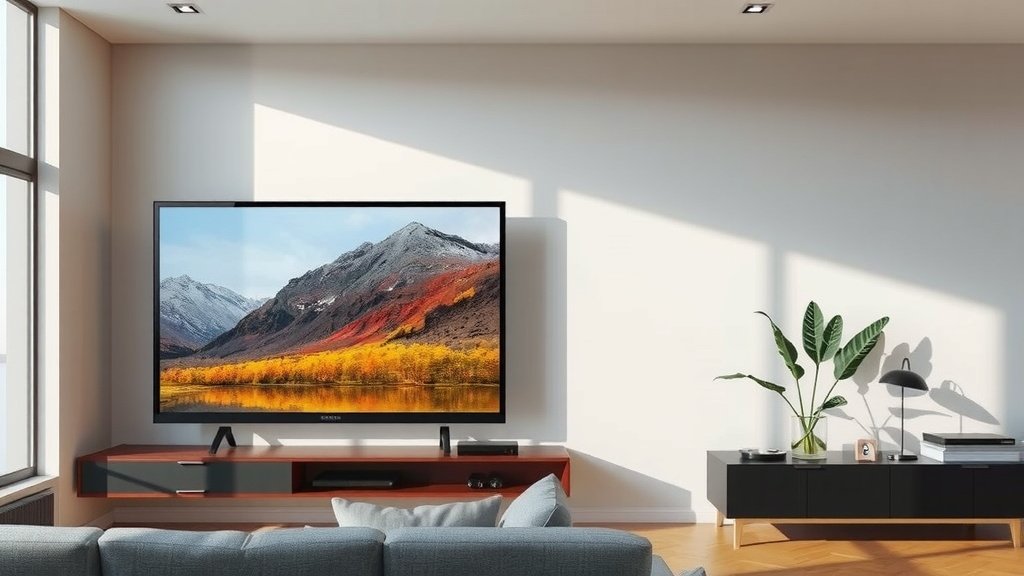
So, does screen size impact picture quality? Yes, but it’s a team effort! We found that while larger screens offer a more immersive experience, their picture quality hinges on having a high enough resolution, like 4K. If the resolution can’t keep up, you’ll see pixelation, especially from closer viewing distances. Think of resolution and viewing distance as your secret weapons for enjoying stunning visuals. Your next step? Consider your room size and how far you’ll be sitting before you pick that perfect screen. This balance ensures you get the crispest, most enjoyable picture possible for your setup.
Frequently Asked Questions
Will a bigger TV always look better?
Not necessarily. A bigger TV needs a higher resolution, like 4K, to look its best. If the resolution is too low for the screen size, the picture can appear blurry or pixelated. We found that matching resolution to screen size is key for crisp images.
How far away should I sit from my TV?
Your ideal viewing distance depends on the TV’s resolution and size. For 4K TVs, you can sit closer, about 1 to 1.5 times the screen’s diagonal size. For Full HD (1080p), it’s best to sit a bit further back, around 1.5 to 2.5 times the screen’s diagonal size. Sitting too close can reveal pixels.
Is 4K resolution really worth it for a smaller TV?
For smaller screens, like under 40 inches, a 1080p resolution might be perfectly fine, and you may not notice the difference as much. However, if you plan to sit very close or want the sharpest possible image, 4K can still offer benefits even on smaller displays. It really depends on your viewing habits and preference.
Does the source of the video affect picture quality on my big TV?
Absolutely. Even the best, largest 4K TV can’t create detail that isn’t there. If you’re watching a video originally filmed in low resolution or with a low bitrate, your TV will upscale it, but it won’t look as sharp as native 4K content. The quality of the movie or show itself sets the quality ceiling.
What’s more important for picture quality: screen size or resolution?
Resolution is generally considered more important for picture crispness. While screen size affects how immersive the experience feels, it’s the resolution that determines how much detail can actually be displayed. We found that a smaller screen with a high resolution will often look sharper than a very large screen with a low resolution.