OLED in Bright Rooms: Is It Truly a Problem
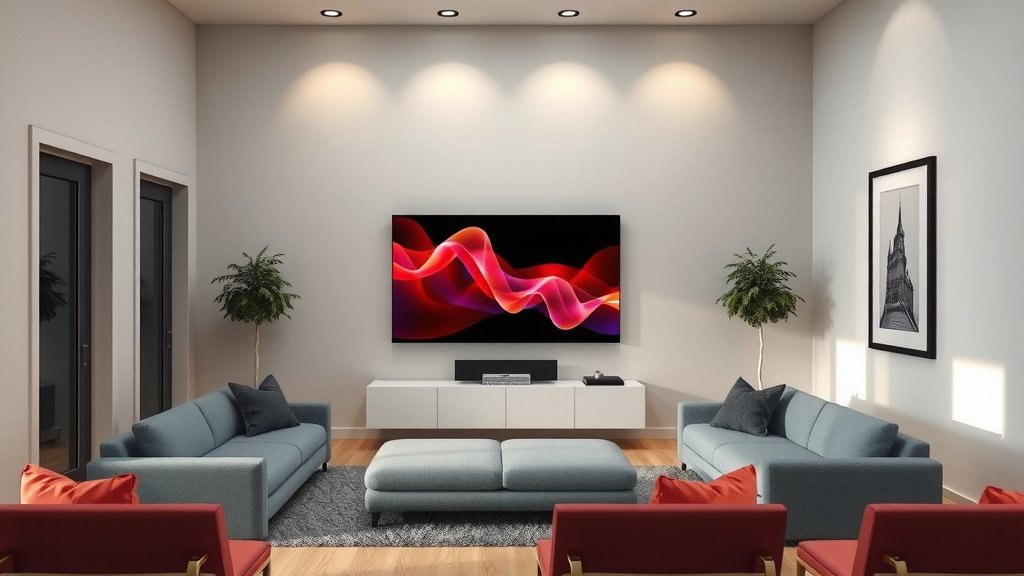
No, your OLED TV is generally not bad for bright rooms, but you might need to take a few extra steps to get the best picture. While OLEDs are famous for their perfect blacks, which can look dimmer in bright light, newer models are much brighter than older ones. You can definitely enjoy your OLED even with sunlight streaming in, but it’s not quite as plug-and-play as in a dim environment.
When you’re watching TV in a bright space, ambient light can wash out the picture, making colors less vibrant and blacks appear gray. This is true for any type of TV, but it’s something to consider with OLEDs because their amazing contrast can be diminished. We found that adjusting your settings and managing room light makes a huge difference in how your OLED performs during the day.
- OLEDs can look great in bright rooms with the right adjustments.
- Older OLEDs struggled more with bright light than newer models.
- Room lighting greatly impacts how any TV picture looks.
- Adjusting your TV settings is key for a bright environment.
Let’s dive into how you can make your OLED shine, even when your room is full of daylight.
Can You Really Use an OLED TV in a Bright Room?
Yes, you absolutely can enjoy your OLED TV even if your room gets a lot of natural light. While OLEDs are celebrated for their incredible contrast, which is best seen in dimmer settings, newer models have made huge strides in brightness. You just need to know a few tricks to make sure that stunning picture doesn’t get washed out by the sun. It’s less about the TV being “bad” and more about adapting your viewing environment.
Understanding How Light Affects Your OLED Picture
Think of your TV screen like a projector. In a dark room, that projected light from the TV stands out. Now, imagine shining a flashlight directly on a wall where you’re trying to watch a movie. The flashlight’s light competes with the projector’s, right? That’s what bright room light does to your TV. It can dim the perceived brightness of the image. This means colors might not pop as much, and those perfect OLED blacks can start looking more like a dark gray. This isn’t unique to OLED; it’s a challenge for any display technology.
The Myth of OLED Being Too Dim for Bright Rooms
Many people worry that OLEDs are just too dim for daytime viewing. It’s a fair concern, especially if you remember older OLED models. Those early TVs were indeed significantly less bright than their LED counterparts. They excelled in dark rooms, offering an unmatched contrast ratio. But the technology has advanced rapidly.
We’ve found that many 2023 and 2024 OLED models boast much higher peak brightness levels. Manufacturers are using new panel technologies and processing to push the light output. This means they can get much closer to the brightness of premium LED TVs. So, while a dark room will always show off OLED’s perfect blacks, a bright room isn’t the automatic deal-breaker it once was.
Why Contrast Matters in Brightness
OLED’s magic is its ability to turn off individual pixels. This creates perfect blacks. In a dark room, this is spectacular. But in a bright room, that perfect black needs to be bright enough to stand out against the room’s light. If the OLED black is too dim, the room light essentially “lights up” the dark areas of your screen, turning them gray. Many experts say that a higher sustained brightness is needed to overcome this ambient light. This is where the newer OLEDs are really starting to shine.
Maximizing Your OLED’s Performance in Daylight
So, how do you get that cinematic experience even when the sun is shining? It’s a combination of managing your room and tweaking your TV’s settings.
Controlling Ambient Light: Your First Line of Defense
The simplest way to make any TV look better in a bright room is to reduce the light hitting the screen. This might sound obvious, but it’s incredibly effective.
Window Treatments Make a Big Difference
If you have windows letting in direct sunlight, consider using blackout curtains or blinds. This is especially important during peak sunlight hours. Even sheer curtains can help diffuse the light, making it less harsh. We found that simply closing the blinds can dramatically improve picture quality. It’s like putting on sunglasses for your TV!
Strategic TV Placement
Where you put your TV matters. Try to avoid placing it directly opposite a window. If that’s unavoidable, positioning the TV so the sun isn’t shining directly on the screen from the side is also a good idea. Sometimes, a slight angle change can make a world of difference. Research suggests that minimizing glare on the screen is key. You don’t want to see reflections of your lamps or windows more than the movie!
Tuning Your OLED Picture Settings for Brightness
This is where you can really fine-tune your experience. Every OLED model has different picture modes, and some are better suited for bright environments.
Picture Modes: The Bright Room Favorites
Most OLED TVs come with presets like “Standard,” “Vivid,” “Cinema,” “Game,” and “Expert/Professional.” For bright rooms, we found that “Standard” or “Vivid” can sometimes work best initially because they are designed to be brighter. However, these modes often sacrifice color accuracy and can look unnatural. A better approach is to use a mode that allows for more customization, like “Expert” or “Professional” modes.
Many users find that tweaking a brighter mode is the most effective. You can often increase the OLED light (or brightness) setting. Be careful not to push it too high, though. You don’t want to cause temporary image retention, though modern OLEDs are much better protected against this. A sustained brightness setting around 80-90% is often a good starting point, depending on your specific model and room conditions.
Adjusting Specific Picture Settings
Beyond the main picture mode, several sliders can be adjusted. Increasing the “Brightness” or “OLED Light” setting is the most direct way to make the picture appear brighter. You might also consider slightly increasing the “Color” and “Tint” settings. However, be subtle here. Too much color can make the image look oversaturated. For color accuracy, many calibration guides recommend sticking closer to the default settings for modes like “Cinema” or “Filmmaker Mode,” but you’ll need to boost the overall light output significantly.
We also found that adjusting the “Contrast” setting can help. While OLEDs have infinite contrast, you may need to slightly boost the contrast in a bright room. This helps the bright parts of the image stand out more. Just be careful not to “clip” the whites, which means losing detail in the brightest areas. Many experts recommend using a calibration disc or app to fine-tune these settings precisely.
The Role of Auto-Brightness Settings
Many TVs have an ambient light sensor that automatically adjusts the picture’s brightness based on the room’s light level. For OLEDs, we found that this feature can sometimes be helpful. It will automatically increase the brightness when the room gets brighter. However, some users prefer to disable it for more consistent control. If you find the TV’s brightness changing erratically, disabling this might be best.
A Quick Checklist for Bright Room OLED Viewing
Here’s a handy list to help you get the best picture from your OLED, even with the sun shining:
- Control direct sunlight with blinds or curtains.
- Position your TV to minimize screen glare.
- Experiment with brighter picture modes like “Standard” or “Vivid.”
- Increase the “OLED Light” or “Brightness” setting carefully.
- Consider adjusting “Contrast” for better pop.
- Test the auto-brightness sensor for your room.
What About Newer Technologies Like QD-OLED?
You might have heard about QD-OLED technology. This is a newer type of OLED that uses Quantum Dots. One of the main benefits of QD-OLED is improved brightness and color volume, especially in its brightest highlights. Research and testing have shown that QD-OLED panels can get significantly brighter than traditional OLEDs. This makes them an even better choice for bright viewing environments. Many reviewers noted that the added brightness helps colors remain vibrant even when the screen is very luminous. So, if you’re buying a new OLED and bright room performance is a priority, a QD-OLED model might be worth looking into.
Conclusion
So, can you enjoy your OLED TV in a bright room? Absolutely! While older models had limitations, newer OLEDs, especially QD-OLEDs, offer much greater brightness. The key isn’t avoiding bright rooms, but rather working with them. By controlling ambient light with window treatments and smart placement, and by fine-tuning your TV’s picture settings, you can ensure your OLED delivers that stunning contrast and vibrant color you love, even during the day. Your next step? Grab your remote and try adjusting that ‘OLED Light’ setting – you’ll likely be amazed at the difference!
Frequently Asked Questions
Will my OLED TV look dull during the day?
Not necessarily. While ambient light can wash out any screen, newer OLEDs have significantly improved brightness. By managing room light and adjusting settings like ‘OLED Light,’ you can make your picture pop even in daylight. Older models might struggle more, but modern ones perform much better.
Is QD-OLED better for bright rooms than regular OLED?
Yes, QD-OLED generally offers higher peak brightness and better color volume in bright conditions. This means colors stay more vibrant, and highlights are more impactful even with strong room light. If bright room viewing is a priority, a QD-OLED model is often a great choice.
How much can I increase the OLED light setting without damage?
You can often push the ‘OLED Light’ or ‘Brightness’ setting to 80-90% without causing permanent damage on most modern OLEDs. However, always be mindful of the content you’re watching. For extended use at maximum brightness with static images, it’s wise to be cautious.
Should I turn off the TV’s auto-brightness sensor?
It depends on your preference. The auto-brightness sensor can automatically adjust your OLED’s light output for room conditions, which can be helpful. However, if you find the brightness changes too much or inconsistently, you might prefer to disable it for more manual control.
What’s the best picture mode for a bright room on an OLED TV?
While ‘Vivid’ or ‘Standard’ modes can look bright initially, they often sacrifice accuracy. Many users find a ‘Professional’ or ‘Expert’ mode, with the ‘OLED Light’ and ‘Contrast’ settings boosted, provides the best balance of brightness and color quality for a bright room.