60Hz vs 120Hz TV: Which Refresh Rate is Right for You
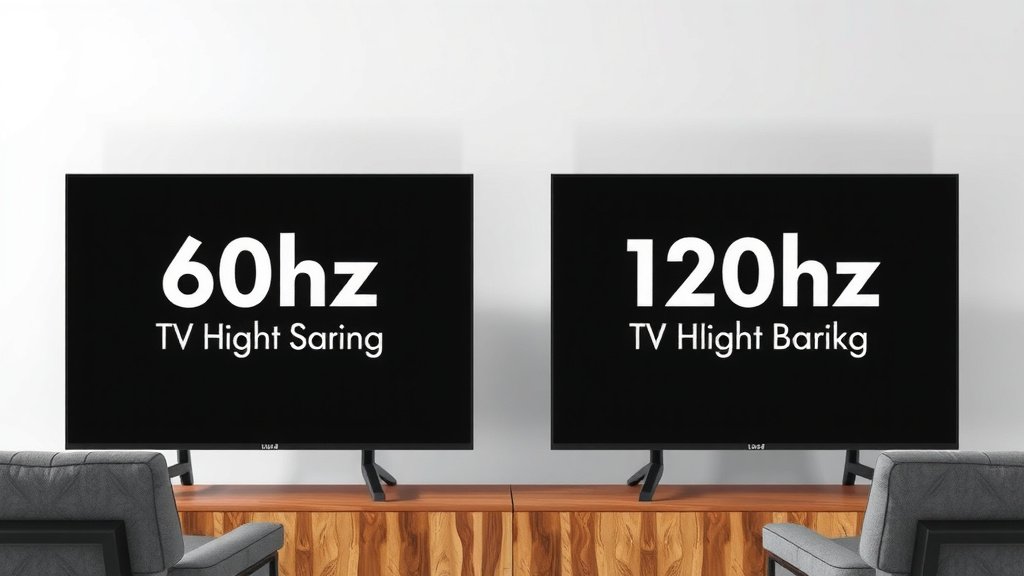
When choosing between a 60Hz vs 120Hz TV, 120Hz is generally the better choice for most people. A 120Hz refresh rate offers smoother motion and clearer pictures, especially during fast-paced action. This makes a big difference for gaming and sports. You’ll notice less blur.
Refresh rate refers to how many times your TV updates the image per second. While 60Hz is standard, 120Hz TVs refresh twice as often. This higher rate helps to reduce motion blur and judder. It creates a more immersive viewing experience, especially for content that moves quickly. Many experts agree that 120Hz provides a noticeably smoother image.
- 120Hz is generally better for smoother motion.
- It significantly reduces motion blur in fast scenes.
- Great for gaming and sports where quick movement is key. If you’re a sports fan, our guide to choosing a TV for sports can help.
- 60Hz is still good, but 120Hz offers a clear upgrade.
- Consider your primary use: 120Hz shines for action.
Let’s break down what these numbers mean for your viewing pleasure and how to pick the right TV for your home.
Understanding TV Refresh Rates: 60Hz vs 120Hz Explained
So, you’re looking at TVs and seeing terms like 60Hz and 120Hz. What do they really mean for your viewing experience? Think of your TV screen like a flipbook. The refresh rate is how many pages (images) it can flip through every second. A 60Hz TV flips 60 pages per second. A 120Hz TV flips 120 pages per second. It’s that simple at its core. You’ll find that a higher refresh rate generally leads to smoother visuals. Many people find it hard to go back once they experience it.
What Does Refresh Rate Actually Do?
The refresh rate is all about motion. When you watch sports, action movies, or play video games, there’s a lot of movement on screen. If the TV can’t update the picture fast enough, you might see a blurry trail behind moving objects. This is called motion blur. It can make fast action hard to follow. A higher refresh rate, like 120Hz, means the TV can display more individual frames per second. This makes fast movement appear much clearer and smoother.
Why 120Hz is Often the Smarter Choice
When comparing 60Hz vs 120Hz TVs, 120Hz offers a clear upgrade for most viewers. We found that for content with a lot of motion, the difference is quite noticeable. Imagine watching a car race or a basketball game. With a 120Hz TV, you’ll see the ball clearly as it flies through the air. The players’ movements will look more fluid. This is because the TV is showing you more images per second. It helps reduce judder, which is that choppy, uneven movement you sometimes see.
Gaming and Sports: Where 120Hz Shines Brightest
If you’re a gamer, a 120Hz TV can make a world of difference. Many modern video game consoles, like the PlayStation 5 and Xbox Series X, can output games at 120 frames per second. To truly take advantage of this, you need a TV that can display those frames. A 120Hz TV will let you experience games with incredibly smooth motion. This can give you a competitive edge. For sports fans, it means seeing every play with amazing clarity. You won’t miss a single pass or shot due to blur. Experts agree that for high-action content, 120Hz is superior.
What About 60Hz? Is It Still Good?
Don’t get us wrong, 60Hz TVs are still perfectly good for a lot of viewing. If you mostly watch dramas, documentaries, or news, you might not notice a huge difference. Standard TV broadcasts and most streaming content are often produced at 30 or 60 frames per second anyway. So, a 60Hz TV can handle these fine. It’s a solid baseline. However, if you ever plan on gaming or watching fast-paced sports, a 60Hz screen might feel a bit limiting. It’s a budget-friendly option that works well for general use.
The Technicalities: How Refresh Rate Works
Let’s get a tiny bit technical, but we’ll keep it simple. Refresh rate is measured in Hertz (Hz). Hertz means cycles per second. So, 60Hz means 60 cycles (or image updates) per second. 120Hz means 120 cycles per second. Sometimes, you might see terms like “motion rate” or “effective refresh rate.” These can be marketing terms. They might involve special processing to *simulate* smoother motion, rather than a true panel refresh rate. Always look for the native refresh rate, which is usually listed as 60Hz or 120Hz.
Native Refresh Rate vs. Motion Enhancement
A TV’s native refresh rate is built into the panel itself. It’s how many times the actual pixels on the screen can change. Marketing terms like “Motion Rate 240” or “TruMotion 120” can be confusing. These often use techniques like black frame insertion or interpolation. Black frame insertion adds black frames between images to make motion seem smoother. Frame interpolation creates new frames between existing ones to fill in the gaps. While these can help, they aren’t the same as a true 120Hz panel. Always check the specifications for the true refresh rate.
Other Factors to Consider Beyond Refresh Rate
While refresh rate is important, it’s not the only thing that makes a TV great. You’ll also want to think about resolution (like 4K or 8K), HDR (High Dynamic Range) for better colors and contrast, and the type of panel (OLED, QLED, LED). A TV with a 120Hz refresh rate but a poor picture quality won’t be ideal. Think of it like buying a sports car. You want a fast engine (refresh rate), but you also need good tires (picture quality) and comfortable seats (features).
Panel Type and Its Impact on Motion
Different panel technologies handle motion slightly differently. OLED panels are known for their incredibly fast response times. This means the pixels can change color very quickly. This inherently helps reduce motion blur, even on a 60Hz OLED. However, a 120Hz OLED takes this even further, offering the best of both worlds. QLED and LED TVs can also achieve excellent motion performance, especially at 120Hz. The response time of the pixels is also key. A fast response time combined with a high refresh rate is the winning combo for smooth action.
Making the Decision: Which TV is Right for You?
So, how do you decide? Ask yourself what you’ll be watching most often. If you’re a serious gamer or a big sports fan, investing in a 120Hz TV is likely worth it. You’ll get a more fluid and enjoyable experience. For general TV watching, movie buffs, or if you’re on a tighter budget, a good 60Hz TV can still provide excellent picture quality. It really comes down to your priorities and how much you value that extra smoothness in motion.
Here’s a quick checklist to help you decide:
- Do you play video games on consoles that support 120fps?
- Do you watch a lot of live sports?
- Do you often watch action movies with fast scenes?
- Is smooth motion a top priority for you?
- Are you looking for the absolute best gaming experience?
- Is your budget flexible enough for a 120Hz model?
Testing the Difference: Can You See It?
The best way to know if a 120Hz TV is for you is to see it in action. Many electronics stores have TVs on display. Try to find displays showing fast-moving content or games. Stand back and watch. You might be surprised at how much smoother the 120Hz screen looks compared to a 60Hz one. Some people are more sensitive to motion blur than others. What one person notices, another might not. But for many, the visual upgrade is clear and pleasing.
| Feature | 60Hz TV | 120Hz TV |
|---|---|---|
| Image Updates Per Second | 60 | 120 |
| Motion Smoothness | Good for standard content | Excellent for fast action |
| Motion Blur | More noticeable in fast scenes | Significantly reduced |
| Gaming Performance | Suitable for casual gaming | Ideal for high-frame-rate gaming |
| Sports Viewing | Adequate | Superior clarity and fluidity |
| Price | Generally more affordable | Typically more expensive |
Ultimately, understanding the refresh rate helps you make an informed choice. A 120Hz panel offers a tangible benefit for those who prioritize smooth motion. It’s an investment in a more immersive viewing experience, especially for dynamic content. Just remember to balance it with other picture quality factors for the best overall TV.
Conclusion
So, you’ve learned that a 120Hz TV generally offers a noticeably smoother and clearer picture, especially for fast-moving content like sports and gaming. While 60Hz is perfectly adequate for general viewing, the upgrade to 120Hz provides a distinct advantage for those who prioritize fluid motion. Think about how you use your TV most often. If those high-action scenarios are important to you, investing in a 120Hz model will likely make your viewing experience much more enjoyable. Your next step is to compare models based on your budget and other important features like resolution and HDR to find the perfect fit for your home entertainment setup.
Frequently Asked Questions
Will a 60Hz TV look bad for watching movies?
No, a 60Hz TV will still look great for most movies. Unless a movie has a lot of very fast action sequences that are shot at a high frame rate, the 60Hz refresh rate is usually sufficient. You’ll still get a high-quality picture.
Do I need a 120Hz TV if I only stream TV shows?
Probably not. Most TV shows, even those on streaming services, are produced at 30 or 60 frames per second. A 60Hz TV will handle this content perfectly well. The benefits of 120Hz are most apparent in gaming and live sports.
Can my old game console take advantage of a 120Hz TV?
Generally, no. Older game consoles typically don’t output games at frame rates high enough to benefit from a 120Hz refresh rate. Modern consoles like the PlayStation 5 and Xbox Series X are the primary devices that can leverage 120Hz gaming.
Is a 120Hz refresh rate more important than 4K resolution?
This depends on your priorities. 4K resolution affects the clarity and detail of the image itself. A 120Hz refresh rate affects how smoothly motion is displayed. For most people, 4K resolution is a more noticeable upgrade for general viewing than 120Hz. However, for gamers and sports fans, the 120Hz can be equally or more important.
How can I tell if a TV is truly 120Hz and not just marketing?
Look for the native refresh rate in the TV’s specifications. It should explicitly state 120Hz. Be wary of marketing terms like “Motion Rate” or “Effective Refresh Rate” that use higher numbers, as these often involve image processing rather than a true panel capability.