Do TVs Come With Wall Mounts? What You Need to Know
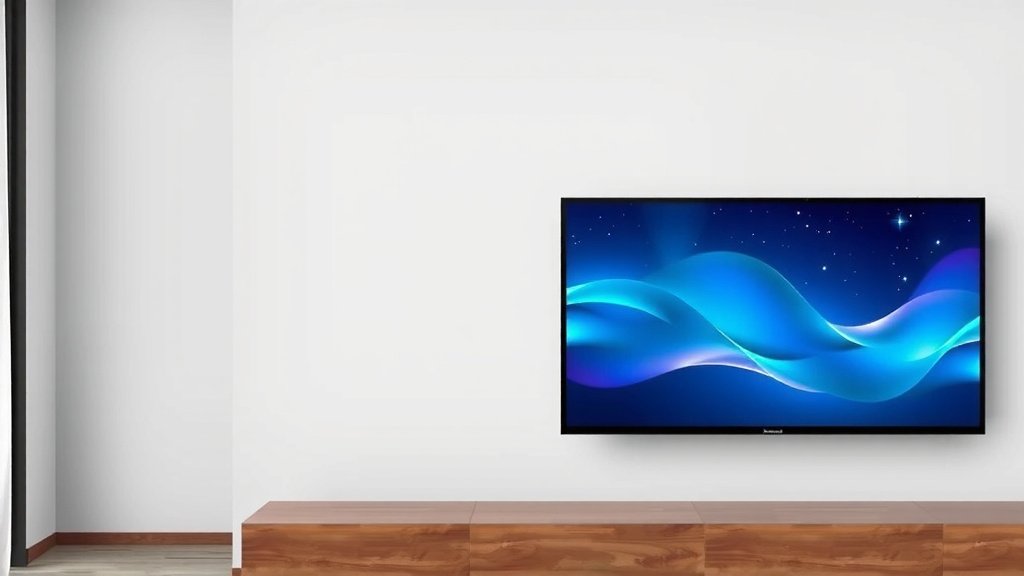
Generally, most new TVs do not come with a wall mount included in the box. You will usually need to purchase a separate wall mount designed for your TV’s size and weight. While some bundle deals might exist, it’s not a standard feature for most television manufacturers.
When you buy a TV, you’ll find its original stand included for tabletop placement. If you plan to hang your TV on the wall, it’s wise to budget for a mount and any necessary installation tools. Different mounting styles, like fixed, tilting, or full-motion, offer varying benefits for your viewing experience.
- Most TVs don’t include a wall mount.
- You’ll likely need to buy one separately.
- Wall mounts are designed for specific TV sizes and weights.
- Consider fixed, tilting, or full-motion options.
So, if a wall-mounted TV is your dream setup, let’s get you ready to find the right mount and get your TV looking sleek on your wall.
Hanging Your TV: What Comes in the Box?
You’re excited about your new TV, picturing it perfectly mounted on the wall. It’s a great way to save space and create a clean look. But a common question pops up: does the TV itself come with a wall mount? The short answer is usually no. When you buy a television, you’ll find the stand for placing it on a TV console included. This is standard practice across most brands.
Think of it like buying a new couch. You get the couch itself, but you don’t typically get a custom-made rug that perfectly fits the floor space in front of it. The wall mount is an accessory, much like a rug or a decorative pillow, that enhances the setup but isn’t part of the primary product. You’ll need to budget for and purchase this separately.
Why Manufacturers Don’t Include Wall Mounts
There are several good reasons why TV manufacturers stick to including only the tabletop stand. One big factor is variety. Wall mounts come in many styles. Some are fixed, some tilt, and some offer full motion. Your room layout and how you like to watch TV will determine which type is best for you. Including one type would likely not meet everyone’s needs.
Another key point is compatibility. Mounts are designed based on the VESA mounting pattern found on the back of your TV. This pattern is a set of standard screw hole dimensions. Different TV sizes and brands might use slightly different VESA patterns. Because of this, a universal mount included with every TV might not fit yours properly. It’s much more reliable for you to pick a mount that’s specifically designed for your TV’s VESA pattern and weight.
The VESA Standard Explained
VESA stands for the Video Electronics Standards Association. They created a universal standard for the mounting interfaces on TVs and monitors. You’ll see it listed as a measurement, like 200x200mm or 400x400mm. This tells you the distance between the mounting holes on the back of your TV. Most TV manufacturers follow this standard. It makes finding a compatible wall mount much simpler for you.
You can usually find your TV’s VESA pattern in the user manual or by measuring the distance between the screw holes on the back of your TV. This information is vital when shopping for a mount. Many experts recommend checking this before you buy a wall mount.
What You DO Get in the Box: The TV Stand
So, what will you actually find in that big TV box besides the TV itself? You’ll get the original stand. This is usually a two-part system that screws into the bottom of the TV. It’s designed to be stable and allow you to place your TV on a flat surface like a media console or a dresser. This stand is your TV’s default seating arrangement.
If you’re not planning to wall mount, this stand is perfectly adequate. It’s engineered by the TV manufacturer to support the weight and dimensions of that specific model. You’ll find all the necessary screws and instructions for attaching the stand in the box. It’s a straightforward process for most people.
Choosing the Right Wall Mount: Types and Considerations
Since you’ll likely be buying a wall mount separately, let’s look at the common types. Your choice depends on how you want to position your TV and what kind of viewing experience you’re aiming for. This is where you get to customize your setup!
Fixed Mounts: Simple and Sleek
A fixed wall mount is the most basic type. It holds your TV close to the wall, much like a picture frame. This style is great if you have a specific viewing angle and don’t need to adjust your TV often. It provides a very clean, minimalist look. Fixed mounts are generally the most affordable option and are very sturdy.
The main “downside” here is the lack of adjustability. If your seating area is off to the side, or if you want to tilt the screen down from a high position, a fixed mount won’t help. You’ll want to ensure the TV is positioned perfectly from the start.
Tilting Mounts: A Little Movement Goes a Long Way
If you plan to mount your TV above eye level, or if you sometimes watch from slightly off to the side, a tilting mount is a good compromise. These mounts allow you to tilt the TV up or down by a certain degree. This is incredibly useful for reducing glare and improving your viewing angle without the TV sticking out too far from the wall.
Most tilting mounts offer about 5-15 degrees of vertical tilt. This small adjustment can make a big difference in comfort. They still keep the TV relatively close to the wall, maintaining a clean aesthetic. Many experts suggest this is a great all-around option for living rooms.
Full-Motion Mounts: Maximum Flexibility
For the ultimate in adjustability, consider a full-motion mount, also known as a cantilever or articulating mount. These mounts allow you to extend the TV away from the wall, swivel it left or right, and tilt it up or down. You can essentially pull your TV out, turn it towards you, and even angle it to accommodate multiple viewing positions.
These are perfect for rooms where you might want to watch TV from different spots, like a kitchen with an island, or a living room where people are seated in various areas. They offer the most flexibility but also tend to be the most expensive and can protrude more from the wall when extended. They also require a very sturdy wall installation.
Key Factors When Buying Your Mount
Beyond the type of mount, there are a few other essential things to check. Getting these right ensures a safe and secure installation for your new TV. Remember, your TV’s weight and VESA pattern are the most critical pieces of information you’ll need.
Weight Capacity: The Unsung Hero
Every wall mount has a maximum weight capacity. It’s absolutely vital that the mount you choose can safely support more weight than your TV. Manufacturers list the weight of their TVs, usually in the specifications section of the manual or on their website. Don’t guess! If the mount is rated for 50 lbs and your TV weighs 49 lbs, that’s too close for comfort.
We found that going for a mount with a capacity that’s at least 10-20% higher than your TV’s weight is a wise practice. This adds a good safety margin. Many sources, like home improvement guides, stress that exceeding a mount’s weight limit can lead to failure, which is a dangerous situation for your TV and anyone nearby.
VESA Pattern Match: No Guesswork Allowed
As mentioned, this is your TV’s mounting fingerprint. Ensure the VESA pattern on the mount specifications exactly matches the VESA pattern on your TV. Mounts are typically listed with the VESA sizes they support, like “Supports VESA 100x100mm to 400x400mm.” If your TV is 200x200mm, and the mount supports that size, you’re good to go. If your TV has a unique or non-standard VESA pattern, you might need to look for specialized adapters, though this is rare.
Wall Type: Location, Location, Location
Where are you mounting this TV? Most standard wall mounts are designed for installation into wood studs within your wall. If you have a different type of wall, like concrete or brick, you’ll need a mount specifically designed for that, or you’ll need to use appropriate anchors. Mounting a TV directly into drywall without hitting a stud is a recipe for disaster. Always research your wall type and ensure you have the correct hardware. Professional installers often use specialized tools to locate studs accurately.
Installation Checklist for Peace of Mind
Before you start drilling, take a moment to mentally run through this quick checklist. It helps ensure you’re prepared and thinking about all the important steps. Getting this right makes the whole process much smoother and safer for your valuable electronics.
- Confirm your TV’s exact weight and VESA pattern.
- Choose a mount type (fixed, tilt, full-motion) that suits your needs.
- Verify the mount’s weight capacity and VESA compatibility.
- Identify your wall type (drywall with studs, concrete, etc.).
- Gather all necessary tools (drill, stud finder, level, screwdriver).
- Read the mount’s installation manual thoroughly before starting.
By understanding what’s included and what you need to purchase separately, you’re well on your way to enjoying your TV in its new, wall-mounted home. It’s a project that, with a little planning, can really enhance your viewing experience.
Conclusion
So, to wrap things up, while your new TV will definitely come with a stand for tabletop use, you’ll almost always need to purchase a separate wall mount. Think of it as a customizable accessory for your viewing pleasure. By understanding VESA patterns, weight limits, and your wall type, you can confidently choose the right mount. Your next step is to grab your TV’s specs and start browsing for a mount that fits your needs and budget. Happy mounting!
Frequently Asked Questions
Do any TVs actually come with a free wall mount?
While it’s uncommon, some retailers or TV manufacturers occasionally offer bundle deals that include a basic wall mount. You might also find limited-edition packages where a mount is bundled. However, for the vast majority of standard TV purchases, a wall mount is not included.
How do I know if a wall mount will fit my TV?
You need to check two main things: the VESA pattern on the back of your TV and its weight. The VESA pattern is the distance between the mounting holes, and the mount’s description will list the VESA sizes it supports. Always ensure the mount’s weight capacity is greater than your TV’s weight.
Can I use a mount designed for a different TV size?
You can use a mount designed for a different TV size if its VESA pattern and weight capacity are compatible with your specific TV. For example, a mount designed for 55-inch TVs might also work for a 50-inch TV if the VESA and weight specs align. Never force a mount if it doesn’t match.
Is it safe to mount a TV myself, or should I hire a professional?
Many people successfully mount their TVs themselves with basic tools and careful attention to instructions. However, if you’re unsure about your wall type, locating studs, or simply want extra peace of mind, hiring a professional installer is a great option. They have the experience and tools to ensure a secure installation.
What is the difference between a fixed, tilting, and full-motion mount?
A fixed mount holds your TV flat against the wall, like a picture frame. A tilting mount allows you to angle the TV up or down to reduce glare or improve viewing angles. A full-motion mount offers the most flexibility, letting you extend, swivel, and tilt the TV for optimal viewing from various spots in the room.