How a One Connect Box Works: Simplify Your Setup
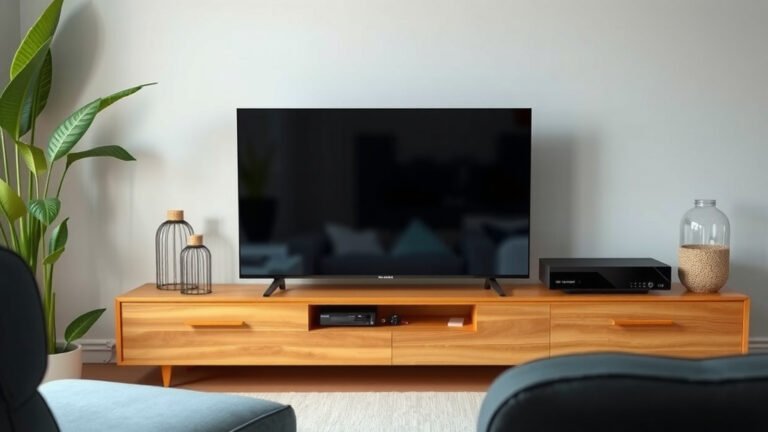
A One Connect Box works by acting as a central hub for all your external devices, cleaning up cable clutter and simplifying your setup. It connects to your TV via a single, near-invisible cable, neatly housing your game consoles, Blu-ray players, and soundbars inside its compartment.
Think of it as your TV’s command center. Instead of a mess of wires behind your television, the One Connect Box smartly manages all those connections. This means a cleaner look and easier switching between your favorite entertainment sources, all managed from one spot.
- Manages all external device connections in one box.
- Reduces cable clutter for a cleaner look.
- Connects to your TV with a single, thin cable.
- Simplifies switching between devices like game consoles and soundbars.
Let’s walk through exactly how this clever box keeps your entertainment setup tidy and accessible.
How the Samsung One Connect Box Streamlines Your Setup
You’re probably wondering how this neat little box actually works. The Samsung One Connect Box acts as the brain for your TV’s connections. It’s designed to keep all your entertainment devices neatly organized. You’ll see fewer wires behind your TV. This makes your living room look much cleaner and more stylish.
Instead of plugging everything directly into the back of your TV, you plug them into the One Connect Box. This box then connects to your TV with a single cable. This cable carries both the video and audio signals. It’s a simple yet effective way to manage your home entertainment.
The Core Functionality: What’s Inside?
At its heart, the One Connect Box is a universal receiver. It takes all the different types of signals from your devices. Think of game consoles, Blu-ray players, soundbars, and streaming sticks. The box accepts these various inputs. It then translates them into a format your TV can understand.
Ports and Connections: Your Device Hub
On the One Connect Box itself, you’ll find all the ports you need. This typically includes multiple HDMI ports. These are essential for connecting modern devices. You might also find USB ports for media playback or accessories. Some models even have ports for older audio equipment.
The beauty of this is that you don’t have to dig behind your TV anymore. Need to switch from your game console to your soundbar? You just change the input on the One Connect Box. It’s a much more user-friendly experience. Many users find this dramatically reduces setup frustration.
The Single Cable Solution: Less Clutter, More Style
The connection to your TV is what truly sets the One Connect Box apart. It uses a specially designed thin optical cable. This cable is often nearly invisible. It’s easy to route along walls or behind furniture. It carries all the necessary signals to your TV.
This single-cable approach eliminates the messy bundle of wires. You know, the ones that always seem to tangle and collect dust. It’s a visual upgrade for any home theater setup. Many people appreciate the aesthetic improvement this brings to their living space. Research indicates that visual clutter can negatively impact mood (University of Michigan).
How the Signals Travel: From Device to Screen
Let’s break down the journey of a signal. Imagine you’re playing a video game. Your console is connected to an HDMI port on the One Connect Box. The box receives the high-definition video and audio signals. It processes these signals internally.
Signal Processing: Preparing for the Big Screen
The One Connect Box handles various signal formats. It ensures compatibility with your Samsung TV. This processing can include upscaling lower-resolution content. It might also adjust color settings. The goal is to deliver the best possible picture and sound. Experts at Samsung state this integration is key to their TV experience.
The Final Transmission: To Your Television
Once processed, the signals are sent through that single, slim cable to your TV. The TV then displays the image and plays the sound. This process happens very quickly. You’ll experience minimal delay, if any. This is important for gaming and watching fast-paced action movies.
Beyond Basic Connections: Smart Features
The One Connect Box isn’t just about reducing wires. It’s also integrated with your Samsung TV’s smart features. It can manage updates for your TV’s software. It also allows for easy control of connected devices using your TV remote. This unified control is a major convenience.
Software Updates and Maintenance
Your One Connect Box often receives software updates. These updates can improve performance. They can also add new features over time. This means your TV and its connected systems stay current. It’s like getting new features without buying new hardware. Many consumer electronics benefit from regular firmware updates to maintain optimal function.
Unified Remote Control
One of the most appreciated features is unified control. Your Samsung TV remote can often control all devices connected to the One Connect Box. This eliminates the need for multiple remotes cluttering your coffee table. You can navigate menus, play content, and adjust settings with ease. This simplifies the user experience considerably.
Comparing One Connect Box Models: What to Expect
Samsung has released various One Connect Box models over the years. Newer models generally offer more advanced features. They might have more ports or faster data processing capabilities. The design of the box also evolves to be sleeker and more compact.
| Feature | Older Models | Newer Models |
|---|---|---|
| Number of HDMI Ports | Fewer, typically 3-4 | More, often 4+ |
| USB Ports | Basic functionality | Higher speed, more options |
| Smart Hub Integration | Standard | Enhanced, faster performance |
| Build Quality | Durable | Premium, sleeker design |
When you buy a compatible Samsung TV, the correct One Connect Box is included. It’s specifically designed for that TV model. The number and type of ports will vary. You’ll want to check your TV’s specifications to know exactly what your included box offers. This ensures you have the right connections for your devices.
Is a One Connect Box Right for You? A Quick Checklist
Still unsure if the One Connect Box is a game-changer for your home? Consider these points:
- You have multiple devices to connect (console, soundbar, streamer).
- You dislike messy cables behind your TV.
- You want a cleaner, more organized entertainment center.
- You appreciate simplified device management.
- You own a compatible Samsung QLED or Neo QLED TV.
- You want to easily switch between different entertainment sources.
Conclusion
You’ve learned how the One Connect Box acts as your entertainment hub. It’s the secret to a tidy setup and simplified control. By centralizing all your device connections and using a single cable to your TV, it dramatically reduces clutter. This smart system processes signals and integrates with your TV’s smart features. Ready for a cleaner, more organized viewing experience? Your next step is to check if your Samsung TV is compatible and explore how the One Connect Box can transform your living room.
Frequently Asked Questions
Do I need a One Connect Box for my Samsung TV?
Not all Samsung TVs come with a One Connect Box. It’s typically included with their higher-end QLED and Neo QLED models. If your TV doesn’t have one, you can connect devices directly to its ports. However, you’ll miss out on the clutter reduction benefits of the box.
Can I use a One Connect Box with a TV from another brand?
No, the One Connect Box is designed specifically for compatible Samsung TVs. The single cable connection and signal processing are proprietary. You cannot use it with televisions from other manufacturers.
What happens if I lose the One Connect Box cable?
If you lose the special single cable, you’ll need to purchase a replacement from Samsung or an authorized dealer. It’s a unique cable that carries all signals. Using a generic cable might not work and could potentially damage your equipment.
How many devices can I connect to a One Connect Box?
The number of devices you can connect depends on the specific One Connect Box model. Most models offer multiple HDMI ports, typically four or more. You can also connect devices via USB if the box supports it. Always check your box’s specifications for exact port counts.
Is the One Connect Box necessary for my TV’s smart features?
The One Connect Box itself isn’t strictly necessary for your TV’s smart features to work. Your TV has its own smart platform. However, the box enhances the experience by allowing unified remote control of connected devices and often manages software updates for the entire system.