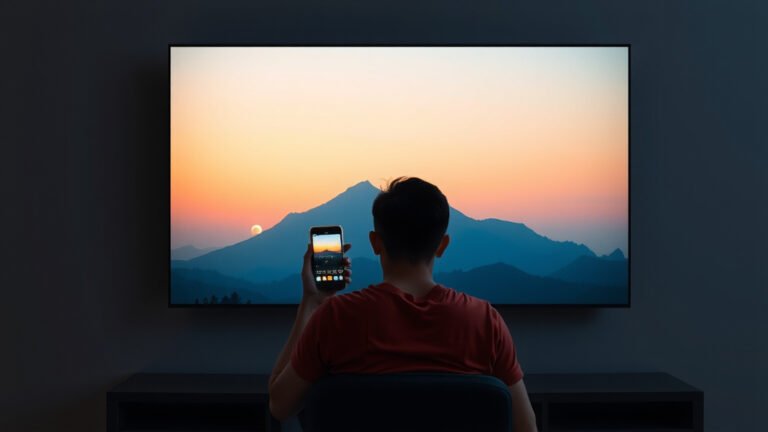
Dolby Vision IQ Explained: How It Enhances Your Picture
Dolby Vision IQ works by intelligently adjusting your TV picture. It uses your TV’s ambient light sensor to optimize brightness and color. This ensures you get the best possible viewing experience, no matter your room conditions. It’s like having a smart assistant for your TV’s picture quality.
Think of it as Dolby Vision’s brainpower getting a boost. Instead of just showing you the creator’s intended picture, Dolby Vision IQ adds an extra layer. It considers the specific lighting in your room. This means scenes look amazing whether you’re watching in a bright, sunny living room or a dark, cozy bedroom.
- Dolby Vision IQ fine-tunes your TV’s picture.
- It uses your room’s light to adjust brightness.
- This makes images look great in any lighting.
- It ensures scenes remain vibrant and detailed.
Ready to see how this smart technology makes your favorite shows and movies pop? Let’s break down how Dolby Vision IQ does its magic.
Understanding Dolby Vision IQ’s Smart Picture Adjustments
Dolby Vision IQ is a pretty clever upgrade to the standard Dolby Vision technology. It takes the amazing visual information encoded in Dolby Vision content and makes it even better for your specific viewing environment. You might be wondering, how does it actually do that? We found that the key lies in its ability to sense and react to the world around your TV.
The Role of Ambient Light
Think about it: a movie scene that looks perfect in a dark room can be washed out in a bright living room. Conversely, a vibrant scene in daylight might lose its subtle details when you dim the lights. Dolby Vision IQ addresses this directly. It actively measures the light in your room. This is done using a built-in ambient light sensor on your TV.
How the Sensor Works
This little sensor is constantly working behind the scenes. It detects how much light is hitting your TV screen from your surroundings. Is the sun streaming in through the window? Are the room lights on bright? The sensor picks up on these changes. It then sends this information to the TV’s processing chip. This allows for real-time picture adjustments.
Beyond Basic HDR: What Makes IQ Special
Standard HDR (High Dynamic Range) provides a wider range of colors and brightness. Dolby Vision enhances this further by using dynamic metadata. This metadata tells the TV how to display each scene, frame by frame. But Dolby Vision IQ adds another layer of intelligence on top of this. It doesn’t just rely on the creator’s instructions; it considers your room’s conditions.
Dynamic Metadata and Room Lighting
Here’s where it gets really neat. Dolby Vision IQ uses the information from the ambient light sensor in conjunction with the dynamic metadata. For example, if the room is very bright, Dolby Vision IQ might boost the overall brightness of the picture. It also ensures that highlights and shadows remain distinct and clear. This prevents the image from looking dull or overly bright. Dolby Vision IQ also makes adjustments to color and contrast, which can be further refined by adjusting your TV’s picture settings.
Color and Contrast Adjustments
It’s not just about brightness. Dolby Vision IQ also makes smart adjustments to color saturation and contrast. In a bright room, colors might need to be slightly more vibrant to pop. In a darker room, subtle color nuances can be brought out more effectively. The goal is always to maintain the creator’s artistic intent while ensuring optimal visibility for you.
| Feature | Dolby Vision (Standard) | Dolby Vision IQ |
|---|---|---|
| Dynamic Metadata | Yes (per scene/frame) | Yes (per scene/frame) |
| Ambient Light Sensing | No | Yes |
| Picture Optimization | Based on content metadata | Based on content metadata and room light |
| Brightness Adjustment | Limited | Dynamic, based on room light |
| Color & Contrast | Content-driven | Optimized for room light |
Benefits for Your Viewing Experience
So, what does this mean for you when you’re settling in for a movie or show? You get a picture that consistently looks its best. You don’t have to fiddle with your TV settings constantly. It’s designed to give you that “wow” factor, no matter what time of day it is or how bright your room happens to be.
Maintaining Detail and Nuance
One of the biggest wins with Dolby Vision IQ is its ability to preserve detail. In dark scenes, you won’t lose those subtle shadows and textures. In bright scenes, you won’t see blown-out highlights that lose their shape. This is thanks to the precise adjustments made by the IQ system. Many viewers find this keeps them more immersed in the content.
Simplified Picture Settings
Do you ever feel overwhelmed by all the picture settings on your TV? We found that Dolby Vision IQ can simplify things. Since the TV is intelligently adjusting the picture for you, you might find yourself needing fewer manual tweaks. It aims to deliver a fantastic viewing experience right out of the box for compatible content.
Where You Can Find Dolby Vision IQ
This technology isn’t everywhere just yet. You’ll need a TV that supports Dolby Vision IQ. Many newer, higher-end smart TVs come equipped with this feature. You also need to be watching content that is actually mastered in Dolby Vision. Streaming services like Netflix, Disney+, and Apple TV+ offer a growing library of Dolby Vision titles. Physical media like 4K Ultra HD Blu-rays can also contain Dolby Vision content.
Ensuring You’re Getting the Most Out of It
To make sure Dolby Vision IQ is working, check your TV’s picture settings. You should see an option to enable Dolby Vision IQ. Also, confirm that your streaming app or Blu-ray player is set to output Dolby Vision. Sometimes, a simple firmware update for your TV can also enable new features or improve existing ones. We found that keeping your devices updated is a good habit for the best performance. We found that keeping your devices updated is a good habit for the best performance, so check for a firmware update.
A Checklist for Optimal Viewing:
- Confirm your TV supports Dolby Vision IQ.
- Check for a Dolby Vision IQ setting in your TV’s menu.
- Ensure your content is mastered in Dolby Vision.
- Verify your streaming app or player outputs Dolby Vision.
- Keep your TV’s firmware updated.
- Enjoy the intelligently adjusted picture!
Conclusion
You’ve learned how Dolby Vision IQ makes your viewing experience truly shine. By using your room’s ambient light, it smartly adjusts picture brightness and color. This ensures that every scene looks its absolute best, whether your room is bright or dim. You get vibrant colors and clear details without any manual tweaking. It’s about enjoying content as the creators intended, optimized for your specific environment. To experience this, make sure your TV supports Dolby Vision IQ and check your settings for compatible content.
Frequently Asked Questions
Does Dolby Vision IQ work with all TVs?
No, not all TVs support Dolby Vision IQ. You’ll need a TV specifically designed with this feature, which is usually found on newer, higher-end smart TV models. Always check your TV’s specifications to confirm compatibility.
Do I need to turn Dolby Vision IQ on manually?
Typically, Dolby Vision IQ works automatically once enabled in your TV’s settings. You might need to ensure the feature is activated in your TV’s picture menu, but after that, it senses room light and adjusts the picture for you.
Will Dolby Vision IQ make older content look better?
Dolby Vision IQ primarily enhances content that is mastered in Dolby Vision. It optimizes the existing metadata for your room conditions. Standard Dynamic Range (SDR) or even regular HDR content won’t directly benefit from Dolby Vision IQ’s specific adjustments.
Is Dolby Vision IQ the same as standard Dolby Vision?
No, Dolby Vision IQ is an advanced version of standard Dolby Vision. While both use dynamic metadata for scene-by-scene optimization, IQ adds the crucial element of ambient light sensing to further refine the picture based on your viewing environment.
What kind of content is best for Dolby Vision IQ?
The best content for Dolby Vision IQ is anything mastered in Dolby Vision, such as movies and shows available on streaming services like Netflix, Disney+, and Apple TV+. 4K Ultra HD Blu-rays mastered in Dolby Vision will also take full advantage of this technology.