How to Choose a TV: Your Ultimate Buying Guide

Choosing a new TV can feel overwhelming, but it doesn’t have to be! The easiest way to pick the right TV is to first consider your budget, then your viewing habits, and finally, the room it will go in. We found that focusing on these three core areas helps narrow down your options significantly.
Beyond the basics, think about screen size – is it going in a cozy den or a sprawling living room? Also, consider picture quality features like resolution (4K is standard now) and display technology (OLED, QLED, LED). Many experts say balancing these factors ensures you get a great viewing experience.
- Think about your budget first.
- Consider your viewing habits and room size.
- Screen size matters – match it to your space.
- Look for 4K resolution and modern display tech.
Ready to find the perfect screen for your home? Let’s walk through exactly how to choose a TV step by step.
Picking Your Next Television Set
Choosing a new TV can feel like a big decision. You want something that looks great and fits your needs. We’ve found that thinking about a few key things first makes the process much simpler. Your budget, how you’ll use the TV, and where it will live are the top considerations. Let’s break down how to make the best choice for you.
What’s Your Budget Like?
This is often the starting point for most people, and for good reason. TVs range from a couple of hundred dollars to thousands. Knowing your spending limit prevents you from falling in love with a TV you can’t afford. It’s smart to set a realistic range before you start looking. Many experts suggest adding a little buffer for accessories like a soundbar or mounting hardware.
Price Tiers to Consider
Generally, TVs fall into a few price brackets. Entry-level TVs offer basic features for casual viewing. Mid-range options provide a better balance of picture quality and smart features. High-end TVs boast the latest technology for a premium experience.
- Budget-Friendly: Under $500
- Mid-Range: $500 – $1,000
- Premium: $1,000+
Where Will Your TV Live?
The room where your TV will be placed is a big factor. Think about the size of the room and how much light it gets. A TV that’s too big can overwhelm a small space. Too small, and it might get lost in a large room. Bright rooms need screens that can handle glare.
Room Size and Viewing Distance
The distance between your couch and the TV screen is key for picture clarity. Too close, and you might see pixels. Too far, and you miss the details. A good rule of thumb is to measure your seating distance. Many sources suggest a viewing distance of about 1.5 to 2.5 times the diagonal screen size for 1080p TVs.
For 4K TVs, you can sit closer because the pixels are much smaller. Research and found that for 4K, the ideal viewing distance is often closer to 1 to 1.5 times the screen size. This allows you to appreciate the enhanced detail. So, a 55-inch 4K TV could be comfortably enjoyed from about 5.5 to 8 feet away.
Lighting Conditions
Is your viewing room a movie theater cave or a sun-drenched space? Bright rooms can make it hard to see the picture on some TVs. Glossy screens can also create reflections.
We found that if your room is very bright, look for TVs with high brightness levels. These are often labeled with terms like HDR support or peak brightness specifications. Matte screen finishes can also help reduce glare. For darker rooms, you have more flexibility. Even screens with moderate brightness will look great.
Screen Size: Bigger Isn’t Always Better
Screen size is often the first thing people notice. It’s measured diagonally. While it’s tempting to go as big as possible, remember your room size and viewing distance. What looks good in the store might be overwhelming at home.
We found that many people are happy with TVs between 50 and 75 inches for typical living rooms. But if you have a large open-plan space, you might consider something larger. Always measure your available space, including any furniture, before committing.
Picture Quality: What Makes It Look Good?
This is where things can get a bit technical, but we’ll keep it simple. Picture quality is determined by several factors, including resolution and display technology.
Resolution: The Sharpness of the Image
Resolution tells you how many pixels make up the picture. More pixels mean a sharper, clearer image. Today, 4K resolution (3840 x 2160 pixels) is the standard for most new TVs. It offers four times the pixels of Full HD (1080p).
While 8K TVs exist, the content available in 8K is still limited. For most viewers, 4K offers an excellent balance of quality and content availability. We found that investing in a 4K TV is a solid choice for the foreseeable future.
Display Technology: The Heart of the Picture
This is where you’ll see terms like LED, QLED, and OLED. Each has its strengths.
| Technology | Pros | Cons |
|---|---|---|
| LED/LCD | Most affordable, good brightness, widely available. | Black levels can be less deep, contrast may not be as strong. |
| QLED | Brighter than standard LED, vibrant colors, good for bright rooms. | Can be more expensive, black levels are good but not perfect. |
| OLED | Perfect black levels, infinite contrast, excellent viewing angles. | Can be less bright than QLED, generally more expensive, risk of burn-in with static images. |
We found that OLED TVs offer the absolute best picture quality, especially for dark scenes and movies. QLED TVs are excellent for bright rooms and vibrant, colorful content. Standard LED TVs are a great budget-friendly option for everyday viewing.
Smart TV Features: More Than Just Channels
Most TVs today are “smart,” meaning they connect to the internet. This gives you access to streaming apps like Netflix, Hulu, and Disney+. Smart TV platforms vary by brand.
We found that popular platforms like Google TV, Roku TV, and LG’s webOS are user-friendly. Consider which apps you use most often. Some TVs might require a separate streaming stick if they don’t support your favorite services. Many experts say checking the smart TV interface is important for ease of use.
Sound Quality: Don’t Forget the Audio
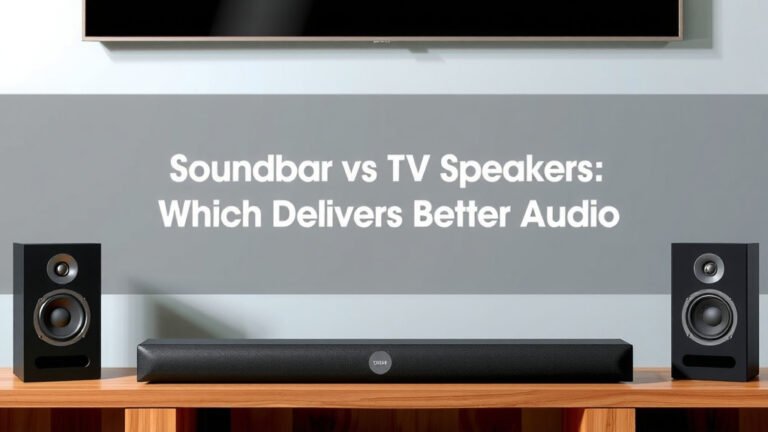
TVs have built-in speakers, but they are often just okay. For a truly immersive experience, especially for movies, you might want to consider a separate soundbar or a full home theater system. We found that many people upgrade their audio within a year of buying a new TV.
If audio is a priority, look for TVs that support advanced audio formats like Dolby Atmos. However, research and found that most people are satisfied with a good soundbar to complement their TV’s visuals. It’s an accessory that can make a big difference.
Your TV Checklist
Ready to make your choice? Here’s a quick checklist to guide you:
- Set a clear budget.
- Measure your room and viewing distance.
- Consider room lighting for glare.
- Decide on the ideal screen size.
- Prioritize resolution (4K is standard).
- Compare display technologies (LED, QLED, OLED).
- Check smart TV features and apps.
- Think about sound options (built-in vs. external).
Conclusion
You’ve got this! Choosing your next TV is all about matching your needs to the right features. By focusing on your budget, viewing habits, and room environment, you can make an informed decision. Remember to consider screen size, resolution, and display technology to get the best picture. Take your time, use this guide, and you’ll find a TV that brings your favorite content to life. Your perfect viewing experience is just a few steps away!
Frequently Asked Questions
How do I know what screen size is best for my room?
Measure your seating distance from where the TV will be. For 4K TVs, a good rule is sitting 1 to 1.5 times the screen’s diagonal measurement away. This ensures you can see all the detail without straining your eyes.
Do I really need a 4K TV in 2024?
Yes, 4K resolution is now the standard and offers a much sharper picture than older HD TVs. Most new content is available in 4K, making it a worthwhile investment for a better viewing experience.
What’s the main difference between OLED and QLED TVs?
OLED TVs offer perfect blacks and infinite contrast for superior picture quality, especially in dark rooms. QLED TVs are known for their brightness and vibrant colors, making them excellent choices for well-lit spaces.
Should I worry about “burn-in” with OLED TVs?
Burn-in is less of a concern with modern OLED TVs than it used to be. It’s primarily an issue if you leave a static image on screen for extremely long periods daily. For typical viewing habits, it’s generally not a problem.
Are built-in smart TV features good enough, or do I need a streaming stick?
Most smart TV platforms are quite good and offer popular apps. Check if your go-to streaming services are supported on the TV’s platform. If not, a separate streaming stick is an affordable solution to add that functionality.