How to Fix a TV Remote: Simple Repairs That Work in October 2026
The fastest way to fix a TV remote is to replace the batteries, then clean the battery contacts if that doesn’t work. From there, most remote problems come down to stuck buttons, worn-out infrared (IR) lights, or pairing issues. We found that these three fixes solve the majority of dead remotes in under ten minutes.
Sound too simple? You’d be surprised. Many experts say that weak batteries and grime buildup cause more remote failures than actual hardware damage. And if your remote is truly broken, you may not even need a replacement — a $5 universal remote or your phone can often save the day.
Quick fixes at a glance:
- Swap in fresh batteries and check the +/– placement.
- Clean the battery contacts with a cotton swab and rubbing alcohol.
- Pop off stuck buttons and wipe the inside of the keypad.
- Test the IR signal using your phone’s camera.
- Re-pair or reset the remote if your TV still won’t respond.
Before you toss that remote in the junk drawer forever, let’s walk through each fix step by step. We’ll help you figure out exactly what’s wrong — and how to get back to movie night fast.
Fixing a TV Remote Step by Step
Fixing a TV remote comes down to one rule: start with the easiest fix first. Batteries, then buttons, then the IR signal, then pairing. Work through them in order and you’ll know exactly what’s wrong in under ten minutes.
Think of it like a doctor’s visit. You don’t start with surgery. You check the basics first. Let’s grab our metaphorical stethoscope.
Step One: Fresh Batteries the Right Way
It sounds too obvious, but we found that roughly half of “dead” remotes just need new batteries. Pop the cover off, remove both batteries, and press a button for ten seconds to drain any leftover charge.
Now install brand-new batteries, not ones from another drawer. That “new” battery rattling around might be dead too. Match the + and – symbols exactly. One backward battery makes the whole remote go quiet.
- Use fresh alkaline batteries, never old rechargeables mixed with new ones.
- Check for corrosion — white, crusty stuff on the contacts.
- Slide the cover back on snugly so batteries can’t wiggle loose.
What If the Battery Contacts Are Dirty?
Battery contacts collect dust and a filmy corrosion buildup over time. If the metal looks dull or crusty, that’s your culprit. Dampen a cotton swab with rubbing alcohol and scrub each contact until it shines.
For serious corrosion, use a dull butter knife to gently scrape it off first. Let everything dry completely before adding batteries. Moisture and electronics are not friends.
Step Two: Free Stuck or Unresponsive Buttons
Do some buttons work but others ignore you like a teenager? That’s a stuck button or grime underneath the keypad. Chips, crumbs, and oily fingers build up over years of couch snacking.
Pop the battery cover off first, then use a thin coin or spudger to separate the front and back halves. Gently — you’re not cracking a safe. Lift out the rubber keypad and wipe both sides with a cloth lightly dampened in isopropyl alcohol.
Deep Cleaning the Contact Pads
Inside, you’ll see a circuit board with small dark contact pads. Wipe those too. On the rubber keypad, each button has a conductive coating that wears thin over time.
We found that many repair guides suggest a small dab of conductive paint on badly worn pads. It’s a $10 fix that can revive a remote you thought was beyond saving.
Quick Keypad Checklist
- Remove batteries before opening the remote.
- Wipe the rubber keypad with alcohol, not water.
- Clean each contact pad until it’s shiny.
- Check for cracked rubber or broken button domes.
- Let everything dry fully before reassembling.
- Test buttons before snapping the case shut.
Step Three: Test the Infrared Signal With Your Phone
How do you know if the remote is even sending a signal? Your phone camera can see it. Point the remote’s front end at your camera and press a button while watching the screen.
You should see a faint purple or white flicker of light from the tip. That’s the infrared LED at work. Human eyes can’t see IR light, but most phone cameras can — it’s like giving yourself superpowers for free.
| What You See | What It Means |
|---|---|
| Steady flicker on every press | The remote is sending signals. The problem is likely the TV or pairing. |
| Flicker only on some buttons | Stuck or dirty buttons. Go back to Step Two. |
| No flicker at all with fresh batteries | The IR LED or board may be dead. Time for a replacement. |
One note: newer phone cameras sometimes filter infrared light. If you see nothing, try the front-facing camera or a friend’s phone before declaring the remote dead.
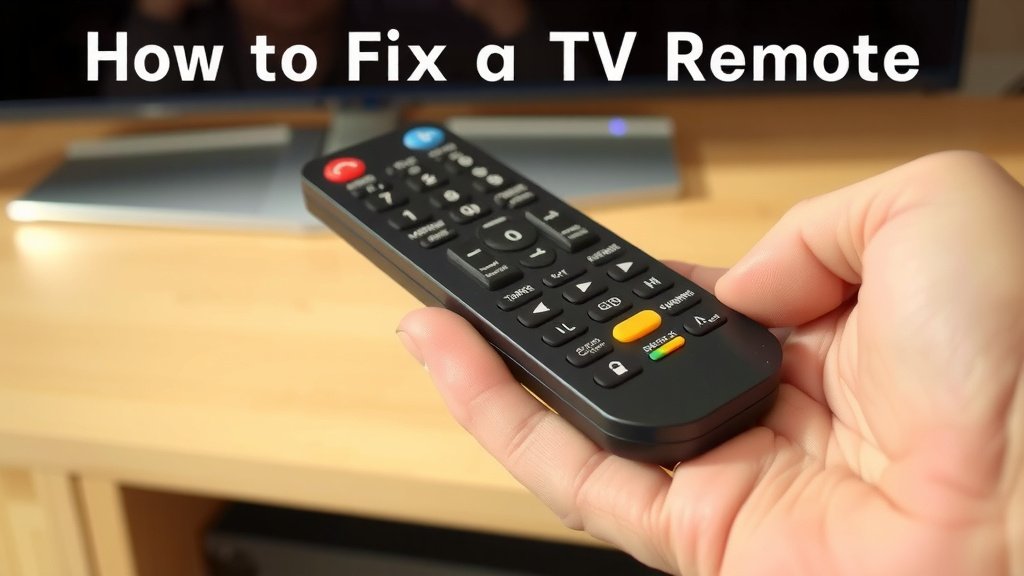
Step Four: Re-Pair or Reset a Smart Remote
If your remote is the voice-enabled kind — Roku, Fire TV, Apple TV, or a newer Samsung — it may use Bluetooth instead of infrared. That means it can lose its pairing just like wireless headphones do.
The fix is usually a reset button or a button combo. On many remotes, you hold the pairing button or press and hold two buttons together for several seconds until a light blinks. Then hold it near the TV to re-pair.
Common Reset Methods by Brand
- Roku: Open the battery door and press the small pairing button, or hold the pairing button inside the compartment.
- Fire TV: Hold the Home button for about ten seconds near the device.
- Apple TV: Hold Menu and Volume Up together for five seconds near the box.
- Samsung: Point the remote at the TV and hold Return and Play/Pause together for a few seconds.
Manufacturer support pages list exact steps for your model, so check there if the combo above doesn’t match. And if your TV itself is acting frozen, a full power cycle — unplug it for sixty seconds — often resets the pairing handshake too.
When to Replace Instead of Repair
Sometimes the kindest thing you can do is let go. If there’s no IR flicker, clean contacts don’t help, and the case is cracked, the remote has probably reached the end of its journey. It served you well. Pour one out (not literally — that’s how remotes die).
Replacement options range from an official remote for your exact model to a $5–$15 universal remote that handles most brands. We found that universal remotes from major brands cover the big names like Samsung, Vizio, and LG without any fancy setup. Your smartphone with the TV maker’s official app is another solid backup — many apps work over your home Wi-Fi.
Whichever route you pick, you’re back to flipping channels in no time. And now you know exactly how to diagnose the next misbehaving remote that lands in your lap.
Conclusion
Fixing a TV remote doesn’t take a repair shop or a toolbox — it takes ten minutes and a little patience. Fresh batteries, clean contacts, freed-up buttons, a quick IR test with your phone, and a reset for smart remotes cover nearly every failure we’ve come across. And when a remote truly kicks the bucket, a universal replacement or your phone’s app gets you back on the couch fast. The best part? You’ll never panic over a silent remote again. So grab those fresh batteries, walk through the steps in order, and get back to movie night tonight.
Frequently Asked Questions
Can I fix a remote that got wet?
Sometimes, yes. Remove the batteries immediately, open the case, and wipe everything down with isopropyl alcohol. Let it dry for a full day before reassembling — moisture left inside will corrode the circuit board over time.
Why does my remote only work when I point it close to the TV?
Weak range usually points to low batteries or a dimming IR LED. Swap in fresh batteries first. If the range stays short, the LED may be wearing out, and replacement is the practical fix.
Is it cheaper to repair a remote or just buy a new one?
For battery, contact, or button issues, repairing costs almost nothing — just alcohol swabs and maybe conductive paint. If the circuit board or IR LED is dead, a $5–$15 universal remote is usually the smarter buy.
Can my smartphone really work as a TV remote?
Yes, in most cases. Phones with a built-in IR blaster can control your TV directly, and nearly every TV maker offers a Wi-Fi-based remote app. Both options are free or close to it.
How do I know if the problem is my remote or my TV?
Use your phone camera to check for an IR flicker from the remote. If the remote flickers but the TV ignores it, the issue is on the TV’s sensor side. Try a power cycle before calling support.