Understanding TN Panels: What They Are & How They Work

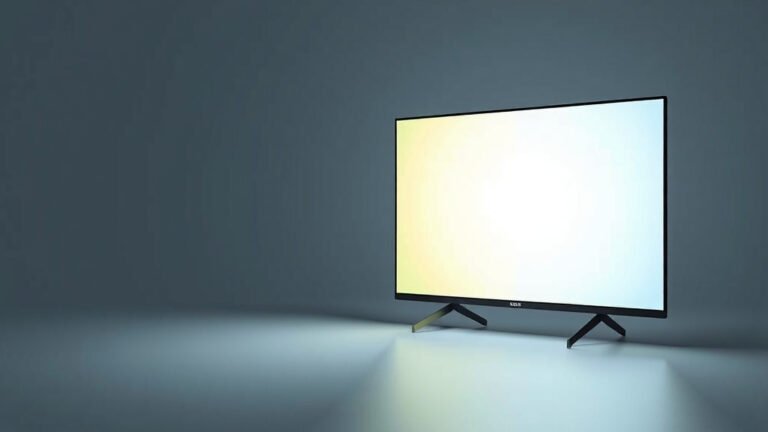
A TN panel is a type of LCD screen technology known for its fast response times and affordable price point. While they might not offer the most vibrant colors or widest viewing angles, they’re a popular choice for many standard computer monitors and gaming setups where speed is key. Think of it as the zippy, budget-friendly option in the monitor world.
TN stands for Twisted Nematic, referring to how the liquid crystals twist and untwist. This technology has been around for a while, making it a reliable and well-understood option. You’ll often find TN panels in monitors designed for competitive gaming or situations where you need to see every frame without motion blur. They offer a good balance for users who prioritize speed over color accuracy.
- TN panels offer fast response times, great for gaming.
- They are typically the most affordable LCD technology.
- Color reproduction and viewing angles can be less impressive than other types.
- A good choice when speed and budget are your main concerns.
Ready to see if a TN panel is the right fit for your setup? Let’s dive into the details of what makes these screens tick.
“`htmlUnderstanding TN Panel Technology
So, what exactly is a TN panel, and how does it work? A TN panel is a type of Liquid Crystal Display (LCD) screen. It’s one of the oldest and most common types of LCDs you’ll find. The “TN” stands for Twisted Nematic. This refers to how the liquid crystals inside the screen are arranged and how they behave when an electrical charge is applied.
How a TN Panel Works
Imagine tiny blinds inside your screen. These blinds are made of liquid crystals. In a TN panel, these crystals are normally twisted. This twist allows light to pass through, creating an image. When you apply a voltage, the crystals untwist. This untwisting blocks the light. It’s this quick twisting and untwisting that creates the images you see on your screen.
This mechanism allows for a very fast switching speed. Because the crystals don’t have far to twist or untwist, they can change their state very quickly. This is why TN panels are often chosen for tasks where speed is more important than anything else.
The Role of Polarizers
To make a TN panel actually display an image, you need a few more key components. Two polarizers are used, one on either side of the liquid crystal layer. These polarizers are like filters that only let light waves vibrating in a specific direction pass through. When the TN panel is off, the twisted crystals rotate the light. This rotation allows it to pass through the second polarizer. When the panel is on, the untwisted crystals don’t rotate the light. This prevents it from passing through the second polarizer.
Backlight and Color Filters
Of course, the liquid crystals themselves don’t create light. They just control whether light passes through. So, TN panels require a backlight, typically an LED backlight these days. This backlight shines through the liquid crystal layer and the polarizers. Color filters are then used to create the different colors you see on your screen. Each pixel is made up of sub-pixels (red, green, and blue) that can be individually controlled to create millions of colors.
Key Characteristics of TN Panels
When you’re looking at monitors, TN panels have some distinct traits. Understanding these will help you decide if one is right for your needs. Let’s break down what makes a TN panel stand out.
Response Time: The Speedy Champion
This is arguably the biggest advantage of TN panels. Response time is measured in milliseconds (ms) and refers to how quickly a pixel can change from one color to another, or from black to white. TN panels typically boast response times of 1ms to 5ms.
Why does this matter? In fast-paced content, like video games or action movies, rapid changes happen on screen. If a monitor’s pixels can’t keep up, you’ll see “ghosting” or motion blur. This is where a trailing image appears behind moving objects. With a fast TN panel, this blur is drastically reduced, leading to a clearer and more immersive experience.
Refresh Rate: Smooth Sailing
While not solely dependent on the panel type, TN panels pair exceptionally well with high refresh rates. Refresh rate is how many times per second the screen updates the image, measured in Hertz (Hz). You’ll often find TN monitors with refresh rates of 144Hz, 240Hz, or even higher.
A high refresh rate, combined with a low response time, makes for incredibly smooth visuals. Actions feel more fluid. In gaming, this can mean the difference between seeing your opponent a split second sooner and reacting faster. Many competitive gamers prioritize this smoothness above all else.
Color Reproduction: Where They Lag Behind
Here’s where TN panels aren’t typically the star of the show. Compared to other panel types like IPS or VA, TN panels generally offer less vibrant and accurate colors. The color gamut (the range of colors a display can produce) is often smaller.
This means that deep reds might look a bit dull, and subtle color variations might be lost. For tasks like professional photo editing, graphic design, or video production, where precise color accuracy is critical, a TN panel might not be your first choice. You might find colors appear a bit washed out or less saturated.
Viewing Angles: A Narrower Perspective
Another area where TN panels can be a limitation is viewing angles. Viewing angles refer to how far you can look at the screen from the side, top, or bottom before the image quality degrades. With TN panels, the colors and brightness can change quite noticeably when you shift your viewing position, even slightly.
This is due to the way the liquid crystals align. If you’re sitting directly in front of the screen, it’s usually fine. But if you have multiple people trying to watch something on the same screen, or if you tend to lean back or to the side, you might see the colors shift or the image become dimmer. Many experts note this as a significant drawback for casual viewing or collaborative work (DisplayMate).
Cost-Effectiveness: The Budget-Friendly Pick
One of the most appealing aspects of TN panels is their price. Because the technology is mature and the manufacturing process is well-established, TN panels are generally the most affordable type of display technology available.
This makes them a fantastic option for budget-conscious buyers. If you need a functional monitor for everyday tasks, general computing, or gaming without breaking the bank, a TN panel monitor can offer excellent value. You get good performance where it counts (speed) at a price that’s hard to beat.
Comparing TN Panels to Other Technologies
To really understand where TN panels fit in, it helps to see how they stack up against other common display technologies. Think of it like comparing different types of cars.
| Panel Type | Best For | Pros | Cons |
|---|---|---|---|
| TN (Twisted Nematic) | Gaming (speed), Budget Use | Fastest response times, High refresh rates, Affordable | Poor viewing angles, Less vibrant colors |
| IPS (In-Plane Switching) | Color Accuracy, Wide Viewing Angles | Excellent color accuracy, Wide viewing angles, Good contrast | Slower response times (though improving), More expensive |
| VA (Vertical Alignment) | Contrast, Deep Blacks | Best contrast ratios, Deepest blacks, Good color | Slower response times (can have “black smearing”), Viewing angles better than TN but worse than IPS |
Who Should Consider a TN Panel?
Based on what we’ve discussed, a TN panel monitor might be the perfect fit for you if:
- You are a competitive gamer where every millisecond counts.
- You need a monitor for fast-paced action games like first-person shooters or racing games.
- You are on a tight budget and need the best performance for your money.
- Your primary use is everyday computing, web browsing, and standard office work.
- You don’t frequently view your screen from extreme angles or need perfect color accuracy for creative work.
- You prioritize speed and smoothness over the richest colors.
Conclusion
You’ve learned that TN panels offer a compelling mix of speed and affordability. They excel in delivering fast response times crucial for competitive gaming and smooth motion. While their color vibrancy and viewing angles aren’t best-in-class, their budget-friendly nature makes them a smart choice for many users. If your priority is snagging a monitor that keeps up with quick action without emptying your wallet, a TN panel is likely your best bet. Before you buy, consider if these strengths align with your daily computer use.
Frequently Asked Questions
Are TN panels still good for gaming in 2024?
Yes, TN panels remain a solid option for gaming, especially if you’re a competitive player. Their exceptional response times help reduce motion blur, giving you an edge in fast-paced titles. While newer technologies offer better colors, TN panels provide speed and smoothness at a very accessible price point.
Can I use a TN panel for watching movies or streaming?
You can, but it might not be the ideal experience for everyone. TN panels can struggle with color accuracy and contrast, which are important for vibrant movie scenes. Their limited viewing angles also mean the picture quality can change if you’re not sitting directly in front of the screen.
What’s the main difference between a TN panel and an IPS panel?
The biggest difference lies in their strengths. TN panels are known for their lightning-fast response times and lower cost. IPS panels, on the other hand, offer superior color accuracy and much wider viewing angles, making them better for creative work and shared viewing.
Will I notice ghosting on a TN panel?
Generally, TN panels are designed to minimize ghosting thanks to their fast response times. You’re much less likely to see ghosting or motion trails on a TN panel compared to older or slower display technologies, especially when gaming.
How do I know if a monitor is using a TN panel?
Manufacturers usually list the panel type in the monitor’s specifications. Look for “TN” under the panel type or display technology. If it’s not explicitly stated, monitors marketed for budget gaming or those with very high refresh rates and low response times (like 1ms) are often TN panels.