Understanding TV Color Temperature: A Simple Guide
Color temperature on your TV refers to the warmth or coolness of the picture you see. It’s measured in Kelvin (K), with lower numbers appearing warmer (more red) and higher numbers appearing cooler (more blue). Finding the right color temperature can make a big difference in how realistic your shows and movies look.
Think of it like adjusting the lighting in a room. Too cool, and everything might look a bit sterile or washed out. Too warm, and colors can appear overly orange or muddy. Many experts suggest that a neutral color temperature, often around 6500K, is the standard for displaying content as the creators intended.
- Color temperature affects how warm or cool your TV picture looks.
- It’s measured in Kelvin (K).
- Lower K means warmer colors (more red).
- Higher K means cooler colors (more blue).
- A neutral setting (around 6500K) is often best for accuracy.
Let’s walk through what color temperature means for your viewing experience and how you can adjust it.
Understanding Your TV’s Color Temperature Settings
You’ve seen it, right? That slight shift from a cozy, reddish hue to a crisp, bluish tint on your TV screen. That’s your TV’s color temperature at play. It’s a setting that deeply impacts how colors appear on your display, making movies feel more natural or perhaps giving your favorite shows a slightly different vibe than intended.
Think of it like the difference between sunlight at noon and sunlight at sunset. Noon sun can feel bright and almost bluish, while sunset light bathes everything in warm oranges and reds. Your TV can mimic these different “lights” through its color temperature settings. Let’s break down why this matters for your viewing pleasure.
The Science Behind the Warmth and Coolness
So, what exactly is this “temperature” we’re talking about? It’s not about how hot your TV gets. Instead, it’s a measurement used in lighting and display technology to describe the color cast of a light source. This measurement is called Kelvin (K).
What Do the Kelvin Numbers Mean?
The Kelvin scale is where the magic (and sometimes confusion) happens. We usually see temperature settings like “Warm,” “Cool,” or “Neutral” on our TVs, but these often correspond to specific Kelvin ranges.
- Lower Kelvin numbers (e.g., 2000K-4000K) are considered warm colors. These settings will add more red and yellow tones to your picture. Think of a cozy fireplace or a candlelit dinner – that’s the kind of warmth we’re talking about.
- Higher Kelvin numbers (e.g., 7000K and above) are considered cool colors. These settings push the picture towards blues. This can make whites look brighter and give images a crisper, more modern feel.
- Mid-range Kelvin numbers (around 6500K) are typically seen as the neutral or standard. Many industry professionals and calibration experts aim for this range. It’s often considered the most accurate representation of how content creators intended you to see their work.
Why a Standard Temperature Matters
Imagine a painter carefully mixing colors for a masterpiece. They have a vision for each hue. Similarly, filmmakers and TV producers mix and master their content with a specific color palette in mind. This mastering process is usually done under controlled lighting conditions that approximate a neutral 6500K color temperature (often referred to as D65 white point).
When you adjust your TV’s color temperature, you’re essentially changing the “canvas” on which that artwork is displayed. If your TV is set too cool, all the colors might appear slightly off, muted, or even harsh. If it’s too warm, you might lose detail in darker scenes or notice skin tones looking a bit too orange.
Many viewing standards and guidelines, like those from the Society of Motion Picture and Television Engineers (SMPTE), point to 6500K as the ideal target for accurate color reproduction in a controlled viewing environment. So, aiming for a neutral setting helps ensure you’re seeing content closer to its original intent.
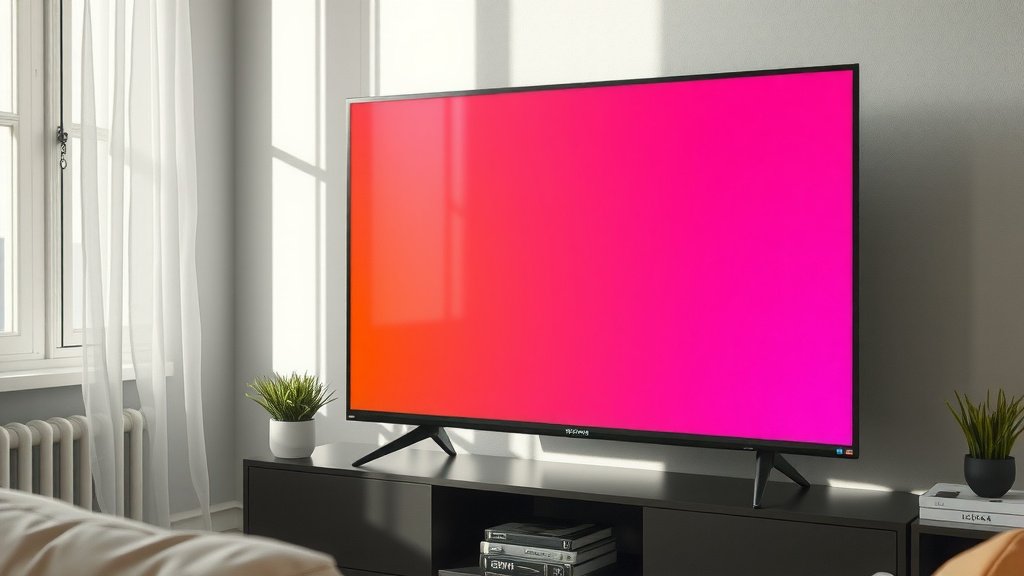
Finding the Right Color Temperature for Your TV
Now for the practical part: how do you find the sweet spot for your TV? It’s not always a one-size-fits-all answer, but we can guide you toward a great starting point.
Start with Your TV’s Presets
Most TVs come with pre-set picture modes. These are designed for different types of content or viewing environments. Look for settings like:
- Movie/Cinema/Filmmaker Mode: These are often the best starting points. They are typically calibrated closer to the industry standard and aim for accuracy over punchy, oversaturated colors. We found that starting with the Movie or Cinema mode is usually your best bet.
- Standard/Normal: This mode can be hit or miss. It’s often tuned for bright rooms and can sometimes be a bit too cool or bright.
- Game/Sports: These modes are usually tuned for vibrant colors and quick motion, which might mean sacrificing color accuracy.
- Warm/Cool: If your TV doesn’t have specific modes, you might find a direct “Warm” or “Cool” color temperature setting.
We found that starting with the Movie or Cinema mode is usually your best bet. It’s designed to be easy on the eyes for extended viewing and often aligns well with professional calibration standards.
The Role of “Warm,” “Cool,” and “Neutral” Settings
When you dive into the advanced picture settings, you’ll likely find options to manually adjust color temperature. These are often labeled:
- Warm1/Warm2: These typically correspond to lower Kelvin values, leaning towards red/yellow. Warm2 is usually warmer than Warm1.
- Neutral/Medium: This is your middle ground, often aiming for that 6500K sweet spot.
- Cool1/Cool2: These correspond to higher Kelvin values, leaning towards blue. Cool2 is usually cooler than Cool1.
Many experts and calibration guides suggest that Neutral or Warm1 are the best starting points for most users. You want to avoid the extremes of “Cool” unless you’re in a very specific, bright viewing environment where it might help cut through glare.
A Quick Checklist for Finding Your Ideal Setting
Ready to fine-tune? Here’s a simple checklist to help you:
- Choose a dedicated viewing mode (e.g., Movie, Cinema). Choose a dedicated viewing mode, like Movie or Cinema, for a better starting point.
- Select the “Warm” or “Neutral” color temperature setting.
- Observe skin tones in familiar content – do they look natural?
- Check white objects – do they appear clean white, not blue or yellow?
- If possible, compare different settings side-by-side.
It’s about finding what looks best to your eyes in your specific room. What seems perfect in a dark home theater might be too warm in a brightly lit living room.
| Setting Label | Typical Kelvin Range (Approx.) | Color Hue | Best For |
|---|---|---|---|
| Cool | 7500K+ | Blueish | Bright rooms, highlighting detail |
| Neutral | 6500K | Balanced | Accurate color, general viewing |
| Warm | 2000K-4000K | Reddish/Yellowish | Dim rooms, cinematic feel |
When to Seek Professional Help
While tweaking presets is helpful, achieving perfect accuracy can be a bit trickier. If you’re a videophile who demands the absolute best, there are professional calibrators. They use specialized tools to measure color output and adjust your TV to exact standards.
For most of us, however, the built-in presets and a keen eye are enough to make a big difference. Remember, the goal is to enjoy your shows and movies, not get lost in technical jargon. A slight adjustment can make content feel more lifelike and immersive.
Conclusion
Understanding your TV’s color temperature is key to enjoying content as it was meant to be seen. We’ve learned that this setting controls the warmth or coolness of your picture, measured in Kelvin (K). A neutral setting around 6500K is often the most accurate, making your movies and shows look more lifelike. Don’t be afraid to experiment with your TV’s presets, like ‘Movie’ or ‘Cinema’ modes, and the ‘Warm’ or ‘Neutral’ color temperature options. Your eyes are the best judge, so take a few moments to adjust your settings and see the difference yourself!
Frequently Asked Questions
Will changing my TV’s color temperature void my warranty?
No, adjusting your TV’s color temperature setting will not void your warranty. These are standard user-adjustable settings designed to let you personalize your viewing experience. Manufacturers expect you to use these options to get the best picture quality.
Can color temperature affect how bright my TV appears?
While color temperature primarily affects the color hue (warm vs. cool), it can indirectly influence perceived brightness. Cooler settings, with their blueish tint, can sometimes make whites appear brighter and images seem more vibrant. Warmer settings may make the picture seem a bit dimmer, but this is often closer to the intended look of cinematic content.
Is there a “best” color temperature for all TVs?
The generally accepted “best” or most accurate color temperature for displaying content is around 6500K (neutral). However, the ideal setting can vary slightly depending on your room’s lighting conditions and your personal preference. Many experts recommend starting with a neutral or warm setting and adjusting from there.
How do I know if my TV’s color temperature is set correctly?
You can tell if your TV’s color temperature is set correctly by observing skin tones in your favorite shows; they should look natural, not too red or too blue. Also, check white objects like clouds or paper – they should appear clean white, not tinged with yellow or blue. Comparing different settings side-by-side can also help you decide.
Should I always use the “Movie” or “Cinema” picture mode?
Using “Movie” or “Cinema” mode is often the best starting point because these modes are typically calibrated to be closer to industry standards for color accuracy and warmth. They aim to display content as the creators intended, avoiding the overly saturated or cool look of other modes like “Vivid” or “Standard.”