Freeview TV Explained: Your Guide to Free Digital Channels
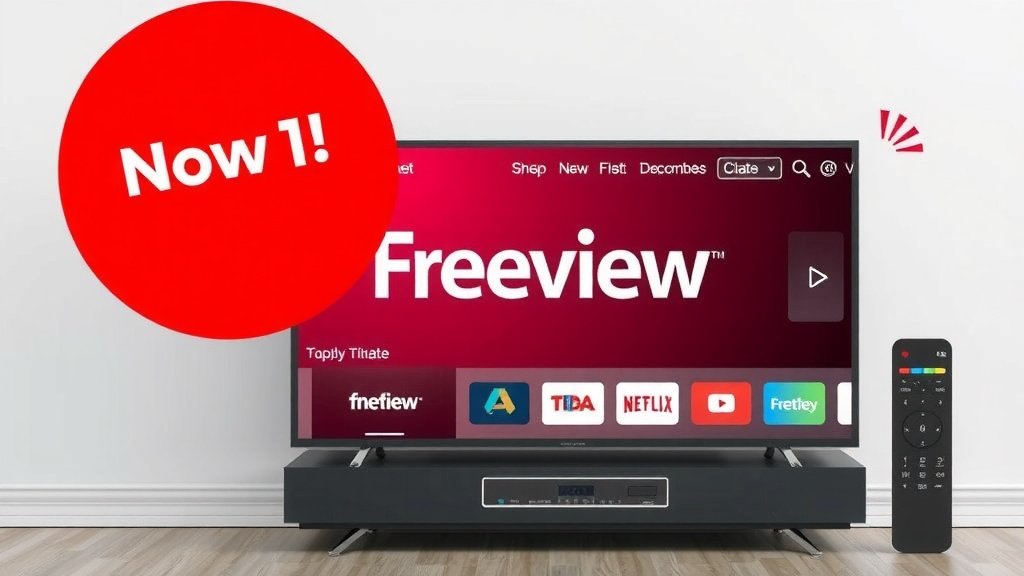
Freeview is a free-to-air digital television service in the UK. It offers a wide range of TV channels and radio stations without needing a subscription. Think of it as your gateway to dozens of channels, all delivered through your aerial.
You don’t need to worry about monthly bills with Freeview. It’s a one-time setup, and you’re good to go. Many households use it to get their favorite shows. It’s a popular choice for budget-friendly entertainment.
- Freeview provides free TV channels.
- No subscription fees are involved.
- It uses a TV aerial for signal.
- You get access to many channels and radio.
- It’s a simple way to enjoy television.
Ready to find out how you can get started with Freeview? Let’s look at what you’ll need and how it all works.
Understanding Freeview TV Reception
So, you’re wondering about Freeview and how it works? Think of it as the modern way to get free TV. It replaced older analog signals. You use a TV aerial to pick up digital broadcasts. These signals are then decoded by a compatible set-top box or your TV. It’s a straightforward system for accessing a good range of channels.
The key takeaway is that Freeview brings you live television channels without a monthly fee. This makes it a very attractive option for many households. You get a variety of entertainment and news without any ongoing costs. It’s all about enjoying your favorite programs easily and affordably.
What Channels Can You Expect with Freeview?
Freeview offers a substantial selection of channels. You’ll find popular public service broadcasters. These include BBC channels, ITV, Channel 4, and Channel 5. Beyond these main ones, you get access to a wide array of other channels too. These cover different interests like shopping, music, and dedicated news channels.
The Main Freeview Channel Line-up
When you first set up Freeview, you’ll likely see a core set of channels. These are the most-watched channels in the UK. They provide a great mix of drama, comedy, documentaries, and current affairs. You won’t miss out on the big shows you hear everyone talking about.
Exploring Additional Freeview Channels
Beyond the main channels, Freeview opens up many more. You can find channels dedicated to specific genres. Think of channels for kids, movies, or even more niche interests. Many radio stations are also available through Freeview. This means you can tune into your favorite music or talk radio shows right on your TV.
Freeview Channel Packages and Variations
While the core Freeview service is free, there are variations. Some providers offer slightly different channel lists. There’s also Freeview HD, which gives you access to high-definition broadcasts of certain channels. Freeview Play is another advancement. It combines live TV with on-demand services. This lets you catch up on shows you missed easily. It’s a step up in convenience.
How Do You Get Freeview? Setting It Up
Getting Freeview is generally quite simple. You’ll need a few key pieces of equipment. The most important is a digital TV aerial. This needs to be correctly positioned and aligned to receive the signals. Many homes already have one installed.
Essential Equipment for Freeview
First, you’ll need a digital compatible television. Most TVs made in the last 10-15 years have a built-in Freeview tuner. This means you just need to connect an aerial. If your TV is older, you might need a separate Freeview set-top box. These boxes plug into your TV and aerial. They convert the digital signal for your older television to display.
The Role of the TV Aerial
The TV aerial is your direct connection to the broadcast signal. For the best reception, it should be pointing towards your nearest transmitter. Signal strength can vary depending on your location. Sometimes, an indoor aerial is enough. Other times, an outdoor aerial mounted on your roof provides a stronger, more reliable signal. Many experts recommend outdoor aerials for consistent quality (Ofcom guidance suggests optimal positioning).
Choosing a Freeview Box or TV
If you need a set-top box, there are various models available. Some offer basic channel reception. Others come with features like recording capabilities (Freeview+ boxes) or access to Freeview Play. When buying a new TV, look for one that explicitly states it has a built-in Freeview tuner. This avoids the need for an extra box.
The Tuning-In Process
Once your aerial is connected, you need to tune your TV or set-top box. This process scans for all available channels. It’s usually found in your device’s settings menu. You’ll select ‘Channel Scan’ or ‘Auto Tune’. The device then searches for and saves all the channels it can find. This typically takes a few minutes. You’ll get a list of all the channels you can watch.
Troubleshooting Common Freeview Issues
Like any technology, Freeview can sometimes have minor hiccups. Signal interference is the most common problem. This can happen due to weather conditions or physical obstructions. Sometimes, re-tuning your channels can solve this. Many guides suggest re-tuning periodically (BBC suggests re-tuning every six months).
Poor Signal or Missing Channels
If you’re experiencing pixelation, sound break-up, or missing channels, check your aerial. Ensure it’s securely fixed and hasn’t moved. If you use an indoor aerial, try repositioning it. Experimenting with different window locations can help. For outdoor aerials, you might need to check its alignment.
When to Seek Professional Help
If you’ve tried repositioning your aerial and re-tuning your channels without success, it might be time to call a professional. An aerial installer can check your system. They can ensure everything is correctly aligned and functioning optimally. This is often the quickest way to resolve persistent signal problems.
Is Freeview Right for You? A Quick Checklist
Considering Freeview? Here’s a quick way to see if it fits your needs:
- You want to watch TV without monthly bills.
- You enjoy a good range of popular channels.
- You don’t need access to niche or international channels.
- You’re happy with live TV and basic catch-up features (if using Freeview Play).
- You already have or can easily install a TV aerial.
- You want a simple, user-friendly TV system.
Conclusion
You’ve learned that Freeview is your straightforward path to free, subscription-free television in the UK. It delivers a wide array of channels and radio stations right to your home, using a simple TV aerial and a compatible device. This makes it an excellent choice for anyone looking for affordable entertainment without monthly fees. If you’re ready to enjoy a broad selection of programs without the cost, your next step is to check your TV’s compatibility or consider a Freeview set-top box and ensure you have a suitable aerial.
Frequently Asked Questions
Do I need a TV license for Freeview?
Yes, you will still need a valid TV license to watch any live TV channels on Freeview, just as you do for other live television services. The TV license is for the viewing of live broadcasts, regardless of how you receive the signal.
Can I record shows with Freeview?
Basic Freeview doesn’t include recording features. However, you can get Freeview+ or Freeview Play devices that offer recording capabilities. These usually come with a built-in hard drive or allow you to connect a USB drive for storage.
What’s the difference between Freeview and Freeview Play?
Freeview is the basic free-to-air service. Freeview Play builds on this by integrating live TV with on-demand services from major UK broadcasters, allowing you to catch up on shows you’ve missed directly through the TV guide.
Will my old aerial work for Freeview?
An older analogue aerial might work, but it’s not guaranteed to provide optimal reception for digital Freeview signals. For the best results, it’s recommended to have a digital-ready aerial installed or checked by a professional.
How many channels can I actually get with Freeview?
The number of channels can vary depending on your location and signal strength. Generally, you can expect over 70 standard definition channels and around 15 HD channels, plus numerous radio stations. You can check predicted channel availability for your specific postcode on the Freeview website.