HbbTV Explained: Your Guide to Interactive TV
HbbTV, which stands for Hybrid Broadcast Broadband TV, is a technology that lets you access extra interactive content on your smart TV using your internet connection. Think of it as a way to get more from your regular TV broadcasts, like bonus features or extra information related to what you’re watching. It combines broadcast TV with broadband internet services. HbbTV combines broadcast TV with broadband internet services to deliver interactive content.
This technology allows broadcasters to offer more than just standard programming. You might see additional details about a show, vote in polls, or even shop for items seen on screen, all through your TV remote. It’s designed to make your viewing experience more engaging and interactive. Many modern smart TVs already support HbbTV, making it quite accessible.
- HbbTV merges broadcast TV with internet features.
- It offers viewers extra interactive content.
- You can use your remote to access this content.
- It’s a way to get more out of your TV.
- Many smart TVs have HbbTV built-in.
We’ve found that understanding HbbTV can really enhance your TV time. Let’s walk through exactly what it is and how it works for you.
Understanding HbbTV for Your Smart TV
So, you’ve heard about HbbTV but aren’t quite sure what it means for your TV viewing. In simple terms, HbbTV is like a secret bonus level for your television. It’s a way for broadcasters to add interactive elements to their regular TV shows, using your home internet connection to do it.
Think of it this way: when you watch a live cooking show and the recipe pops up on the side, or when you see a “vote now” button during a talent show – that’s often HbbTV in action! It bridges the gap between traditional broadcast television and the online world, giving you more to engage with than just watching.
How HbbTV Works Its Magic
HbbTV isn’t some magical black box. It’s a smart technology that works behind the scenes. When your TV receives a broadcast signal that has HbbTV features, it checks if you’re connected to the internet. If you are, it automatically fetches the extra content from the broadcaster’s servers. HbbTV is a smart technology that works behind the scenes to fetch extra content.
This extra content can appear in various ways. Sometimes it’s a full-screen application, like a virtual shopping channel. Other times, it might be a small overlay at the bottom of your screen, a simple red button prompt that invites you to click. Your TV remote is your wand for navigating these interactive features.
The “Red Button” Experience
You’ll often see a “Red Button” or similar prompt appear on your screen. This is the most common way to access HbbTV services. Pressing that button on your remote tells your TV, “Yes, I want to see what extra content is available!”
This could lead you to a variety of things. For example, during a news broadcast, you might get access to deeper dive articles or related video clips. For sports, you could find live scores, player statistics, or even replays of key moments. It’s all about giving you more control and more information without leaving your comfortable couch.
What Kind of Content Can You Expect?
The possibilities with HbbTV are quite broad, depending on what the broadcaster decides to offer. We’ve researched some of the most common and exciting uses:
- Enhanced Information: Get background details on a documentary, cast and crew info for a movie, or weather updates relevant to a news segment.
- Voting and Quizzes: Participate in audience polls or answer trivia questions related to the program you’re watching.
- Shopping: Browse products seen on screen, add them to a virtual cart, and sometimes even make a purchase directly from your TV.
- Catch-Up TV and On-Demand: Access missed episodes or extra content that isn’t part of the live broadcast.
- Interactive Games: Some broadcasters offer simple games that you can play using your remote.
- Personalized Services: Like accessing your account details for a broadcaster or setting viewing preferences.
Is HbbTV Available Where You Are?
HbbTV is a global standard, but its availability can vary by country and by broadcaster. Many European countries have widely adopted it. In the United States, while the underlying technology exists, a specific, universally branded HbbTV service isn’t as dominant as in some other regions.
However, many smart TVs sold today are HbbTV-enabled. This means the hardware and software are ready. The content delivery then depends on the TV networks and content providers in your area choosing to use the HbbTV platform. So, even if you don’t see it everywhere, your TV might be capable of it!
Do You Need Anything Special to Use HbbTV?
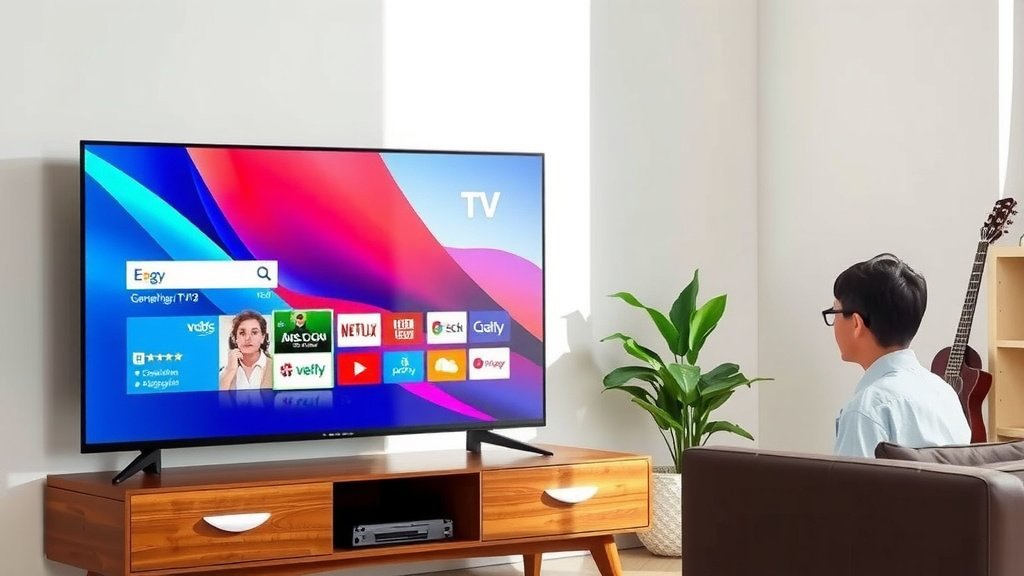
Good news! For the most part, you probably already have what you need. The two main requirements are:
- An HbbTV-compatible Smart TV: Most modern smart TVs (manufactured in the last 5-10 years) come with HbbTV support built-in. You might find this mentioned in your TV’s user manual or settings menu under “Connectivity” or “Advanced Features.”
- A Stable Internet Connection: HbbTV relies on broadband internet to load the extra content. The faster and more stable your connection, the smoother the experience will be.
You generally don’t need any extra subscriptions or special equipment, just your regular TV and your internet service. It’s designed to be user-friendly, adding functionality without added hassle.
HbbTV vs. Other Smart TV Features
It’s easy to get HbbTV confused with other smart TV features. Here’s a quick breakdown:
| Feature | What It Does | How It Works |
|---|---|---|
| HbbTV | Adds interactive content to broadcast TV. | Uses broadcast signal + internet connection. |
| Smart TV Apps | Provides standalone entertainment services (Netflix, Hulu, etc.). | Runs on your TV’s operating system, needs internet. |
| TV Anywhere / Streaming Apps | Lets you watch content from specific channels on multiple devices. | Requires a subscription to a TV provider, uses internet. |
Think of HbbTV as a bridge. It connects the live TV experience you’re already enjoying with the vast resources of the internet, creating a richer, more interactive session. It’s not a replacement for apps like Netflix, but rather an enhancement to your traditional channel surfing.
Making the Most of Your HbbTV Experience
To ensure you don’t miss out on any interactive fun, keep these simple tips in mind:
- Check Your TV Settings: Make sure HbbTV is enabled in your TV’s menu if you want to use it.
- Stay Connected: A good Wi-Fi or Ethernet connection is key for smooth HbbTV performance.
- Watch for the Red Button: Keep an eye out for prompts on your screen, especially during live programming.
- Explore Broadcaster Services: See what interactive content your favorite channels are offering.
- Use Your Remote: Get comfortable navigating the menus and options that HbbTV presents.
Many experts agree that HbbTV represents a smart evolution of broadcast television. It keeps traditional TV relevant by blending it with the interactive capabilities we’ve come to expect from online services (World Wide Web Consortium).
Conclusion
You’ve now learned that HbbTV is a fantastic way to add interactivity to your regular TV viewing. It cleverly combines broadcast signals with your internet connection. This lets you access bonus content, participate in polls, or even shop directly from your screen. Your smart TV is likely already equipped to use it. The next time you’re watching TV, keep an eye out for the “Red Button” prompt. Give it a try to see what extra features your favorite channels are providing. You might just discover a whole new way to enjoy your favorite shows!
Frequently Asked Questions
How do I know if my TV supports HbbTV?
Most modern smart TVs, typically made in the last 5-10 years, have HbbTV support. You can usually find this information in your TV’s user manual or by checking the settings menu under connectivity or advanced features. If your TV is internet-connected and relatively new, it’s likely capable of using HbbTV.
What’s the difference between HbbTV and regular smart TV apps?
HbbTV enhances your live broadcast viewing by adding interactive content related to what’s currently on. Smart TV apps, like Netflix or YouTube, are separate applications that run independently of broadcast channels. Think of HbbTV as an add-on to live TV, while apps are standalone services.
Do I need to pay extra for HbbTV content?
Generally, no. HbbTV services are typically offered by broadcasters as a free enhancement to their regular programming. As long as you have a stable internet connection and an HbbTV-compatible TV, you can access the interactive content without extra subscription fees.
Why don’t I see HbbTV prompts on my TV very often?
HbbTV adoption varies by country and by individual broadcasters. While many European countries widely use it, its presence in the United States is less dominant. The availability depends on your local TV networks choosing to implement HbbTV features for their broadcasts.
Can I turn HbbTV on or off?
Yes, you can. Most HbbTV-enabled TVs allow you to enable or disable the feature in the TV’s settings menu. If you prefer not to see the interactive prompts or are experiencing issues, you can simply turn it off. You can also turn it back on whenever you wish to use it.