How Much Weight Can a TV Mount Hold? Limits Explained

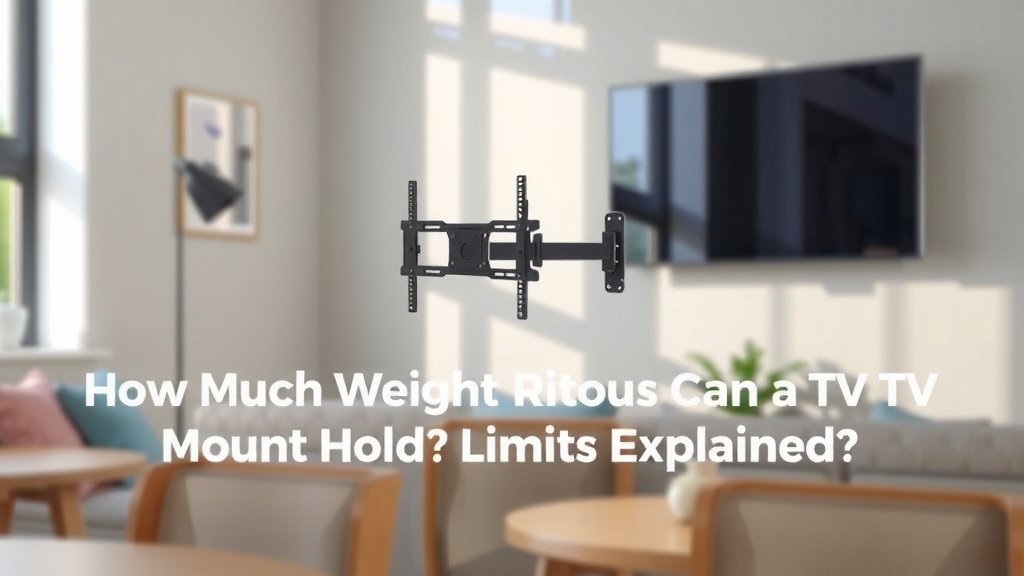
Most TV mounts hold between 40 and 175 pounds, depending on the mount’s quality, size, and design. How much weight can a TV mount hold in your case? The answer comes down to the weight rating printed by the manufacturer — and that number should always be higher than your TV’s weight.
But here’s the thing many people miss: the mount is only half the story. Your wall type matters just as much. A stud in drywall, brick, or concrete each handle weight differently, and even the strongest mount can fail if the wall behind it can’t hold on. We found that many mounting problems happen because the anchor hardware doesn’t match the wall, not because the mount itself is weak.
- Fixed and tilting mounts usually hold 40 to 80 pounds.
- Full-motion mounts often support 60 to 100 pounds or more.
- Always check both the mount’s rating and your TV’s actual weight.
- Your wall type and screws play a big role in how much weight the setup can safely handle.
- When in doubt, pick a mount rated well above your TV’s weight.
Below, we walk you through mount types, weight ratings, wall considerations, and a few safety tips — so you can hang your TV with total confidence.
Understanding TV Mount Weight Ratings
A weight rating is the maximum load a mount can safely support, according to the manufacturer. It’s tested under ideal conditions with the right hardware and wall. Go over that number, and you’re asking for trouble.
Here’s a tip we always share: buy a mount rated at least 20 to 30 percent above your TV’s weight. If your TV weighs 60 pounds, a mount rated for 80-plus gives you a comfortable safety margin. Think of it like a ladder rated for 250 pounds — you don’t want to be the person standing on it at 249. If you’re unsure what’s included with your TV, our guide to choosing a wall mount walks through the basics.
Many manufacturers test their mounts using a four times safety factor, meaning the mount is stressed at four times its listed rating before failure. Even so, real-world conditions (wobbly studs, wrong screws, curious cats) can eat into that margin fast.
Weight Limits by Mount Type
Not all mounts are built the same. The style you choose affects both the weight limit and the price tag.
Fixed and Low-Profile Mounts
These sit flat against the wall and usually hold 40 to 80 pounds. Because there are no moving parts, they’re simple and sturdy. If your TV weighs less than 75 pounds, a fixed mount is often the easiest, safest pick.
Tilting Mounts
Tilting mounts add a small pivot so you can angle the screen down. Most handle 50 to 90 pounds. The tilt mechanism adds a little hardware, but it doesn’t weaken the mount much.
Full-Motion and Articulating Mounts
These pull out, swivel, and extend — handy for corners or open floor plans. The trade-off? The extended arm creates leverage stress on the wall plate. Many full-motion mounts are rated 60 to 125 pounds, but the rating assumes the TV is centered and retracted. Keep that in mind before you swing your 70-inch screen around during the big game. Our guide to how a full-motion mount works covers the mechanics behind that leverage stress.
Quick Comparison of Mount Types and Weight Limits
| Mount Type | Typical Weight Limit | Best For |
|---|---|---|
| Fixed / low-profile | 40–80 lbs | Flat, eye-level setups |
| Tilting | 50–90 lbs | Mounting above eye level |
| Full-motion / articulating | 60–125 lbs | Corners, angled viewing |
| Ceiling mounts | 50–100 lbs | Commercial or unusual rooms |
Does Your TV’s Weight Even Matter?
Yes — more than most people think. A 65-inch TV can weigh anywhere from 35 to 75 pounds depending on the model. Old plasma TVs were famously heavy; today’s OLED and LED panels are much lighter.
Don’t guess. Check the spec sheet or the manufacturer’s website for the exact number. And remember to count attached accessories. A soundbar mounted to the TV, a streaming box, or a webcam all add weight the mount has to carry.
Why Your Wall Matters as Much as the Mount
Here’s an uncomfortable truth: we found that many fallen TVs had perfectly good mounts — the wall gave out first. The mount is only as strong as what’s holding it up.
Drywall and Studs
Most US homes have drywall over wooden studs. You must anchor into at least two studs for anything beyond a small TV. Drywall alone holds almost nothing — a few pounds at best. Use a stud finder; it’s a $20 tool that saves a $600 TV.
Brick, Concrete, and Tile
Masonry walls are strong, but they need specialty anchors like sleeve or wedge anchors, plus a hammer drill. Standard wood screws do nothing in brick. If you rent, check with your landlord first — drilling into brick isn’t easily undone.
Metal Studs
Metal studs are common in condos and newer builds. They can work, but they need toggle bolts rated for metal studs or a mounting plate that spans multiple studs. Many experts say to verify the stud gauge and thickness before trusting them with a heavy TV.
The Role of Anchor Hardware and Screws
The bolts that connect mount to wall are the unsung heroes of the whole setup. Using the wrong screw is like towing a boat with dental floss — technically connected, practically doomed.
Use structural-grade lag bolts (usually 5/16-inch by 2.5 to 3 inches) for wooden studs. They should bite at least two inches into the stud. Also check the VESA pattern on the back of your TV — the four screw holes must match the mount’s arms, with the correct spacer and screw length.
Signs Your Setup May Be Overloaded
Your wall will usually warn you before disaster strikes. Watch for these red flags:
- Cracks or dents appearing in the drywall around the mount plate.
- The mount plate pulling slightly away from the wall at the top.
- Squeaking or creaking sounds when you adjust the TV.
- Screws that turn freely or feel loose when checked.
- The TV sitting noticeably lower than when you installed it.
- A full-motion arm that sags or droops over time.
Spot any of these? Take the TV down and reassess. A do-over costs an afternoon; a fallen TV can cost a lot more — and injure someone.
Safety Tips Before You Hang Your TV
A little prep goes a long way. Here’s our pre-installation checklist:
- Know your numbers: TV weight, mount rating, and stud locations.
- Buy quality hardware: Don’t reuse random screws from the junk drawer.
- Get a helper: Modern TVs are thin and awkward, not light and easy.
- Follow the manual: Torque specs and bolt sizes exist for a reason.
- Add a safety strap: Many experts recommend anti-tip straps, especially in homes with kids or pets (CDC injury data shows falling TVs remain a real household hazard).
- Double-check everything: Tug test the mount before the TV goes up.
What About Mounting Above the Rated Weight Anyway?
We get this question a lot, and the honest answer is: don’t. Exceeding the rating voids warranties, and if something goes wrong, the manufacturer won’t share the blame. Insurance claims after property damage can also get messy when a mount was overloaded on purpose.
If your TV is too heavy for the mount you love, buy a heavier-duty mount. A high-capacity mount typically costs $20 to $50 more than a basic one. Compared to a cracked screen or a trip to the emergency room, that’s the cheapest upgrade you’ll ever make.
Choosing the Right Mount for Your TV
Start with your TV’s weight and size, then work backward. Match the VESA pattern, confirm the mount’s rating exceeds your load, and pick a style that fits your room. When you’re torn between two mounts, choose the one with the higher rating and the better wall hardware included.
Your TV spent years on a stand, safe and boring. Give it the same security on the wall, and you’ll enjoy it for years — right where you put it.
Conclusion
So, how much weight can a TV mount hold? Most handle 40 to 175 pounds, but the number on the box only counts if your wall and hardware can back it up. We’ve seen that the safest setups come down to three things: a mount rated well above your TV’s weight, the right lag bolts in solid studs, and a wall that can actually take the load.
Don’t leave this to guesswork. Look up your TV’s exact weight tonight, then pick a mount rated at least 20 to 30 percent higher. That ten-minute check is the difference between a TV that stays up for a decade and one that comes down on its own terms.
Frequently Asked Questions
Can a TV mount hold a TV on drywall without studs?
For anything beyond a very small, lightweight TV, we don’t recommend it. Drywall by itself holds only a few pounds. If you can’t hit two studs, use heavy-duty toggle anchors rated for your TV’s weight, or consider a no-stud mounting plate designed for drywall.
Do TV mounts work for all TV brands?
Almost always, yes. Mounts use the standard VESA pattern found on nearly every TV made in the last 15 years, from Samsung to TCL to LG. Just match your TV’s VESA hole spacing and weight to the mount’s specs before buying.
Can one mount hold two TVs?
Only if the mount is specifically designed as a dual-TV or back-to-back unit, like the ones used in sports bars. A standard mount rated for 80 pounds can’t safely carry two 40-pound screens stacked on the same arms. Buy a purpose-built dual mount if that’s your goal.
Does TV screen size affect how much weight a mount can hold?
The mount’s rating is about pounds, not inches, so size alone doesn’t change the limit. But bigger screens create more leverage, especially on full-motion arms. That’s why we suggest staying under the rating with room to spare on larger TVs.
How do I know if my wall can handle a heavy TV?
Start by identifying what’s behind the drywall: wood studs, metal studs, brick, or concrete. Wood studs with proper lag bolts handle most home setups just fine. If you’re unsure, or your TV weighs over 100 pounds, it’s worth a quick consultation with a handyman or installer before you drill.