Where to Mount a TV: Optimal Placement Guide
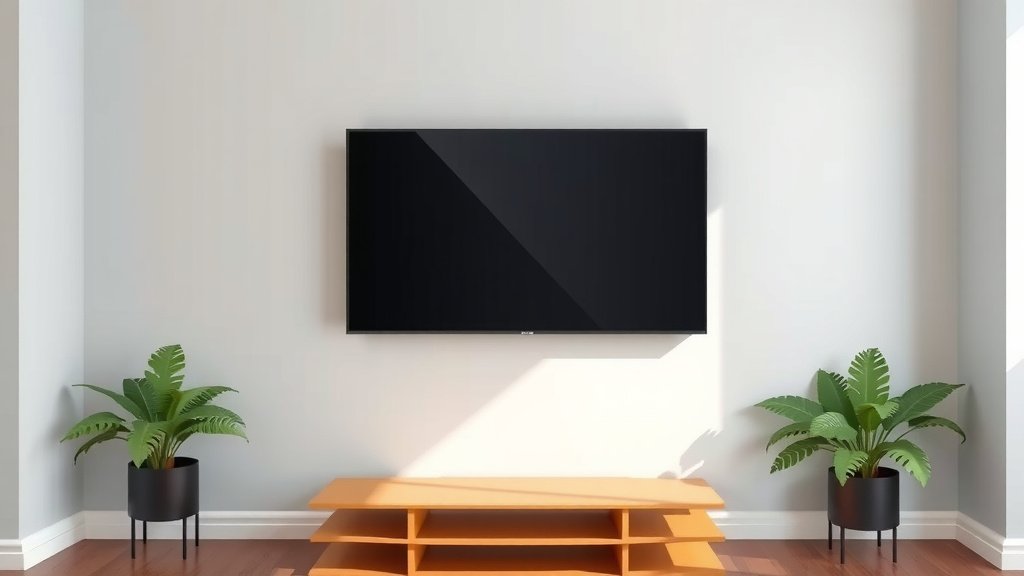
The best place to mount a TV is at eye level when you are seated in your primary viewing position. This ensures the most comfortable viewing angle and prevents neck strain. Aim for the center of the screen to be roughly at this height, which is often around 40-42 inches from the floor.
Mounting your TV correctly enhances your viewing experience greatly. It also helps protect your investment by ensuring it’s securely fixed. We found that considering your room’s layout and furniture placement is just as important as the height. Proper placement avoids glare and makes your living space look more streamlined.
- Mount at seated eye level for comfort.
- Aim for 40-42 inches from floor to screen center.
- Consider room layout and potential glare.
- Secure mounting prevents accidents and looks neat.
Ready to find the perfect spot? Let’s walk through how to determine the ideal mounting height and location for your TV.
“`htmlFinding the Ideal TV Mounting Height
So, you’re ready to hang your TV. But where is the best spot? We found that the sweet spot is usually at seated eye level. Imagine you’re settled on your couch. The center of the screen should be right around where your eyes naturally land. This prevents you from tilting your head up or down, which can cause Proper placement prevents neck strain.neck strain over time.
Many home theater guides suggest the ideal height is between 40 and 42 inches from the floor to the center of the TV. This is a great starting point. Of course, this can change based on your furniture. A higher couch might mean mounting the TV a little higher. Lower seating means a lower mount. It’s all about personal comfort.
Considering Your Seating Arrangement
Think about where you’ll be sitting most often. Is it one main couch? Or do you have multiple seating areas? If you have a large sectional, you might want to mount the TV a bit higher. This way, people sitting further back can still see comfortably. For smaller spaces with just a loveseat, keeping it lower is usually best. We found that the goal is to make sure everyone has a good view.
What if you have a fireplace and want to mount the TV above it? This is a common desire, but experts often advise against it. Fireplaces can be quite high. Mounting your TV above one often leads to an uncomfortably high viewing angle. You’ll likely be looking up constantly. This is a major cause of that neck and shoulder pain we talked about. If you absolutely must mount above a fireplace, consider a mount that can lower the TV for viewing.
Avoiding Glare and Lighting Issues
Have you ever tried to watch TV and had a bright window or a lamp creating a nasty glare on the screen? It’s frustrating! Placement is key to avoiding this. Try to position your TV so that light sources aren’t directly hitting the screen. Opposite walls are often your best bet. This means light won’t bounce directly back into your eyes. We found that minimizing glare leads to a much more enjoyable viewing experience.
Consider the time of day you’ll be watching most. If you’re a daytime watcher, natural light from windows is a bigger concern. If you’re mostly a nighttime viewer, lamps and overhead lights are what you need to manage. Some people even opt for specialized anti-glare screen protectors. However, smart placement is usually the easiest and cheapest solution.
Choosing the Right TV Mount
Once you know where you want your TV, you need to pick the right mount. Not all mounts are created equal! There are a few main types to consider. The type you choose will depend on your room and how you want your TV to function.
Fixed Mounts: Simple and Sleek
These mounts hold your TV flat against the wall, like a piece of art. They are generally the most affordable and easiest to install. If you have the perfect viewing spot and don’t need to adjust your TV’s angle, a fixed mount is a great choice. It keeps the TV very close to the wall, offering a clean, minimalist look. We found that they are perfect for dedicated home theater rooms.
Tilting Mounts: A Little Adjustment Goes a Long Way
A tilting mount allows you to angle your TV up or down. This is really useful if you need to mount your TV slightly higher than ideal, like above a mantelpiece you can’t avoid. It helps you bring the viewing angle down. It’s also helpful if your seating is very low. Many tilting mounts allow for a slight tilt, typically around 5 to 15 degrees. This small adjustment can make a big difference.
Full-Motion (Articulating) Mounts: Maximum Flexibility
These are the superheroes of TV mounts! Full-motion mounts let you extend, tilt, and swivel your TV in almost any direction. You can pull the TV out from the wall, angle it towards different seating areas, or turn it to avoid glare. They are perfect for rooms with multiple viewing angles or when you need to access cables behind the TV. While they offer the most flexibility, they are also typically the most expensive and require a robust installation.
| Mount Type | Pros | Cons | Best For |
|---|---|---|---|
| Fixed | Affordable, easy install, sleek look | No angle adjustment | Perfect viewing spot, minimalist design |
| Tilting | Adjusts angle up/down, good for higher mounts | Limited adjustment | Rooms with slight height issues, reducing glare |
| Full-Motion | Maximum flexibility, swivel, extend, tilt | More expensive, complex install, protrudes more | Multiple viewing areas, difficult wall spaces |
Ensuring a Secure Installation
No matter which mount you choose, the installation needs to be rock solid. You’re hanging a potentially expensive and heavy item on your wall! It’s essential to mount into studs. These are the vertical wooden beams inside your wall. Using a stud finder is your best friend here. We found that mounting directly into drywall without hitting a stud is asking for trouble.
If you can’t find studs in your desired location, you’ll need heavy-duty drywall anchors rated for the weight of your TV. Always check the weight limits of your mount and your anchors. Many manufacturers provide clear instructions, and following them precisely is key. If you’re ever in doubt, it’s wise to hire a professional installer. Safety first!
Putting It All Together: Your Mounting Checklist
Ready to get that TV mounted? Here’s a quick checklist to make sure you’ve covered all your bases:
- Measure Twice, Mount Once: Confirm your ideal viewing height before drilling.
- Check for Studs: Use a stud finder to locate secure mounting points.
- Choose the Right Mount: Select a fixed, tilting, or full-motion mount based on your needs.
- Verify Weight Limits: Ensure your mount and hardware can support your TV’s weight.
- Consider Glare: Position the TV to avoid direct light sources.
- Get a Friend: Especially for larger TVs, an extra pair of hands is a lifesaver.
Conclusion
Mounting your TV in the right spot makes a huge difference. Remember, seated eye level is your golden rule for comfort. Aim for that 40-42 inch mark but adjust for your couch. Keep an eye on light sources to banish glare. And always, always prioritize a secure installation by mounting into studs. By following these tips, you’ll create a viewing experience that’s both enjoyable and easy on your neck. Now, go forth and find that perfect viewing position!
Frequently Asked Questions
Is it okay to mount my TV above a fireplace?
Mounting a TV above a fireplace is often discouraged due to viewing angle and heat concerns. It typically places the TV too high, leading to neck strain. If you must, consider a mount that can lower the TV for viewing or ensure ample clearance from heat sources.
How do I know if my wall can support a mounted TV?
It’s crucial to mount your TV into wall studs, which are the strong wooden beams behind your drywall. Use a stud finder to locate them precisely. If studs aren’t in your desired location, you’ll need heavy-duty drywall anchors specifically rated for your TV’s weight.
What’s the difference between a tilting and a full-motion TV mount?
A tilting mount lets you adjust the TV angle up or down, great for slight height corrections. A full-motion mount offers more flexibility, allowing you to extend, swivel, and tilt the TV in various directions, ideal for rooms with multiple viewing areas.
Can I mount a TV on a plaster wall?
Mounting on plaster walls is possible, but often more challenging than drywall. You still need to find studs for secure mounting. If studs are not accessible, specialized heavy-duty anchors designed for plaster may be required; consult a professional if unsure.
How far should the TV be from the wall on a full-motion mount?
When retracted, most full-motion mounts position the TV a few inches from the wall for a sleek look. The exact distance varies by mount design. You’ll want enough space to access cables but keep it close when not in use.