HDMI ARC vs eARC: What’s the Difference Explained

When deciding between HDMI ARC and eARC, understand that eARC is the superior technology for delivering the best audio quality. It stands for Enhanced Audio Return Channel and is a newer, more advanced version of ARC. While both allow your TV to send audio back to a soundbar or receiver, eARC supports higher bandwidth, meaning better sound formats like Dolby Atmos and DTS:X.
Think of it like upgrading your internet speed for a smoother streaming experience. ARC has been around for a while and works well for basic audio. But if you’re looking for that cinema-like sound at home, eARC is what you’ll want to aim for. We found many users confuse the two, leading to disappointment when their advanced audio formats don’t work.
- eARC is the newer, better version of ARC.
- eARC supports higher-quality audio formats.
- ARC is good for basic audio needs.
- Choose eARC for the best sound experience.
Let’s break down exactly what each one does and why you might need eARC for your home theater setup.
Understanding Your TV’s Audio Output: ARC vs. eARC Explained
You’ve got a great TV and maybe a new soundbar or receiver. Now you’re looking at your cables and ports. You see labels like “ARC” and “eARC” and wonder what they mean. Don’t worry, you’re not alone! Many people find these terms confusing. Let’s clear things up.
Essentially, both ARC and eARC are about getting audio from your TV to another device. They let your TV send sound backwards to your sound system. This is different from a regular HDMI cable, which usually just sends video and audio from a source (like a Blu-ray player) to your TV. Think of it as a two-way street for sound.
What is HDMI ARC?
ARC stands for Audio Return Channel. It’s been around for a while. Its main job is to simplify your home theater setup. Before ARC, you might have needed a separate audio cable running from your TV to your receiver. ARC uses a single HDMI cable to send audio back from the TV. This means fewer cables cluttering your entertainment center.
When you use ARC, your TV can send audio signals from its built-in apps (like Netflix or Hulu) or from devices connected directly to the TV. This audio then travels through the HDMI cable to your soundbar or AV receiver. It’s a neat trick that cleans up your connections significantly.
How ARC Simplifies Things
Imagine you have a game console connected to your receiver. Your receiver sends the video to your TV. Now, if you want to watch TV or use a smart app on your TV, ARC lets the TV’s audio come back to the receiver. You don’t need to switch audio inputs. Your receiver knows to listen for the audio coming from the TV. This convenience is a big plus.
However, ARC has some limitations. It was designed when audio technology wasn’t as advanced as it is today. It can handle standard surround sound formats like Dolby Digital and DTS. But for the really high-quality, immersive audio formats, ARC often falls short.
Introducing HDMI eARC: The Enhanced Version
eARC is the newer, more powerful sibling of ARC. eARC stands for Enhanced Audio Return Channel. As the name suggests, it takes the concept of ARC and makes it much better. The biggest difference is bandwidth. eARC supports a much higher data rate than standard ARC.
Why does this matter? Think of bandwidth like the width of a highway. A wider highway (eARC) can handle more traffic (audio data) at faster speeds. This higher capacity allows eARC to transmit uncompressed, high-resolution audio formats. This is where you get that true cinema-quality sound at home.
What eARC Can Do That ARC Can’t
This is where you’ll see the biggest leap. eARC is capable of passing through advanced audio codecs. These include Dolby Atmos and DTS:X. These formats are object-based, meaning sound can be placed precisely around you, even above you. It creates a truly three-dimensional sound experience.
With ARC, you might get compressed versions of these formats, or they might not work at all. eARC ensures you get the full, uncompressed audio. This is especially important if you have a compatible soundbar or receiver and want to experience the latest in home theater audio. We found many users upgraded their sound systems only to be disappointed by ARC’s limitations.
Key Differences at a Glance
Let’s break down the main distinctions in a simple table. This should help you quickly see what each offers.
| Feature | HDMI ARC | HDMI eARC |
|---|---|---|
| Audio Bandwidth | Limited | High |
| Uncompressed Audio | No | Yes |
| Dolby Atmos / DTS:X Support | Limited / Compressed | Yes (Full Quality) |
| Required Ports | HDMI ARC port on TV and device | HDMI eARC port on TV and device |
| Setup Simplicity | Simple | Simple (with compatible devices) |
Do You Need eARC for Your Setup?
The answer really depends on what you want from your audio. If you’re happy with basic TV sound or standard surround sound, ARC might be perfectly fine. It still offers that convenience of fewer cables and simple operation.
However, if you’re a movie buff or a gamer who craves that immersive, theater-like sound, then eARC is what you should aim for. Experiencing Dolby Atmos with sound coming from all around you is a game-changer. Many experts suggest that for the best future-proofing of your home theater, eARC is the way to go.
Making Sure You Have the Right Equipment
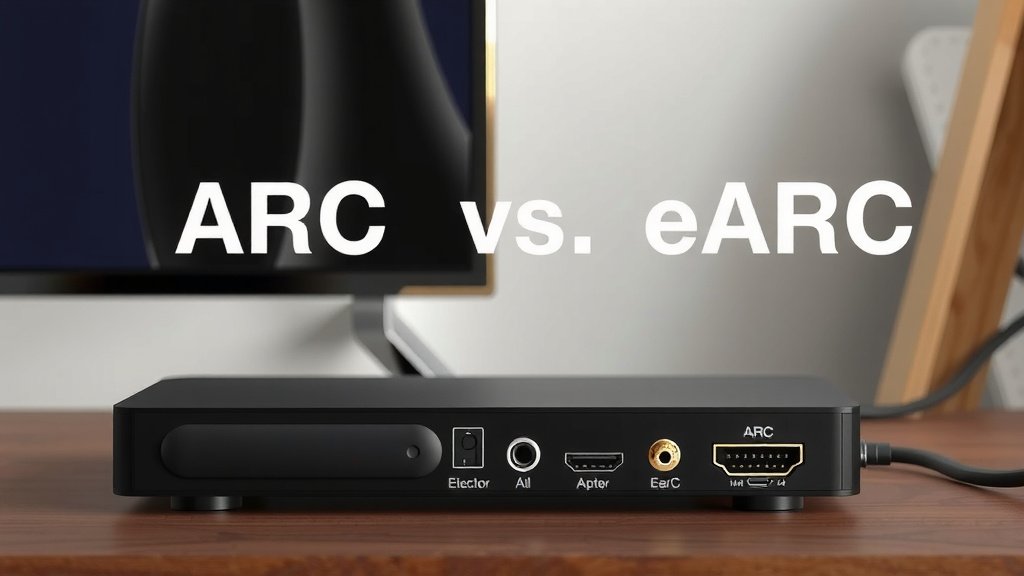
It’s not just about having the label “eARC” on your devices. You need to ensure that both your TV and your soundbar or AV receiver have eARC-compatible HDMI ports. Sometimes, a TV might have an ARC port that can be upgraded with firmware, but this is rare. Always check the specifications.
You also need the right HDMI cable. For ARC, a standard High-Speed HDMI cable usually works. For eARC, especially if you’re dealing with very high bandwidth audio, you’ll want an Ultra High-Speed HDMI cable. This ensures the cable can handle the increased data flow without issues. Using the wrong cable can lead to audio dropouts or no sound at all. We found that many setup problems are often due to an outdated or incompatible cable.
Checking Your Connections: A Quick Checklist
Here’s a handy checklist to make sure you’re set up for the best audio experience:
- Verify your TV has an ARC or eARC port.
- Confirm your soundbar or receiver also has a matching ARC or eARC port.
- Ensure both devices are connected using the correct HDMI cable (High-Speed for ARC, Ultra High-Speed for eARC).
- Look for an “HDMI Control” or “CEC” setting in your TV’s menu and enable it.
- Check your soundbar/receiver’s settings to ensure it’s set to receive audio from the TV (often labeled “TV Audio” or “ARC/eARC”).
- If you’re aiming for Atmos/DTS:X, double-check that both devices explicitly support these formats via eARC.
Taking these steps will help you get the most out of your home entertainment system. It ensures that the audio you paid for is the audio you actually hear. Your movie nights will thank you!
Conclusion
You’ve learned that while ARC simplifies your audio connections, eARC is the clear winner for top-tier sound. It handles the latest audio formats like Dolby Atmos and DTS:X with ease. If you’re chasing that immersive, theater-like experience at home, eARC is essential. Always double-check your TV, soundbar, or receiver ports and use the right Ultra High-Speed HDMI cable. Make these checks to ensure your setup delivers the audio quality you expect and deserve.
Frequently Asked Questions
Do I need a new TV to use eARC?
Yes, your TV must explicitly support eARC. While it uses an HDMI port, the eARC functionality requires specific hardware within the TV. Check your TV’s specifications or look for an “eARC” label on an HDMI port.
Can I use a regular HDMI cable with eARC?
For the best experience and to guarantee support for high-bandwidth audio, you should use an Ultra High-Speed HDMI cable with eARC. While some High-Speed cables might work for basic audio, they can cause issues with uncompressed formats like Dolby Atmos.
What happens if I connect an eARC device to an ARC port?
You’ll likely only get standard ARC audio quality. The enhanced features of eARC, such as higher bandwidth and support for uncompressed audio formats, will not be available. It’s best to connect eARC devices to eARC ports for full functionality.
Will eARC improve audio from my TV’s built-in apps?
Yes, if your TV has eARC and you connect it to an eARC-compatible soundbar or receiver, audio from the TV’s built-in apps (like streaming services) can be sent in its highest quality. This is one of the primary benefits of eARC.
How do I know if my soundbar or receiver supports eARC?
Check the product specifications or the physical ports on your soundbar or receiver. Look for a label that says “eARC” on one of the HDMI ports. You may also find settings within the device’s menu related to eARC functionality.