Calculate Perfect TV Viewing Distance for Your Room
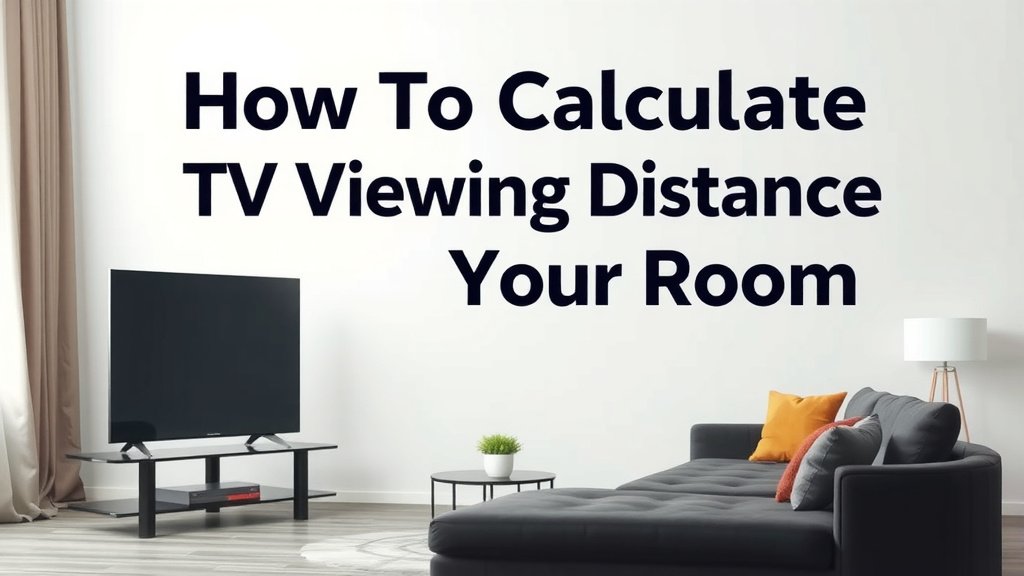
Calculating the ideal TV viewing distance is simpler than you might think. The general rule is to multiply your TV screen’s diagonal size by 1.2 to 1.6 for a comfortable, immersive experience. This ensures you get the best picture quality without straining your eyes.
Getting this distance right transforms your viewing. It helps prevent eye strain and ensures you can appreciate the full detail your TV offers. Many people overlook this simple calculation, missing out on the optimal home theater feel.
- Measure your TV’s diagonal screen size.
- Multiply this number by 1.2 for the minimum recommended distance.
- Multiply by 1.6 for the maximum recommended distance.
- The range between these two numbers is your sweet spot.
- Aim for a distance where you see details without scanning.
Let’s walk through exactly how to measure and what factors to consider to find your perfect TV viewing distance.
Finding Your Perfect TV Viewing Distance
So, you’ve got a new TV or maybe you’re just looking to optimize your current setup. Knowing the right distance to sit from your TV can seriously boost your viewing experience. It’s not just about comfort; it’s about seeing all the incredible detail your TV can produce.
Let’s figure out that sweet spot together. We’ll break down the simple math and consider a few other things that might affect your perfect perch. Think of it like finding the right seat at the movie theater – you want to see everything without straining your eyes or feeling like you’re missing parts of the screen.
The Science Behind the Sweet Spot
Why does viewing distance matter so much? It really comes down to how your eyes work and how your brain processes images. When you’re too close, your eyes have to dart around to take in the whole screen. This can cause fatigue.
If you’re too far away, the picture can seem less sharp, and you might miss those subtle details that make movies and shows so immersive. It’s all about achieving a balance that lets your brain appreciate the content naturally.
Understanding Field of View
One of the main factors experts consider is your field of view. This is the total area that your eyes can see at any given moment. For an immersive experience, you want the TV screen to fill a comfortable portion of your field of view.
Research suggests that for a cinematic feel, you might want the screen to cover around 30-40 degrees of your vision. This range helps simulate the experience of being in a theater. It allows the picture to feel grand and engaging without being overwhelming.
Resolution Matters: HD vs. 4K and Beyond
The resolution of your TV plays a big role in determining the ideal distance. High-definition (HD) TVs and 4K Ultra HD TVs have different pixel densities. This means you can sit closer to a 4K TV without seeing individual pixels.
For a 4K TV, you can generally sit closer than you might think. This allows you to truly appreciate the sharpness and detail that 4K offers. With older HD TVs, you might need to sit a bit farther back to avoid seeing that “screen door effect,” where you can perceive the grid of pixels.
4K TV: Getting Closer for Clarity
Because 4K TVs pack so many more pixels into the same screen size, you can actually sit closer to them. This allows you to enjoy the full benefit of the higher resolution. You’ll see finer details and sharper images than ever before.
The general idea is that the closer you are to a 4K screen, the more you can benefit from its clarity. However, there’s still a limit to prevent eye strain. You don’t want to feel like you’re scanning the screen to see everything.
HD TV: A Bit More Distance for Comfort
For traditional HD TVs, sitting too close can reveal the limitations of the resolution. You might start to see the pixel structure, which detracts from the viewing experience. Therefore, a slightly greater distance is often recommended.
This extra space helps the pixels blend together more effectively. It allows your eyes to perceive a smoother, more cohesive image. Think of it as giving the picture a little room to breathe.
The Simple Calculation: Your Viewing Distance Formula
Ready for the easy part? Calculating your ideal viewing distance is quite straightforward. You’ll need two things: the diagonal measurement of your TV screen and a simple multiplier.
First, measure your TV’s screen diagonally. This is usually measured in inches. Don’t measure the whole TV, just the screen itself from one corner to the opposite corner. This diagonal measurement is your starting point.
The Multiplier Explained
We’ve found that a multiplier between 1.2 and 1.6 is a good range to aim for. This range accounts for different screen resolutions and personal preferences.
- Minimum Distance: Multiply your TV’s diagonal screen size by 1.2. This gives you the closest you might want to sit, especially for 4K TVs.
- Maximum Distance: Multiply your TV’s diagonal screen size by 1.6. This offers a more relaxed viewing experience.
Your ideal spot will likely be somewhere between these two numbers. This range ensures you get an immersive picture without straining your eyes or missing details. It’s a flexible range to suit your space and your comfort.
Example Calculation
Let’s say you have a 55-inch TV. That’s 55 inches measured diagonally.
- Minimum Distance: 55 inches * 1.2 = 66 inches (or about 5.5 feet).
- Maximum Distance: 55 inches * 1.6 = 88 inches (or about 7.3 feet).
So, for a 55-inch TV, a viewing distance between approximately 5.5 feet and 7.3 feet would be your sweet spot. You can try sitting at different points within this range to see what feels best for you.
Factors Beyond the Formula
While the math provides a great starting point, a few other things can influence your perfect viewing distance. It’s worth considering these elements for the ultimate setup.
Room Size and Layout
Your room dimensions are, of course, a major factor. You can’t place your couch 10 feet from the TV if your living room is only 12 feet deep! You need to work with the space you have.
Consider the primary seating area. Where will most people be sitting most of the time? This is your main reference point. Don’t forget about furniture placement; your couch or chairs might dictate your optimal distance.
Personal Preference and Eye Strain
Some people simply prefer to sit closer or farther away. What feels comfortable for one person might not feel the same for another. Your personal comfort is key.
If you find yourself frequently adjusting your position, it might mean your current distance isn’t quite right. Pay attention to how your eyes feel after watching for a while. Any discomfort is a sign you might need to adjust.
Content Being Watched
Believe it or not, what you’re watching can also play a small role. For example, watching fast-paced action movies might feel more immersive when you’re a bit closer, filling more of your visual field.
On the other hand, watching documentaries or news programs might be more comfortable from a slightly greater distance. The goal is to enjoy the content without any visual strain, no matter the genre.
Your Quick Checklist for Perfect Viewing Distance
Let’s recap the steps to find your ideal spot. Follow this simple checklist:
- Measure your TV screen diagonally in inches.
- Multiply that number by 1.2 for your minimum distance.
- Multiply by 1.6 for your maximum distance.
- Mark out the range between these two distances in your room.
- Place your primary seating within this range.
- Adjust slightly based on room layout and personal comfort.
By following these steps, you’ll be well on your way to a truly enjoyable and comfortable TV viewing experience.
Conclusion
You’ve got the tools to find your perfect TV viewing distance! Remember, it’s a simple calculation based on your TV’s size, but personal comfort and your room’s layout are also key. Don’t just rely on the numbers; experiment a bit within the recommended range. You’re aiming for that sweet spot where you see every detail without straining your eyes or feeling like you’re missing out. Take a few minutes to measure and adjust your seating. You’ll quickly notice a more immersive and comfortable viewing experience. Enjoy your newfound optimal setup!
Frequently Asked Questions
What if my TV is not 4K?
If you have an HD or older TV, you might need to sit a bit farther back. Older resolutions show pixels more easily, so increasing the distance helps avoid seeing that “screen door effect.” The calculation range (1.2 to 1.6 times the diagonal) still applies, but you might lean towards the higher end for HD.
Can I sit closer to a smaller TV?
Yes, you generally can! For smaller screens, like a 32-inch TV, the recommended distance range will naturally be closer. The calculation still works. For example, a 32-inch TV’s ideal range might be between 38.4 inches and 51.2 inches.
Does the screen aspect ratio matter?
For modern TVs, the aspect ratio is almost always 16:9. This standard doesn’t significantly change the calculation for viewing distance. The diagonal measurement and resolution are the primary factors we consider for comfort and clarity.
How do I measure my TV’s diagonal screen size?
You’ll need a measuring tape. Measure from the top-left corner of the screen diagonally down to the bottom-right corner, or vice-versa. Make sure to measure only the screen itself, not the frame or bezel around it. The measurement is typically in inches.
Is there a difference for curved TVs?
For curved TVs, the viewing distance calculation is generally the same as for flat-screen TVs of the same diagonal size. The curve can enhance immersion by bringing the edges of the screen closer to your peripheral vision, but the optimal distance for overall clarity and comfort remains similar.