
Understanding HDR TV: What It Is and Why It Matters
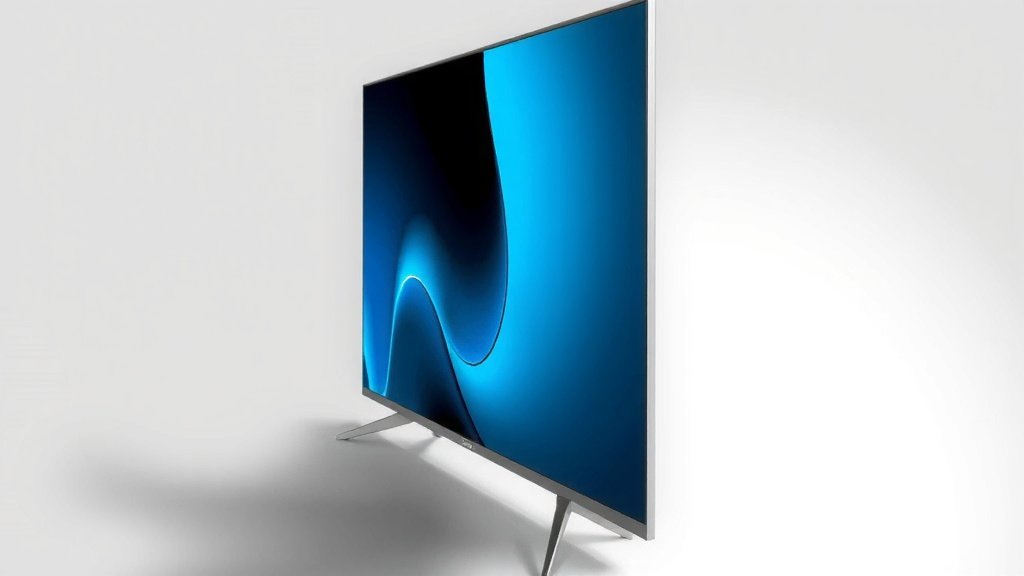
An HDR TV is a television that can display a wider range of colors and greater contrast between the brightest and darkest parts of an image. This means you get a picture that looks much more realistic and vibrant. Think of it like upgrading from a standard definition picture to a crystal-clear view of the real world.
HDR stands for High Dynamic Range. It’s a technology that makes images pop with life. Many experts say it’s the biggest leap in TV picture quality we’ve seen in years. You’ll notice deeper blacks and brighter whites without losing detail. This makes everything from movie nights to sports games more immersive.
- HDR TVs show more colors.
- They have better contrast (brighter brights, darker darks).
- This makes the picture look more realistic.
- It’s a big upgrade from older TVs.
Ready to see what all the buzz is about? Let’s dive into exactly what makes an HDR TV so special.
“`htmlUnderstanding High Dynamic Range TVs
So, what exactly is an HDR TV and how does it make your viewing experience so much better? You’ve probably seen the acronym HDR, but it’s more than just a buzzword. It’s a technology that dramatically changes how you see images on your screen.
At its core, HDR TV technology aims to mimic what your eyes see in the real world. Our eyes can perceive a huge range of brightness and color. Standard TVs struggle to reproduce this. HDR TVs bridge that gap, offering a picture that feels more true to life.
The Core Difference: Brightness and Color
The main difference between a standard TV and an HDR TV comes down to two key areas: brightness and color. Let’s break down what that means for you.
Brighter Brights, Darker Darks
Think about a scene in a movie. You might have a bright sunny sky and deep shadows under a tree. On a non-HDR TV, these extreme differences can be a challenge. Either the sky gets washed out, or the shadows lose all detail. You might end up with a gray-ish black.
An HDR TV, however, can produce much higher peak brightness levels. This means that bright parts of the image, like sunlight reflecting off water or a star-filled night sky, will appear truly dazzling. At the same time, it can achieve deeper, more satisfying blacks. This contrast allows you to see details in both the brightest highlights and the darkest shadows simultaneously. Many experts say this richer contrast is the most noticeable improvement (ScienceDirect).
A Wider Spectrum of Color
Beyond just brightness, HDR also significantly expands the range of colors your TV can display. Standard TVs use a limited color palette. HDR TVs can show many more shades and tones within that palette. This means colors look more vibrant, lifelike, and subtle. You’ll notice richer reds, deeper blues, and more natural greens. It’s like going from a crayon set to a professional artist’s palette.
This wider color gamut, often referred to as Wide Color Gamut (WCG), works hand-in-hand with the increased brightness. The result is an image with remarkable depth and realism. You might even see subtle color variations you never noticed before.
How HDR Technology Works Its Magic
It’s not just magic; it’s smart engineering. Several technical aspects combine to deliver that stunning HDR picture you’ll see on your screen.
Metadata: The Director’s Instructions
One of the key components of HDR is metadata. Think of metadata as a set of instructions embedded in the video content. These instructions tell your TV exactly how bright each scene should be and what the color range should look like. There are two main types of metadata:
- Static Metadata: This provides one set of instructions for the entire movie or show.
- Dynamic Metadata: This is more advanced. It adjusts the brightness and color instructions scene-by-scene, or even frame-by-frame. This allows for much finer control and a more accurate picture (SMPTE).
Dynamic metadata is a big reason why HDR content can look so spectacular. It allows the TV to optimize every moment of the viewing experience.
Panel Capabilities: What Your TV Can Do
Of course, the content and metadata only matter if your TV’s hardware can actually display it. This is where your HDR TV’s panel comes into play. Key factors include:
- Peak Brightness: Measured in nits, higher nits mean a brighter picture.
- Black Levels: How dark the screen can get.
- Color Depth: The number of colors the panel can produce.
Not all HDR TVs are created equal. A premium HDR TV will have a panel capable of hitting very high brightness levels and deep blacks, along with a wide color gamut. This allows it to fully realize the potential of HDR content.
Different Flavors of HDR: What to Know
You might encounter different HDR formats when shopping for a TV or streaming content. While they all aim for the same goal, they have slight differences.
The Major HDR Standards
These are the most common HDR formats you’ll see:
- HDR10: This is the most basic and widely adopted HDR standard. It uses static metadata and is open-source, meaning manufacturers don’t have to pay licensing fees to use it. It’s a great starting point for HDR.
- Dolby Vision: This is a proprietary format developed by Dolby. It uses dynamic metadata, which generally results in a more optimized picture. However, it requires licensing fees for manufacturers and content creators.
- HDR10+: A competitor to Dolby Vision, HDR10+ also uses dynamic metadata. It was developed by Samsung and Panasonic. It’s an open standard, aiming to offer dynamic metadata benefits without the licensing costs of Dolby Vision.
When you see content advertised as HDR, it’s often HDR10. For Dolby Vision or HDR10+, you’ll usually see those logos specifically. Your TV may support one, some, or all of these formats.
What About HLG?
You might also hear about HLG, which stands for Hybrid Log-Gamma. This format is particularly important for live broadcast television. It was developed by the BBC and Japan’s NHK. HLG is designed to be backward-compatible with older, non-HDR TVs. This makes it easier for broadcasters to send out HDR signals without needing to worry about older sets not displaying anything at all. It doesn’t require the same metadata as HDR10 or Dolby Vision, simplifying the broadcast workflow.

Is an HDR TV Worth It for You?
So, after all this, should you upgrade to an HDR TV? If you’re looking for the best possible picture quality, the answer is often a resounding yes. Here’s a quick checklist to help you decide:
- Do you love watching movies and want the most immersive experience?
- Are you a gamer who appreciates detailed graphics and vibrant worlds?
- Do you want your sports to look more lifelike and dynamic?
- Are you considering a new TV purchase in the near future?
- Do you want to get the most out of your 4K Blu-rays or streaming services?
If you answered yes to several of these, an HDR TV will likely make you very happy. The leap in visual fidelity is substantial and can truly transform how you enjoy your favorite content.
“`Conclusion
You’ve learned that an HDR TV offers a truly stunning visual upgrade. It brings more vibrant colors and incredible contrast to your screen. This means movies, games, and sports look more realistic than ever before. You can see brighter highlights and deeper shadows without losing any detail. If you’re looking to get the best out of your entertainment, investing in an HDR TV is a fantastic choice. Consider exploring HDR content on your favorite streaming services or Blu-rays to see the difference yourself.
Frequently Asked Questions
Do I need special cables for HDR?
Generally, you’ll need a High-Speed HDMI cable to get the best HDR experience. Older HDMI cables might not have the bandwidth to support the full HDR signal. Check your TV and streaming device requirements to be sure.
Is HDR content available on all streaming services?
Most major streaming services like Netflix, Disney+, and Amazon Prime Video offer HDR content. You’ll often see an HDR logo next to the title. Make sure your subscription plan also supports HDR playback.
Can my old TV display HDR content?
No, a standard TV cannot display HDR content properly. It won’t be able to show the wider color range or the increased contrast. You need an actual HDR-compatible TV to experience the full benefits.
What’s the difference between HDR and 4K?
4K refers to the resolution of the picture, meaning the number of pixels. HDR refers to the picture quality, specifically brightness and color. You can have a 4K TV that isn’t HDR, or an HDR TV that isn’t 4K (though most HDR TVs today are 4K).
Will HDR make my games look better?
Yes, absolutely! HDR can make video games incredibly immersive. You’ll notice more realistic lighting, deeper shadows, and more vibrant colors, making game worlds pop and feel more alive.