Dynamic Contrast: What It Is & How It Enhances Your TV
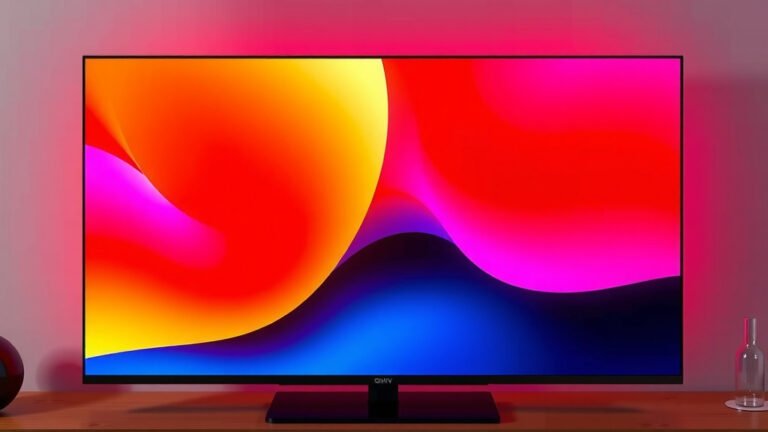
Dynamic contrast on a TV is a picture setting that works to make your picture’s darks darker and your brights brighter. It helps improve the overall contrast of what you’re watching. Think of it like an automatic dimmer and brightener for your screen. It makes scenes pop more.
When a TV has dynamic contrast turned on, it analyzes the content on screen. It then adjusts the backlight intensity scene by scene, or even frame by frame. Many experts say this feature can make a big difference in picture quality. It’s especially noticeable in darker scenes.
- Dynamic contrast boosts picture depth.
- It makes dark areas darker and light areas brighter.
- The TV adjusts automatically based on the scene.
- It can make movies and shows more engaging.
- This setting is usually found in your TV’s picture settings menu. Our guide explains how to calibrate your TV’s picture settings menu.
Ready to see what dynamic contrast can do for your viewing experience? Below, we’ll walk you through what it is and how it can improve your favorite shows.
Understanding How TVs Enhance Picture Contrast
So, you’ve seen the term “dynamic contrast” and wondered what it means for your TV. Think of it as your TV’s clever way of making images more lively and realistic. It’s a setting designed to boost the difference between the darkest and brightest parts of any scene. This can make a big difference in how much you enjoy your favorite movies and shows.
When you turn on dynamic contrast, your TV becomes a bit like a skilled artist. It looks at the picture in real-time. Then, it makes smart adjustments to the screen’s brightness. The goal is to make the dark areas truly dark and the bright areas really pop. This process happens very quickly, often scene by scene or even frame by frame.
What is Dynamic Contrast Exactly?
At its heart, dynamic contrast is an automatic picture enhancement feature. It works by altering the backlight intensity of your TV. This happens in response to the specific content being displayed. If a scene is very dark, the TV will dim its backlight. If a scene is very bright, it will increase the backlight. This creates a much wider range of colors and shades, leading to a more vivid picture.
Many experts and reviews have noted that this feature can significantly improve perceived picture quality. It’s especially helpful for content with a lot of dark scenes, like thrillers or space operas. Without dynamic contrast, dark scenes might look a bit washed out or gray. With it, those shadows become deep and rich, and details within them become more visible.
How Does Dynamic Contrast Work Behind the Scenes?
Your TV’s processor is the brain behind this operation. It constantly analyzes the incoming video signal. It’s looking for the brightest and darkest pixels in each frame or scene. Based on this analysis, it sends commands to the TV’s backlight system.
Backlight Adjustment: The Key Mechanism
For TVs with LED backlights, this usually means dimming or brightening zones of LEDs. Some advanced TVs have individual pixel control, allowing for even finer adjustments. This dynamic adjustment is what gives the “dynamic” aspect its name. It’s not a static setting; it changes as the picture changes. This continuous adaptation is what makes the contrast feel so impactful.
Frame-by-Frame Analysis
The most sophisticated systems analyze the image on a frame-by-frame basis. This allows for incredibly precise adjustments. Imagine watching a movie where a character walks from a brightly lit room into a dark hallway. Your TV with dynamic contrast will smoothly adjust its backlight as the scene transitions. This prevents jarring changes and keeps the picture looking natural and engaging.
Benefits You’ll Notice
So, what does this mean for your viewing experience? You’ll likely see a noticeable improvement in picture depth. Scenes will appear more three-dimensional. The distinction between light and shadow becomes much more pronounced. This makes images feel more realistic and immersive.
- Deeper Blacks: Dark scenes will look genuinely black, not a murky gray.
- Brighter Whites: Bright objects will stand out with more intensity.
- Enhanced Detail: You might see more detail in both very dark and very bright areas.
- More Engaging Content: The overall picture becomes more vibrant and exciting.
Think about watching a starry night sky. Without dynamic contrast, the stars might be faint, and the blackness of space might not be very dark. With it, the blackness becomes profound, and the stars sparkle with a brilliant intensity. It’s a small change that can make a big difference in the visual impact.
When is Dynamic Contrast Most Effective?
This feature really shines when you’re watching content with a wide range of brightness levels. This includes many modern movies and TV shows that are filmed with high dynamic range (HDR) in mind. Think about scenes with bright explosions against a dark night sky, or a character lit by a single spotlight in an otherwise dark room.
For these types of scenes, dynamic contrast is your TV’s best friend. It helps to preserve detail in both the highlights and the shadows. This allows you to see more of what the filmmakers intended. It’s particularly helpful in rooms that aren’t perfectly dark. Even with some ambient light, dynamic contrast can help maintain a strong sense of contrast.
Are There Any Downsides?
While generally beneficial, there can be a few things to watch out for. In some cases, aggressive dynamic contrast settings can cause slight flickering. This might happen during very rapid scene changes. It’s usually most noticeable in darker scenes where the backlight is adjusting frequently.
Another potential issue is that some users find the adjustments too noticeable. They might feel it distracts from the viewing experience. If this happens, you can usually adjust the level of dynamic contrast. Many TVs offer different settings, like low, medium, and high. You can also simply turn it off if you prefer a more consistent, albeit less dramatic, image.
Finding the Right Setting for You
The best approach is to experiment. Most TVs have this setting buried in the picture menus. We recommend you try watching a few different types of content with the setting on different levels. See what looks best to your eyes. Sometimes, a lower setting is more pleasing than the highest one.
Consider the room you’re watching in, too. If your room is very dark, you might not need as much dynamic contrast. If there’s ambient light, a bit more might help your picture stand out. It’s all about finding that sweet spot for your personal viewing habits.
Dynamic Contrast vs. Static Contrast
It’s helpful to understand how dynamic contrast differs from static contrast. Static contrast is the fixed ratio between the brightest white and the darkest black that a display can produce at any given moment. It’s a fundamental specification of the panel itself.
Dynamic contrast, on the other hand, is a processing technique. It artificially extends the contrast ratio by adjusting the backlight. It’s like comparing a car’s top speed (static contrast) to how quickly it can accelerate and decelerate (dynamic contrast). Dynamic contrast is all about the range and how it’s managed.
Here’s a quick comparison:
| Feature | Dynamic Contrast | Static Contrast |
|---|---|---|
| Definition | Adjusts backlight based on content for wider contrast range. | Fixed ratio of brightest white to darkest black a panel can produce. |
| How it Works | Software processing, backlight dimming/brightening. | Panel hardware limitation. |
| Effect | Enhances perceived depth and detail, especially in varied scenes. | Determines the baseline black level and white level capabilities. |
| User Control | Often adjustable or can be turned off. | Generally fixed for the display model. |
Where to Find This Setting on Your TV
You’ll typically find the dynamic contrast option within your TV’s picture settings menu. The exact name might vary slightly depending on your TV manufacturer. You might see it listed as “Dynamic Contrast,” “Contrast Enhancer,” “Black Enhancer,” or something similar.
Look for sections labeled “Picture,” “Display,” or “Advanced Settings.” If you’re having trouble locating it, your TV’s user manual is your best friend. A quick search for “contrast” within the manual should point you in the right direction. It’s usually a simple toggle or a slider for adjustment.
Quick Checklist for Dynamic Contrast:
- Locate the setting in your TV’s picture menu.
- Experiment with different levels (low, medium, high, off).
- Test on various content (movies, shows, games).
- Consider your room’s lighting conditions.
- Adjust until you find what looks best for your eyes.
Conclusion
You’ve learned that dynamic contrast is your TV’s smart way to make pictures pop. By automatically adjusting brightness, it brings out deeper blacks and brighter whites. This makes your favorite movies and shows look more realistic and engaging. While it’s a powerful tool, remember you can tweak or turn it off if needed. The best picture is the one you enjoy most. So, dive into your TV’s settings and see how dynamic contrast can transform your viewing experience today!
Frequently Asked Questions
Does dynamic contrast hurt my TV’s lifespan?
Research and found that dynamic contrast generally does not significantly impact your TV’s lifespan. The adjustments made by dynamic contrast are within the normal operating parameters of modern LED and OLED displays. You shouldn’t worry about it causing premature wear and tear on your television.
Is dynamic contrast good for video games?
Dynamic contrast can be great for gaming, especially in darker game environments. It helps make details in shadows more visible and can add to the atmosphere. However, some gamers prefer to turn it off for competitive play to avoid any potential flickering during fast-paced action.
Why do my dark scenes look gray with dynamic contrast off?
When dynamic contrast is off, your TV uses its native static contrast ratio. If your TV’s panel has a lower native contrast, darker scenes might appear a bit washed out or grayish. Dynamic contrast boosts this perceived contrast, making those blacks appear deeper.
Can I adjust the intensity of dynamic contrast?
Yes, most TVs allow you to adjust the intensity of dynamic contrast. You’ll often find settings like “Low,” “Medium,” and “High” within your TV’s picture settings menu. Experimenting with these different levels can help you find the perfect balance for your viewing preferences.
Is dynamic contrast the same as HDR?
No, dynamic contrast and HDR (High Dynamic Range) are different. HDR is a standard for video content that includes a wider range of colors and brightness information. Dynamic contrast is a TV processing feature that aims to enhance the contrast of whatever content you’re watching, including HDR content, to make it look even better.