How to Connect a Subwoofer to Your TV: Step-by-Step Guide

The easiest way to connect a subwoofer to a TV is through your TV’s audio output port, usually labeled optical or AUX out, using the right cable for your subwoofer. If your sub doesn’t plug directly into the TV, a soundbar or AV receiver acts as the middleman. Either way, you’ll feel that deep bass within minutes.
Here’s the thing: not every TV and subwoofer pair up the same way. Some subs connect wirelessly, some use RCA cables, and others need a receiver in between. We researched the most common setups so you don’t have to guess which one fits yours.
- The simplest connection is a direct cable from your TV’s audio out port to the subwoofer.
- If your TV lacks the right port, a soundbar or receiver can handle the connection for you.
- Wireless subwoofers skip the cables entirely, but they usually need a compatible soundbar.
- Check your sub’s input ports before you buy any cables.
- Placement matters — corner placement often boosts bass without extra volume.
Let’s walk through each method step by step, so you can pick the one that fits your setup and get that bass thumping tonight.
Connecting a Subwoofer to Your TV: Step-by-Step Methods
Start by looking at the back of your TV. You’re hunting for ports labeled optical, RCA out, AUX, or HDMI ARC. The port you find decides which connection method you’ll use below.
Flip your subwoofer around too. Its input panel tells you what kind of cable it wants. Match the two, and you’re basically done.
Method 1: Direct Cable Connection (RCA or AUX)
This is the simplest route, and it works when your TV has an RCA or AUX audio out port. Grab an RCA cable (the red and white plugs) or a 3.5mm AUX cable. Plug one end into the TV’s audio out and the other into the sub.
Then open your TV’s sound settings and set the audio output to external speakers or audio out. Mute your TV’s internal speakers if you want bass only from the sub. Play some music with heavy bass and slowly raise the sub’s volume knob until it sounds right.
Method 2: Using an Optical Cable
Most modern TVs skip analog ports, but nearly all of them have an optical out. Problem is, many subwoofers don’t accept optical input directly. If yours doesn’t, you’ll need a small digital-to-analog converter (DAC) between the TV and sub. They cost about $15 to $30 online.
Here’s the chain: TV optical out → converter → RCA cable → subwoofer. It sounds like a science project, but it takes five minutes to hook up.
Method 3: Through a Soundbar or AV Receiver
If your sub is part of a home theater setup, a soundbar or receiver is the better middleman. Receivers have a dedicated subwoofer out port (usually a single RCA jack marked “sub out” or “LFE”). One cable, done.
Soundbars work similarly. Many come with their own wireless sub, but if yours has a wired sub out, connect it with an RCA cable. We found that this method gives you the best control, since receivers let you set crossover points and volume levels in the menu.
Method 4: Going Wireless
Wireless subs are wonderfully convenient, but there’s a catch. They usually only pair with the same brand soundbar or receiver they were sold with. You can’t just buy any wireless sub and expect it to connect to your TV on its own.
If your setup includes a compatible soundbar, pairing is usually automatic. Plug both into power, press the pairing button on the sub, and wait for the blinking light to turn solid. Check your manual for the exact button combo — every brand does it a little differently.
Troubleshooting Common Subwoofer Problems
No bass? Don’t panic. Most issues come down to one of four things: the wrong output setting, a loose cable, a dead power connection, or a volume knob turned down (we’ve all been there).
Quick Fixes to Try First
- Check that your TV’s audio output is set to external speakers, not TV speakers.
- Confirm the sub is plugged into a working outlet and the power light is on.
- Reseat both ends of every cable — half the time it’s just a loose plug.
- Turn up the sub’s own volume knob; many subs have one that’s easy to forget.
- If using a converter, make sure it’s powered and connected to the correct ports.
When Your TV Has No Audio Out Port at All
Some slim TVs only have an HDMI ARC port. In that case, route your connection through a soundbar or receiver that supports ARC. Or use an HDMI audio extractor, which pulls the sound out of the HDMI signal and hands it to your sub via RCA. It’s an extra gadget, but it solves the problem cleanly.
Where to Place Your Subwoofer for the Best Bass
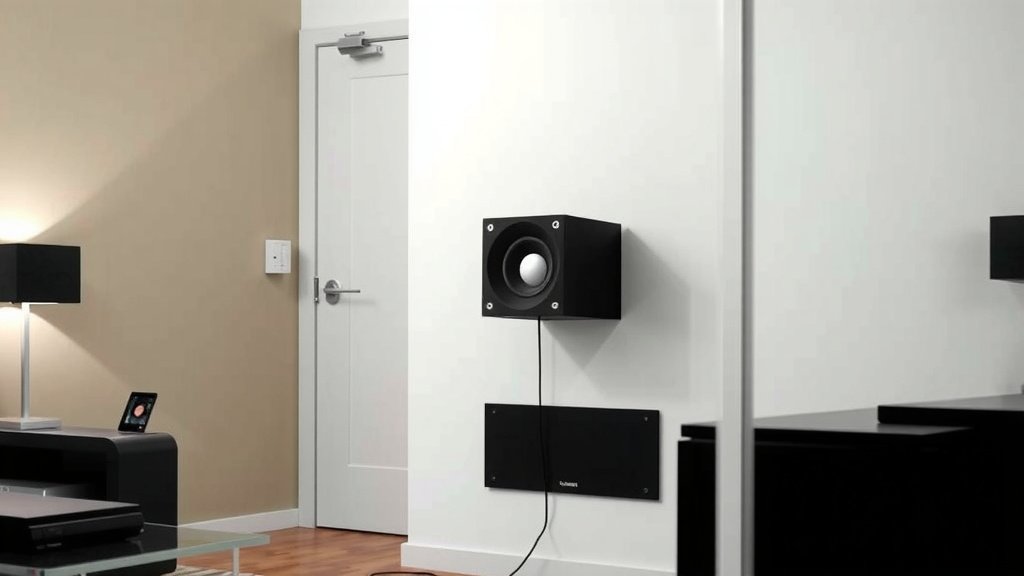
Placement matters more than most people think. Bass waves bounce around your room, and corners can naturally boost output. Many audio experts recommend starting with the subwoofer crawl: put the sub where you sit, then crawl around the room until bass sounds smoothest — that spot is where the sub should live.
Avoid tucking the sub inside a cabinet or pushing it flat against a wall. It needs a little breathing room. And keep it away from your couch’s direct path, unless you enjoy floor-shaking rumbles during quiet dialogue scenes.
Your Pre-Setup Checklist
Before you start plugging things in, run through this quick list. It saves you the classic “why is there no sound?” moment.
- Identify your TV’s audio out ports (optical, RCA, AUX, or HDMI ARC).
- Check your subwoofer’s input panel and note what it accepts.
- Buy the right cable or converter before you start — don’t wing it.
- Set aside 15 to 30 minutes with no distractions.
- Have your TV remote handy for sound settings.
- Grab a flashlight if your TV sits close to the wall. Those ports hide in the dark.
Safety and Volume Tips Worth Knowing
Subwoofers can get loud — very loud. Sound levels above 85 decibels can harm your hearing over time, according to guidance from the CDC and National Institute on Deafness and Other Communication Disorders. If the bass feels uncomfortable, back it down. Your ears will thank you later.
Also, many experts say to break in a new sub gently for the first several hours. Keep the volume moderate at first, then crank it up once the driver settles in. Think of it like breaking in new shoes — a little patience now prevents problems later.
Connecting a Sub to a TV Without a Soundbar: Is It Worth It?
Maybe you’re wondering whether you even need a soundbar in the mix. If your TV has analog audio out and your sub accepts RCA, a direct connection works fine for music and casual viewing. You’ll get bass, but you won’t get a full home theater experience, since a lone sub adds rumble without filling in the mids and highs.
For movies and shows, pairing your sub with even a budget soundbar gives noticeably better results. We found that most people prefer that combo once they hear the difference. But hey, start with what you have — you can always upgrade later.
Conclusion
Connecting a subwoofer to your TV comes down to matching the right ports and picking the right method. A direct RCA or AUX cable works when both devices cooperate. If they don’t, an optical converter, soundbar, or receiver bridges the gap. Wireless subs offer the tidiest setup, as long as they’re compatible with your gear.
We found that most bass problems trace back to simple fixes — a loose cable, a wrong setting, or a forgotten volume knob. And once you’re connected, placement does the heavy lifting for sound quality.
So grab your flashlight, peek at the back of your TV, and identify those ports tonight. Five minutes of checking now saves you a headache later — and gets you closer to that deep, satisfying bass.
Frequently Asked Questions
Can I connect a subwoofer directly to my TV without a receiver?
Yes, as long as your TV has an audio out port that matches your subwoofer’s input. An RCA, AUX, or optical connection can work directly. If the ports don’t match, a small converter usually solves the problem for under $30.
Why is there no bass coming from my subwoofer even though it’s connected?
Start with the basics: check that your TV’s audio output is set to external speakers and that the sub’s power light is on. Then turn up the volume knob on the sub itself — many people forget their sub has one. Finally, reseat both ends of every cable.
Do I need a special cable for a subwoofer?
In most cases, a standard RCA cable does the job, especially for the single “sub out” or LFE jack on a receiver. Some setups benefit from a shielded subwoofer cable, which reduces interference over long runs. But for short distances, a regular RCA cable works just fine.
Can any wireless subwoofer connect to any TV?
No, and this trips up a lot of buyers. Wireless subwoofers almost always pair with a specific soundbar or receiver from the same brand. They can’t connect to your TV on their own, so check compatibility before purchasing.
Is it okay to leave my subwoofer plugged in all the time?
Most modern powered subwoofers include an auto-standby mode, so leaving them plugged in is generally fine. They draw minimal power when idle. If you plan to be away for weeks, unplugging is a reasonable habit, but daily use doesn’t require it.