Smart TV Operating Systems: What You Need to Know
TV operating systems are the brains behind your smart TV. They manage everything from apps to picture settings. Think of it as the software that makes your TV feel like a computer. Different systems offer unique features and user experiences.
Understanding these systems helps you choose the right TV. It impacts how you access streaming services and customize your viewing. We found that many people overlook this key TV component. Knowing your options means a better smart TV experience. It’s about more than just channels.
- TV operating systems control your smart TV’s functions.
- They enable app access, settings, and overall user interface.
- Popular options include Google TV, Roku TV, and LG’s webOS.
- Each system offers a different way to interact with your TV.
Let’s walk through exactly what makes these TV operating systems tick and what you need to know.
Understanding Your TV’s Operating System
Think of your TV’s operating system, or OS, as the central nervous system for your smart TV. It’s the software that makes everything work together smoothly. This includes everything you see on your screen. It controls how you navigate menus, launch apps, and adjust settings. Without an OS, your smart TV would just be a fancy display. We found that many people don’t realize how much the OS impacts their daily viewing. It’s a key component to a great smart TV experience.
What Does a TV OS Actually Do?
The operating system is responsible for a lot of tasks. It provides the user interface you interact with. This is the look and feel of your TV’s menus and options. The OS also manages all your installed applications. It allows you to download, update, and run streaming apps like Netflix or Hulu. Furthermore, it handles connectivity. This includes Wi-Fi, Bluetooth, and even casting from your phone. Many experts say it’s the core software that makes your TV “smart” (TechRadar).
The User Interface and Navigation
Every OS has a unique look and feel. Some have a simple grid of icons. Others might use a more dynamic home screen with content recommendations. Your ability to find what you want quickly depends on the OS design. We found that intuitive navigation is a top priority for most users. A confusing interface can lead to a lot of frustration. You want to spend more time watching and less time searching.
App Store and Content Access
One of the biggest perks of a smart TV is its app store. The OS provides access to this store. It determines which apps are available for download. More popular or specialized apps might only be on certain platforms. This is why researching the app selection for an OS is important. You want to make sure all your favorite streaming services are readily available.
Settings and Customization
Your TV’s OS also controls its settings. This includes picture quality adjustments, sound profiles, and network configurations. Some operating systems offer deeper customization options than others. You might be able to rearrange icons, set up user profiles, or even use voice commands. The goal is to make your TV work best for your personal preferences.
Popular TV Operating Systems Explained
Several major players dominate the TV operating system market. Each has its own strengths and weaknesses. Knowing these can help you choose the right TV for your needs. We’ve looked at the most common ones you’ll find today.
Google TV (and Android TV)
Google TV is built on the Android TV platform. It offers a vast ecosystem of apps through the Google Play Store. This makes it incredibly versatile. Google Assistant is usually integrated, allowing for voice control. You can get personalized recommendations based on your viewing habits. Many devices use Android TV, from Sony TVs to streaming sticks like the Chromecast with Google TV. Research indicates that Google TV provides excellent integration with other Google services (Google support pages).
Pros of Google TV
- Huge app selection.
- Excellent voice control with Google Assistant.
- Strong recommendation engine.
- Good integration with Android devices and Google Home.
Cons of Google TV
- Interface can sometimes feel a bit cluttered.
- Performance can vary depending on the TV’s hardware.
Roku TV
Roku is known for its simplicity and ease of use. Its interface is very straightforward, featuring a simple grid of apps. Roku TVs are often found on brands like TCL and Hisense. The Roku Channel offers free movies and TV shows. Roku’s app store is extensive, though perhaps not quite as vast as Google’s. We found that many users appreciate Roku’s uncluttered design.
Pros of Roku TV
- Extremely user-friendly interface.
- Wide variety of streaming channels.
- Reliable performance.
- Affordable hardware options.
Cons of Roku TV
- Fewer advanced customization options.
- Recommendation system is less robust than Google’s.
LG webOS
LG’s proprietary operating system, webOS, is celebrated for its sleek design and smooth operation. It features a unique “launcher bar” at the bottom of the screen. This makes it easy to switch between apps and inputs. WebOS also offers smart home integration and voice control through LG’s ThinQ AI. Many users praise its intuitive multitasking capabilities. Research suggests webOS provides a polished and responsive experience (CNET reviews).
Pros of LG webOS
- Clean and modern interface.
- Fast and responsive.
- Easy multitasking.
- Good smart home features.
Cons of LG webOS
- App selection is good but not as large as Google’s.
- Can sometimes show sponsored content on the home screen.
Samsung Tizen OS
Samsung’s Tizen OS powers most of its smart TVs. It’s known for its speed and efficiency. Tizen offers a clean interface with easy access to apps and streaming services. It also includes features like Samsung TV Plus for free live channels and on-demand content. Voice control is available through Bixby, Samsung’s AI assistant. We found that Tizen provides a highly integrated experience for Samsung device owners.
Pros of Samsung Tizen OS
- Fast and responsive performance.
- Clean, modern interface.
- Good range of apps.
- Seamless integration with Samsung devices.
Cons of Samsung Tizen OS
- App selection can be more limited than Android TV.
- Bixby voice assistant may not be as advanced as Google Assistant or Alexa.
Which TV Operating System is Right for You?
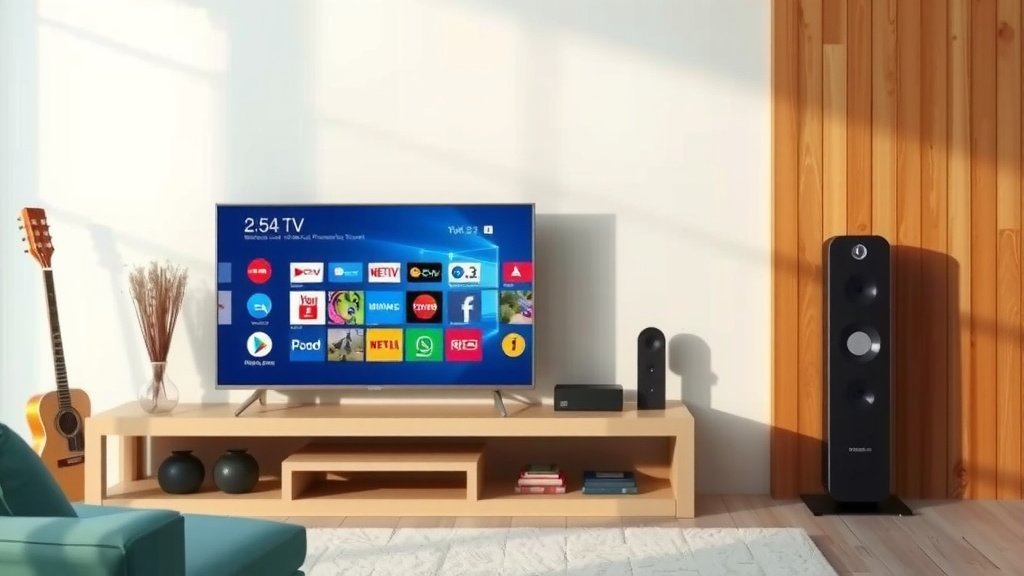
Choosing the right OS depends on your priorities. Do you want the widest possible app selection? Google TV might be your best bet. Are you looking for the simplest, most user-friendly experience? Roku TV is a strong contender. If you prefer a stylish and fast interface, LG’s webOS or Samsung’s Tizen OS are excellent choices. Consider what features matter most to you before making a decision.
A Quick Checklist for Choosing
To help you decide, here’s a quick rundown of things to consider:
- App Availability: Does it have all your must-have streaming apps?
- Ease of Use: Is the interface intuitive and easy to navigate?
- Voice Control: Do you want a smart assistant integrated into your TV? Do you want a smart assistant integrated into your TV?
- Recommendation Quality: Does it suggest content you’ll actually enjoy?
- Smart Home Integration: Does it work well with other smart devices you own?
- Performance: Is the TV generally fast and responsive?
Conclusion
You’ve now seen that your TV’s operating system is more than just software; it’s the engine driving your smart TV experience. We found that understanding the differences between systems like Google TV, Roku TV, webOS, and Tizen OS helps you make a smart purchase. Each offers a unique approach to apps, navigation, and customization. To get the best viewing experience, consider what you prioritize most. Do you want a huge app store, or is simplicity key? Think about these factors, and you’ll choose a TV that fits your lifestyle perfectly. Your next step is to check the OS on any TV you’re considering and see if it matches your needs.
Frequently Asked Questions
Can I change the operating system on my smart TV?
Generally, you cannot change the core operating system of a smart TV. The OS is built into the TV’s hardware by the manufacturer. You can, however, use external streaming devices like a Roku stick or Amazon Fire TV Stick to get a different OS experience on any TV with an HDMI port.
Which TV OS has the most apps?
Research and user feedback suggest that Google TV (and Android TV) typically offers the largest selection of apps through the Google Play Store. You’ll find most major streaming services and many niche applications available on this platform.
Is Roku TV or Google TV easier to use?
We found that Roku TV is often considered the most user-friendly for beginners. Its interface is very straightforward with a simple grid of apps. Google TV can be a bit more feature-rich, which some users find slightly more complex initially, though it offers more advanced customization.
Do TV operating systems get updates?
Yes, most smart TV operating systems receive updates. Manufacturers and developers release updates to fix bugs, improve performance, and add new features. We found that keeping your TV’s software updated ensures the best and most secure experience. Keeping your TV’s software updated ensures the best and most secure experience.
What is the best TV operating system for smart home integration?
This can vary. Google TV integrates well with Google Assistant and Google Home devices. LG’s webOS with ThinQ AI offers robust smart home features, and Samsung’s Tizen OS works best within the Samsung ecosystem. Consider which smart home platform you already use.