What is TV Eye Care Mode Explained October 2026
TV eye care mode is a setting on your television designed to reduce eye strain during extended viewing. It works by adjusting the screen’s color temperature and brightness. This makes the picture softer and easier on your eyes.
Many people spend hours in front of their screens. This can lead to tired, dry eyes. Eye care modes aim to combat this common issue. They create a more comfortable viewing experience, especially at night. We found this can make a big difference for many viewers.
- TV eye care mode softens screen visuals.
- It adjusts color and brightness.
- The goal is to reduce eye fatigue.
- It’s great for late-night watching.
So, how exactly does this special mode work to protect your eyes? Let’s break down the science and benefits behind your TV’s eye care feature.
Understanding Your TV’s Eye Comfort Feature
This special mode on your television is designed to make watching TV easier on your eyes. It’s like giving your eyes a little break without actually turning the screen off. We found that this feature can be a real lifesaver for many people.
How Does Eye Care Mode Actually Work?
So, what’s the magic behind this setting? It’s really about how your TV screen looks. Eye care mode makes specific adjustments. These changes target the parts of the display that can cause eye strain. It’s less about fancy technology and more about smart picture settings.
Color Temperature Shifts
One of the main things it does is alter the color temperature. Think of it like the difference between a bright, crisp winter day and a warm, cozy evening. Our eyes are often more comfortable with warmer tones. Eye care mode tends to reduce the amount of blue light emitted from the screen. Many studies have linked excessive blue light exposure to disrupted sleep patterns and eye fatigue (National Sleep Foundation). So, by shifting to warmer colors, the TV feels less harsh.
Brightness Adjustments
Brightness is another key factor. Your TV might be too bright for your room, especially at night. This creates a strong contrast. Your eyes have to work harder to adjust. Eye care mode often lowers the overall brightness of the display. This creates a softer image. It matches the screen’s light output better to your surroundings. This reduction in intensity is a simple but effective way to prevent strain.
Why Is This So Important for Your Eyes?
You might be wondering why this is even a feature. It boils down to how much time we spend looking at screens. From smartphones to laptops, and of course, our TVs, our eyes are constantly bombarded with light. This can lead to a condition known as digital eye strain. You know that tired, achy feeling you get? That’s often the result.
The Science of Digital Eye Strain
When you look at a bright screen for extended periods, your eyes work harder. You blink less frequently. This can cause dryness and irritation. The constant light can also tire out the muscles in your eyes. Research from the American Optometric Association suggests that prolonged screen use is a major contributor to digital eye strain symptoms like headaches, blurred vision, and neck pain.
How Eye Care Mode Helps
By reducing blue light and lowering brightness, eye care mode aims to mitigate these effects. It creates a viewing experience that is more akin to looking at a printed page or a softer, natural light source. It’s not a cure for all eye problems, but it’s a good step for managing discomfort during long TV sessions.
When Should You Use TV Eye Care Mode?
This feature is particularly useful in certain situations. Think about when your eyes feel most tired. That’s often a good clue. We found that late-night viewing is a prime time to activate it.
Late-Night Viewing
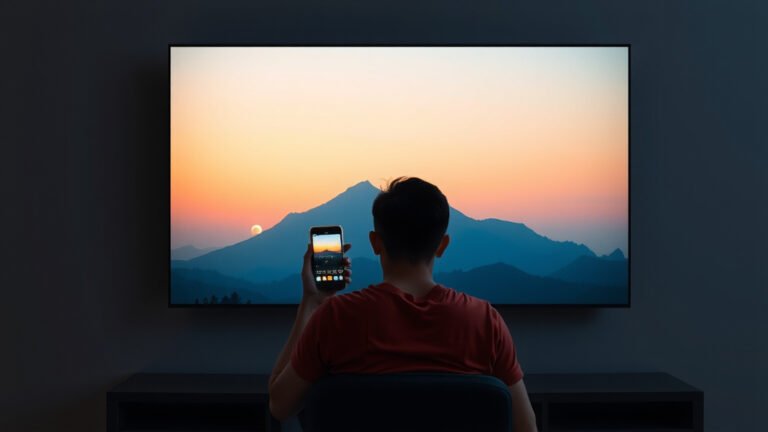
Watching TV in a dark room can be especially hard on your eyes. The bright screen stands out dramatically. Activating eye care mode here makes a significant difference. It reduces the contrast between your screen and your dark environment. This leads to a much more comfortable experience. It can help you wind down without your eyes feeling like they’ve run a marathon.
Extended Viewing Sessions
If you plan on binge-watching your favorite show or settling in for a long movie marathon, consider using this mode. Even if your room isn’t dark, hours of continuous screen time can take a toll. Eye care mode offers a way to soften the visual impact. It’s like putting on comfortable slippers for your eyes.
For Those With Sensitive Eyes
Some people naturally have more sensitive eyes. They might feel the strain more quickly. If you find yourself rubbing your eyes frequently while watching TV, this mode could provide much-needed relief. It’s a simple adjustment that can lead to noticeable comfort.
Common Features and Settings You Might Find
Not all TVs are created equal, and neither are their eye care modes. You might see different names for this feature. Some TVs offer more customization than others. Let’s look at what you might encounter.
Naming Conventions
You might see this feature called “Eye Saver Mode,” “Comfort View,” “Reader Mode,” or “Night Mode.” The exact name varies by TV brand. But the underlying principle is usually the same: to make the picture softer and less taxing on your eyes. Features like “Night Mode” generally serve the same purpose as eye care mode, aiming to reduce blue light and adjust brightness.
Adjustable Settings
Some TVs allow you to fine-tune the eye care mode. You might be able to manually adjust the color temperature or brightness within the mode. Others have presets. It’s worth exploring your TV’s picture settings menu to see what options are available to you. Finding the right balance is key for personalized comfort.
Automatic Activation
A few advanced TVs can even automatically activate eye care features based on the time of day or ambient light levels in your room. This takes the guesswork out of it. Your TV does the work for you, ensuring optimal viewing comfort whenever you turn it on.
Making the Most of Your TV’s Eye Care Mode
To get the best experience, it’s good to know a few simple tips. This feature works best when you consider your viewing habits. We found that a few small changes can really boost its effectiveness.
- Experiment with settings: Don’t be afraid to try different levels if your TV allows.
- Consider room lighting: Eye care mode is great, but reducing glare and using some ambient light helps too.
- Take breaks: Even with eye care mode, regular breaks are essential.
- Check your distance: Ensure you’re sitting at an appropriate distance from the TV.
- Blink consciously: Make an effort to blink fully and regularly.
By integrating eye care mode into your viewing routine, you’re taking a positive step for your eye health. It’s a simple feature that can make a world of difference in your daily comfort. You might be surprised at how much better your eyes feel!

Conclusion
You’ve learned that your TV’s eye care mode is a simple yet effective tool. It combats digital eye strain by adjusting color temperature and brightness. This makes your screen softer and easier on your eyes, especially during late-night or extended viewing sessions. By using this feature, you’re taking a small step to improve your viewing comfort. Don’t forget to experiment with your TV’s settings to find what works best for you. Make it a habit to activate eye care mode for a more comfortable experience.
Frequently Asked Questions
Will TV eye care mode completely stop eye strain?
TV eye care mode significantly reduces eye strain but won’t completely eliminate it for everyone. It helps by lowering blue light and brightness, making the screen gentler. Remember to still take regular breaks and blink often for the best results.
Is TV eye care mode the same as night mode?
Often, yes. While the names can vary by brand, features like “Eye Saver Mode,” “Comfort View,” and “Night Mode” generally serve the same purpose. They all aim to reduce blue light and adjust brightness for a softer viewing experience.
Can I use eye care mode during the day?
You can certainly use eye care mode during the day, especially if you’re sensitive to bright screens or if your room is dimly lit. However, its benefits are most pronounced in darker environments where the screen’s brightness contrast is most noticeable.
Does eye care mode affect picture quality?
Eye care mode does change the picture, typically making colors warmer and the image dimmer. This is how it reduces strain. For critical viewing where color accuracy is paramount, you might prefer to disable it. For casual watching, the impact on quality is usually minor compared to the comfort gained.
How do I know if my TV has an eye care mode?
Check your TV’s picture or display settings menu. Look for options named “Eye Care,” “Eye Saver,” “Comfort View,” “Reader Mode,” or “Night Mode.” Some advanced TVs might even activate these features automatically based on ambient light or time of day.