Measure Your TV for Wall Mount: A Simple Guide
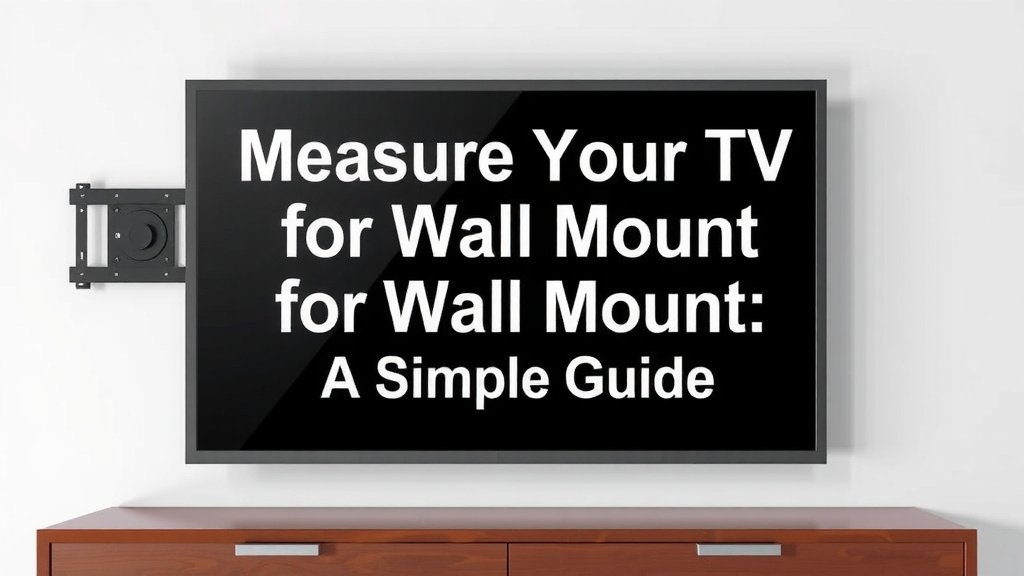
Measuring your TV for a wall mount is actually quite simple if you know what to look for. The most important measurements are the screen size, measured diagonally, and the VESA mounting pattern, which is the standardized distance between the screw holes on the back of your TV. Getting these right ensures your mount will fit your TV perfectly, so you can enjoy that sleek, wall-mounted look you’re after.
Beyond the basic screen dimensions, understanding your TV’s VESA pattern is critical for compatibility. This pattern is usually listed in your TV’s manual or can be found online by searching your TV model number. Most wall mounts are designed to fit a range of VESA sizes, so matching these numbers is your key to a secure and stable installation. We found that many people overlook this step and end up with a mount that doesn’t quite line up.
- Measure your screen diagonally for overall size.
- Find the VESA mounting pattern (the screw hole distance).
- Check your TV manual or model number online for VESA specs.
- Match VESA specs to your chosen wall mount’s compatibility.
- This ensures a secure and proper fit for your TV.
Let’s walk through exactly how to get these measurements so you can get your TV mounted with confidence!
“`htmlGetting Your TV Ready for a Wall Mount: Key Measurements You Need
So, you’re ready to give your living room that modern, streamlined look with a wall-mounted TV. That’s fantastic! It really opens up your space. But before you can click “buy” on that shiny new mount, you need to make sure it’s the right fit for your TV. Think of it like buying clothes – you wouldn’t get a medium if you needed an extra-large, right? The same goes for TV mounts. You’ve got two main things to check: the overall screen size and, more importantly, the VESA mounting pattern. We found that getting these two right is the secret sauce for a secure and happy installation.
Don’t worry, it’s not rocket science! We’ll walk you through exactly what you need to measure. It’s pretty straightforward and will save you a headache later. We researched common issues people face, and often, it comes down to missing these simple checks. Let’s get your TV measurement game strong!
Measuring Your TV’s Screen Size: The Diagonal Trick
You probably already know your TV’s screen size, right? It’s usually advertised as 32-inch, 55-inch, 65-inch, and so on. This number refers to the diagonal measurement of the screen itself, not the entire TV unit. It’s a quick way to get a general idea of the size.
How to Measure the Diagonal Screen Size
If you need to measure it yourself, grab a soft tape measure. Start at one corner of the screen and pull the tape straight across to the opposite corner. Be sure to measure only the viewable screen area, not the plastic bezel or frame around it. You’re looking for the distance from the bottom left corner to the top right corner, or vice versa.
Most people find this measurement is already listed in their TV’s manual or on the box it came in. If you’ve tossed those, a quick online search of your TV model number should also give you this information. This diagonal number is helpful for knowing what size mount range to look for, but it’s not the *only* thing you need.
Understanding the VESA Mounting Standard: Your Mount’s Best Friend
Now, let’s talk about the VESA mounting pattern. This is arguably the most important measurement for mount compatibility. VESA stands for Video Electronics Standards Association. They created a standard for how TV mounts connect to TVs. It’s essentially the pattern of screw holes on the back of your television.
These screw holes are how your TV physically attaches to the wall mount bracket. The VESA standard specifies the distance between these holes, both horizontally and vertically. Most modern TVs and wall mounts follow this standard, which makes life much easier for consumers like us. We found that without matching this, your mount simply won’t connect securely, if at all.
What Does a VESA Pattern Look Like?
Imagine four screw holes on the back of your TV, usually arranged in a square or rectangular pattern. The VESA standard tells us the distance between the center of the top hole and the center of the bottom hole (in millimeters), and the distance between the center of the left hole and the center of the right hole (also in millimeters).
You’ll typically see VESA patterns listed as something like VESA 200×100, VESA 400×400, or VESA 600×400. The first number is the horizontal distance, and the second is the vertical distance, both in millimeters. So, VESA 400×400 means there are 400mm between the horizontal holes and 400mm between the vertical holes.
How to Measure the VESA Pattern
Got a tape measure handy? Great! You’ll want a metal tape measure for accuracy. You’ll measure from the center of one screw hole to the center of the opposing screw hole.
- Measure the distance between the left and right screw holes.
- Measure the distance between the top and bottom screw holes.
- Note these two measurements in millimeters.
Many people find it easier to just look up their TV model online. Search for “[Your TV Model Number] VESA pattern,” and you should get the exact specifications quickly. This is usually faster and less prone to measurement error than doing it yourself. We discovered that most TV manufacturers make this information very accessible.
Finding Your TV’s VESA Pattern Information
Where can you find this magical VESA information? Here are the most reliable places:
- Your TV’s User Manual: This is the gold standard. Flip to the specifications section, and you should find the VESA pattern listed there. Many guides point to this as the first and best place to check.
- The Manufacturer’s Website: Go to the support or product page for your specific TV model on the manufacturer’s website. The specifications should be listed.
- Online Retailer Product Pages: If you bought your TV from a major online retailer, the product description page often includes detailed specifications, including the VESA pattern.
- Third-Party Tech Review Sites: Reputable tech sites that review TVs usually list the VESA pattern in their detailed reviews.
If you’re still struggling, you can always search for your TV model on Google with terms like “VESA dimensions” or “mounting holes.” We found that this almost always yields results.
Matching Your TV’s VESA to Your Wall Mount
Once you have your TV’s VESA pattern (e.g., 400x400mm), it’s time to look at wall mounts. Wall mounts are also designed to accommodate a range of VESA sizes. You’ll see this clearly listed in the mount’s product description.
For example, a mount might say it supports VESA patterns from 200x200mm up to 600x400mm. If your TV has a 400x400mm VESA pattern, this mount would be a perfect fit. The key is that your TV’s VESA pattern must fall within the range supported by the mount.
What If Your TV’s VESA Pattern is Unusual?
Most TVs fall into common VESA patterns. However, some very small or very large TVs, or older models, might have non-standard patterns. If you can’t find a mount that explicitly lists compatibility with your specific VESA measurements, don’t panic. Sometimes, adapters or universal mounts are available. However, we strongly advise against these if a standard mount isn’t an option. A secure fit is non-negotiable for safety.
If you find yourself in this situation, it might be worth contacting the wall mount manufacturer directly. They can often advise if their mount can work with your TV or if they have a different solution. We found that customer service can be very helpful when you’re unsure.
Checking the Weight Capacity of Your Mount
Beyond the VESA pattern, another critical specification for any wall mount is its weight capacity. Your TV has a specific weight, and your mount needs to be rated to hold significantly more than that.
Think about it: the mount is holding your expensive TV up on the wall. You want a good safety margin! Many experts recommend choosing a mount that can hold at least twice the weight of your TV for peace of mind. This ensures the mount won’t be strained.
Finding Your TV’s Weight
Like the VESA pattern, your TV’s weight should be listed in its user manual or on the manufacturer’s website. If you can’t find it, you can carefully weigh the TV yourself using a bathroom scale. Just place the TV on the scale and note the reading.
When you’re shopping for a mount, look for its maximum weight capacity. Always ensure this number is comfortably higher than your TV’s actual weight. For instance, if your TV weighs 40 pounds, look for a mount rated for at least 75-100 pounds.
Quick Measurement Checklist for Your Wall Mount Purchase
Before you hit that “add to cart” button, quickly run through this checklist. It ensures you haven’t missed anything important for a successful mount installation:
- Have you confirmed your TV’s diagonal screen size (e.g., 55 inches)?
- Have you identified your TV’s VESA mounting pattern (e.g., 400x400mm)?
- Is this VESA pattern within the supported range listed for the wall mount?
- Have you checked your TV’s weight (e.g., 35 lbs)?
- Is the wall mount’s weight capacity significantly higher than your TV’s weight?
- Is your wall construction suitable for the type of mount you’re choosing (e.g., studs for drywall)?
Conclusion
You’ve got this! Measuring your TV for a wall mount comes down to two key pieces of information: the diagonal screen size and, most importantly, the VESA mounting pattern. We found that double-checking these details ensures your mount will connect securely to your TV. Don’t forget to also verify the weight capacity of the mount against your TV’s weight for added safety. Now you have all the information you need to confidently select the perfect wall mount and get your TV up on the wall!
Frequently Asked Questions
What if the screw holes on my TV aren’t in a perfect square or rectangle?
This is rare, but it can happen with some unique TV designs. If your holes aren’t in a standard pattern, you’ll need to measure the distance between the left and right holes, and the distance between the top and bottom holes. Then, look for a universal TV mount or contact the mount manufacturer to see if they have a solution for your specific TV.
Can I use my TV’s screen size to find the right mount?
Your TV’s diagonal screen size is a good starting point, helping you narrow down mount options that fit general TV dimensions. However, it’s not enough on its own. The VESA pattern is the critical measurement for ensuring the mount’s bracket holes align perfectly with the screw holes on the back of your TV for a secure connection.
Do I need a special tool to measure the VESA pattern?
A standard metal tape measure is typically all you need to measure the VESA pattern accurately. You’ll be measuring the distance between the centers of the screw holes. For the most precise results, ensure your tape measure is rigid and you’re measuring from center point to center point.
What should I do if I can’t find my TV’s VESA pattern online?
If searching your TV model number online doesn’t reveal the VESA pattern, your best bet is to consult your TV’s original user manual. If you no longer have it, try looking for a PDF version on the manufacturer’s website. If all else fails, you can carefully measure the hole spacing yourself using a metal tape measure.
Is it okay if the wall mount’s VESA range is larger than my TV’s VESA pattern?
Yes, that’s perfectly fine and often expected! Most wall mounts are designed to accommodate a range of VESA patterns. As long as your TV’s specific VESA pattern (e.g., 400x400mm) falls within the supported range listed for the mount (e.g., 200x200mm to 600x400mm), it will be compatible.