10 Bit Color on TV Explained: Deeper Colors
10-bit color on your TV is a way to display a much wider range of colors. It allows your TV to show a smoother, more natural-looking picture. This means you’ll see fewer color banding issues, especially in gradients like sunsets or skies.
Think of it like having more crayons to draw with. Instead of just a few shades, 10-bit color gives your TV billions of colors to choose from. This makes the difference between a basic drawing and a masterpiece. You’ll notice more vibrant and realistic images, whether you’re watching movies or playing games.
- 10-bit color means your TV can display way more shades.
- It helps prevent nasty “color banding” in smooth gradients.
- You get a more natural and lifelike picture.
- It’s about having billions of colors, not just millions.
We found that understanding 10-bit color can really help you appreciate your TV’s picture quality. Let’s dive into what it means for you and your viewing experience.
Understanding Deeper Color Depth on Your TV
So, what exactly does this “10-bit color” mean for the picture you see on your screen? It’s all about giving your TV more options to display colors. Imagine a painter with a massive palette versus one with just a few basic colors. The painter with more options can create much finer details and smoother transitions between shades. Your TV works in a similar way with 10-bit color.
This deeper color depth means your TV can show over a billion colors. Compare that to older TVs that might only handle millions. This huge jump in available shades is what leads to a more realistic and visually stunning image. You’ll notice a real difference in how natural and smooth the pictures look.
Bits and Pixels: A Simple Explanation
Let’s break down what “bits” refer to in this context. When we talk about color depth, the “bits” tell us how many shades of each primary color (red, green, and blue) a display can show. A higher number of bits means more shades for each color.
The Difference Between 8-Bit and 10-Bit
Most standard TVs you might have owned or seen in the past likely use 8-bit color. An 8-bit color display can show about 16.7 million colors. That sounds like a lot, right? It is, and for many years, it was perfectly good!
However, a 10-bit color display can show over 1.07 billion colors. That’s 64 times more colors than an 8-bit display! Think of it like this: 8-bit is like having a nice, detailed drawing. 10-bit is like having a high-definition photograph with incredibly subtle shading.
What This Means for Your Viewing Experience
The most noticeable benefit of 10-bit color is the reduction in color banding. Have you ever watched a scene with a sunset, a clear blue sky, or a soft gradient, and seen noticeable “steps” or lines of color where it should be smooth? That’s color banding, and it happens because an 8-bit display doesn’t have enough shades to show that smooth transition.
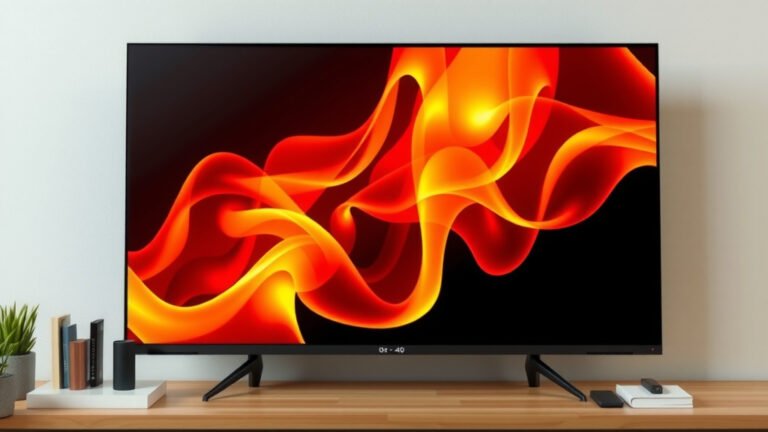
With 10-bit color, those smooth gradients are rendered beautifully. You get skies that look like real skies, not a series of painted bands. Sunsets appear more natural, with gentle shifts from deep orange to soft pink. This makes the whole viewing experience feel much more immersive and realistic. Many experts say this improved color handling is a key factor in modern picture quality (Society of Motion Picture and Television Engineers).
Why 10-Bit Color Matters for Your Content
For 10-bit color to truly shine, you need a few things to work together. It’s not just about the TV itself. The content you’re watching also needs to be produced and transmitted in a way that supports this deeper color depth.
The Role of HDR (High Dynamic Range)
You’ll often hear 10-bit color mentioned alongside HDR. HDR is a technology that expands both the contrast ratio and the color palette of an image. Think of it as making the bright parts brighter and the dark parts darker, while also adding all those extra colors.
Many HDR formats, like HDR10 and Dolby Vision, require 10-bit color (or even higher) to fully deliver on their promise. They use that extra color information to create those stunning highlights and deep shadows you see in the latest movies and shows. Without 10-bit color, an HDR signal can’t display its full potential, and you might still see some of that dreaded banding.
Gaming and 10-Bit Color
Gamers, rejoice! 10-bit color isn’t just for movies. Many modern video games are designed with incredible visual detail, and they also benefit from this deeper color depth. Imagine exploring vast open worlds with incredibly realistic skies, water, and foliage. The smoother color transitions can make game environments feel more alive and believable.
When you connect a new gaming console or a PC capable of outputting 10-bit color to a compatible TV, you’re opening the door to a more vibrant gaming experience. You’ll see finer details in shadows and brighter, more impactful highlights. This can really enhance the immersion in your favorite games.
Making Sure You’re Seeing the Best Picture
So, how do you know if your TV is set up to take advantage of 10-bit color? It involves a few checks.
Check Your TV’s Specifications
The first step is to look up the specs for your TV model. Manufacturers will usually list “10-bit color support” or a similar phrase in their technical details. If your TV is relatively new and marketed for its picture quality, chances are it supports 10-bit color.
Verify Your Connections and Settings
Even if your TV supports 10-bit color, you need to make sure your devices are sending that signal correctly.
- HDMI Cables: Use High-Speed or Premium High-Speed HDMI cables. Older or lower-quality cables might not have the bandwidth to transmit a 10-bit HDR signal.
- Player/Console Settings: On your Blu-ray player, streaming device, or gaming console, make sure the video output settings are configured for HDR and deep color.
- TV Settings: Within your TV’s picture settings, ensure HDR is enabled, and look for options related to “Deep Color” or “HDMI Deep Color” for the specific input you’re using. Sometimes these need to be turned on manually.
A Quick Checklist for Better Color
Here’s a quick way to ensure you’re getting the most out of your TV’s color capabilities:
- Confirm your TV model supports 10-bit color.
- Use a modern, high-quality HDMI cable.
- Ensure your source device (game console, streaming box) is set to output HDR.
- Check your source device’s video settings for “deep color” options.
- Enable “HDMI Deep Color” or similar on your TV for the correct input.
- Watch content specifically mastered in HDR for the best results.
| Feature | 8-Bit Color | 10-Bit Color |
|---|---|---|
| Number of Colors | ~16.7 Million | ~1.07 Billion |
| Smoothness of Gradients | Can show banding | Much smoother, less banding |
| HDR Support | Limited | Essential for full HDR |
| Common In | Older TVs, standard SDR content | Modern 4K HDR TVs, HDR content |
By understanding what 10-bit color is and how it works with your TV and content, you can really start to appreciate the incredible detail and realism that modern displays can offer. It’s all about bringing you closer to what the creators intended you to see on screen!
Conclusion
You’ve learned that 10-bit color is your TV’s superpower for displaying billions of colors. This means smoother gradients and a more realistic picture, banishing annoying color banding. It’s essential for truly appreciating HDR content and making your games look more immersive. Now that you understand the “bits” and “bytes” of color depth, you can check your TV’s settings and connections. Make sure you’re using the right cables and enabling those deep color options. Your next step? Go check those settings and enjoy the vibrant difference 10-bit color makes on your screen!
Frequently Asked Questions
Does my TV need to be 4K to have 10-bit color?
No, your TV doesn’t strictly need to be 4K to support 10-bit color. While many newer 4K HDR TVs feature 10-bit panels, some higher-end 1080p TVs also offered this enhanced color depth. Focus on the display’s color specification rather than just its resolution.
Will all my content look better with 10-bit color?
While your TV can display more colors, the content itself must be mastered with 10-bit color for the full effect. Standard dynamic range (SDR) content, even if played on a 10-bit TV, is still limited by its original 8-bit source. HDR content is where you’ll see the biggest improvement.
Can an 8-bit TV fake 10-bit color?
Some TVs use a technique called FRC (Frame Rate Control) to simulate 10-bit color on an 8-bit panel. While this can make gradients look a bit smoother than a pure 8-bit display, it’s not the same as a native 10-bit panel. You’ll still get the best results from a true 10-bit display.
Is 10-bit color the same as HDR?
No, 10-bit color is not the same as HDR, but they work together. HDR (High Dynamic Range) expands contrast and brightness, while 10-bit color provides the expanded palette needed to display those extra shades and smooth transitions HDR offers. You often need both for the best visual experience.
What if my gaming console supports 10-bit color, but my TV doesn’t?
If your gaming console is set to output 10-bit color but your TV only supports 8-bit, you won’t see the full benefit. The signal will likely be downscaled to 8-bit by the TV, or you may experience visual glitches. It’s best to set your console to match your TV’s capabilities to avoid compatibility issues.