Android TV vs Google TV: What’s the Difference
When choosing your next smart TV experience, it’s easy to get confused. Android TV vs Google TV often brings up questions about which is better. In short, Google TV is the newer, more personalized interface built on top of Android TV. Think of Google TV as a smart upgrade to the familiar Android TV system.
While both systems offer access to your favorite apps, Google TV focuses heavily on content discovery. It pulls recommendations from all your streaming services into one place. We found this makes finding something to watch much simpler than scrolling through individual apps. It’s designed to be a central hub for all your entertainment.
- Google TV is the newer interface, Android TV is the older one.
- Google TV offers better content recommendations.
- Both use the Google Play Store for apps.
- Google TV is generally found on newer TVs.
Let’s break down what makes Google TV the next evolution of Android TV and how it might be the right choice for your home.
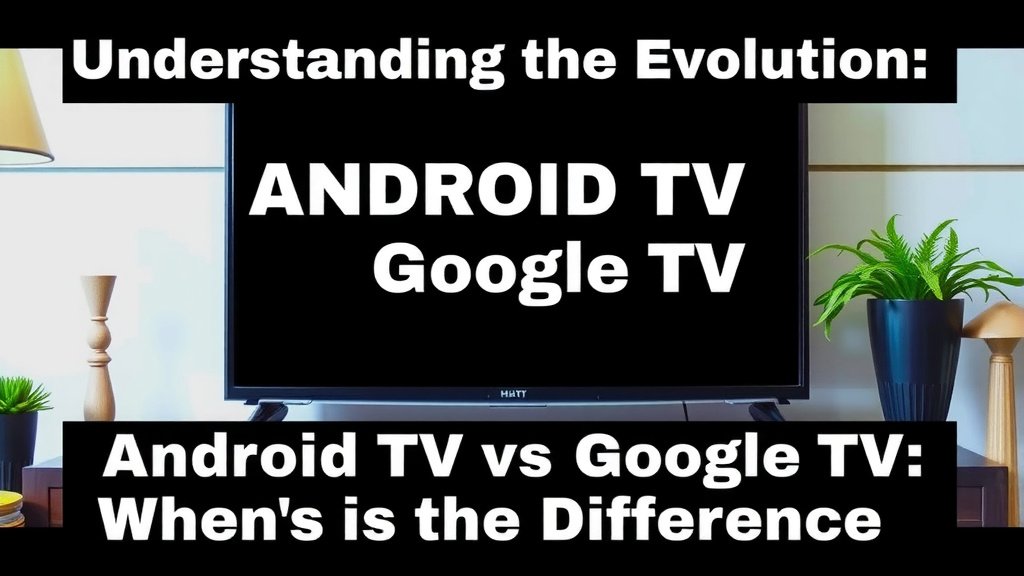
Understanding the Evolution: Android TV vs. Google TV
You might be wondering what the big difference is between Android TV and Google TV. Think of it like this: Android TV is the operating system, and Google TV is the new user interface that sits on top of it. Google TV aims to make finding your next favorite show or movie much easier. We found that the core functionality, like accessing apps, remains similar. But the way you interact with your TV content is where the big changes happen.
What is Android TV?
Android TV has been around for a while. It’s Google’s smart TV operating system that powers many smart TVs and streaming devices. It gives you access to a huge library of apps from the Google Play Store. You can download streaming services like Netflix, Hulu, and Disney+. It also supports many other apps for games, news, and more. Android TV typically features a home screen where your apps are displayed. You usually have to go into each app to see what’s new or recommended.
Key Features of Android TV
Android TV offers a familiar interface for many users. You can cast content from your phone or tablet using Chromecast built-in. Voice commands are available through Google Assistant. This lets you search for content or control your TV with your voice. Many popular TV brands include Android TV. It’s a solid platform that offers a lot of flexibility for app lovers.
What is Google TV?
Google TV is Google’s latest smart TV experience. It’s built on the foundation of Android TV. The main goal of Google TV is to simplify content discovery. Instead of opening each app one by one, Google TV pulls recommendations from all your connected streaming services into one central place. We found this makes it much quicker to find something to watch. It’s designed to be a personalized entertainment hub.
How Google TV Enhances Content Discovery
The heart of Google TV is its recommendation engine. It learns what you like to watch. Then, it suggests movies and shows across all your subscriptions. This means you might see a movie from Netflix appear on your Google TV home screen, even if you don’t have the Netflix app open. This curated experience aims to reduce the time spent searching. Many users report finding new content they enjoy more often with Google TV.
The Interface Difference
When you turn on a TV with Google TV, you’ll see a different home screen than on Android TV. It’s more focused on content than apps. You’ll see rows of recommended movies and shows. You can also browse by genre or explore trending titles. Your installed apps are still accessible, but they aren’t the primary focus of the home screen. We found this shift makes the experience feel more like a streaming service hub.
Comparing the User Experience
Let’s look at how using each system feels on a day-to-day basis. Both systems offer access to Google Assistant for voice control. You can ask for the weather, control smart home devices, or search for specific movies. However, the way you get to that content is quite different.
Navigating Your Content
On Android TV, your apps are usually front and center. You pick an app, then search within it. With Google TV, the home screen is a stream of content. You might see a movie title and then click on it to see which of your services has it. This content-first approach is a major distinction. We think it’s a big step forward for anyone who feels overwhelmed by too many streaming apps.
App Access and Management
Both systems use the Google Play Store. This means you have access to a very similar selection of applications. Whether you have Android TV or Google TV, you can download your favorite streaming services, games, and utilities. Managing your apps is also straightforward on both platforms. You can usually uninstall apps you no longer use with just a few clicks.
Customization Options
Android TV has traditionally offered more deep customization for its home screen. You could often rearrange apps and widgets to your liking. Google TV is more opinionated about its layout. While you can personalize recommendations by rating content, the overall structure is less flexible. Many experts suggest this is part of Google’s effort to simplify the user experience. They want to guide you towards content discovery. The Centers for Disease Control and Prevention (CDC) often highlights the importance of simplifying complex systems for better usability.
Which One is Right for You?
Choosing between Android TV and Google TV often comes down to your priorities. If you love diving into specific apps and organizing them precisely, you might prefer the traditional Android TV setup. However, if you find yourself scrolling endlessly looking for something to watch, Google TV could be a game-changer. We found its recommendation system to be a significant improvement.
Consider Your Viewing Habits
Do you hop between streaming services frequently? Do you want a single place to see what’s new and trending across all your subscriptions? If so, Google TV is likely the better choice. Its interface is built for effortless content discovery. If you’re more of a “know exactly what I want to watch and I’ll go get it” person, Android TV might still serve you well.
Hardware Availability
Generally, newer TVs and streaming devices are coming with Google TV pre-installed. Older models might still be running Android TV. When buying a new TV, check the specifications. You’ll likely see “Google TV” listed if it has the latest interface. Some devices that ran Android TV can be updated to Google TV, but this isn’t always the case. It’s best to Some devices that ran Android TV can be updated to Google TV, but this isn’t always guaranteed.look for Google TV if you want the newest experience.
A Quick Checklist for Your Decision
To help you decide, ask yourself these quick questions:
- Do you want a home screen focused on discovering content?
- Are you tired of opening multiple apps to find a movie?
- Do you prefer a more curated, guided viewing experience?
- Are you buying a brand-new smart TV or streaming device?
- Do you want easy access to all your streaming recommendations in one spot?
- Do you value simplicity and quick access to entertainment?
Table: Android TV vs. Google TV at a Glance
Here’s a simple comparison to help you see the main differences:
| Feature | Android TV | Google TV |
|---|---|---|
| Core Operating System | Android TV | Android TV (with Google TV interface) |
| Primary Focus | App-centric home screen | Content discovery and recommendations |
| Content Discovery | Within individual apps | Unified across all connected services |
| Interface Style | More traditional, app-focused | Modern, content-stream focused |
| Customization (Home Screen) | More flexible app arrangement | Less flexible, guided by Google |
| Availability | Older and some current models | Newer models and devices |
Conclusion
So, you’ve seen how Google TV builds upon the solid foundation of Android TV. The biggest difference is the focus: Google TV prioritizes finding content you’ll love. It pulls recommendations from all your services. This means less time searching and more time watching. If you’re buying a new TV, you’ll likely encounter Google TV. It offers a more modern, streamlined entertainment experience. To make your next TV choice easier, consider how much you want your smart TV to actively suggest what you should watch next. If that sounds appealing, Google TV is your clear winner.
Frequently Asked Questions
Can I update my current Android TV to Google TV?
Some devices that came with Android TV can be updated to the Google TV interface. However, this isn’t always guaranteed. It depends on the TV manufacturer and the specific device model. You can often check your TV’s settings or the manufacturer’s website for update information. It’s always best to confirm if an update is available for your device.
Will I lose my apps if I switch to Google TV?
No, you won’t lose your apps. Both Android TV and Google TV use the Google Play Store. This means you can still download and access all the same applications. Google TV simply changes how you see and discover content. Your apps will still be available, often in a dedicated section.
Is Google TV harder to use than Android TV?
For most users, Google TV is designed to be easier and more intuitive. The interface is more focused on showing you what to watch. This reduces the need to navigate through many different app menus. While it’s a different layout, many find its content-first approach simpler for daily use. It aims to take the guesswork out of choosing your next show.
Does Google TV cost extra on a new TV?
No, Google TV is not an extra cost. It’s the latest smart TV interface from Google. TV manufacturers include it as part of their smart TV system. When you buy a new TV advertised with Google TV, the interface is included. You’re essentially getting the newest software experience from Google.
Can I still use voice commands with Google TV?
Absolutely. Voice commands are a core feature of both Android TV and Google TV. You can use Google Assistant to search for content, control playback, get information, and even manage smart home devices. The voice search functionality is integrated into the Google TV interface, making it easy to find what you’re looking for verbally.