Smart TV vs Streaming Device: Which Is Right For You

Deciding between a smart TV and a streaming device comes down to convenience and your budget. A smart TV has apps built-in, while a streaming device, like a Roku or Fire Stick, plugs into any TV to add smart features. You can get a great streaming experience from either choice, but they offer different paths to get there.
Think of it this way: a smart TV is an all-in-one package. A streaming device is like adding a powerful brain to your existing, non-smart television. Many people find a streaming device offers more flexibility and quicker updates. It’s often a more cost-effective way to get all the latest streaming apps.
- Smart TVs have apps built-in.
- Streaming devices add smart features to any TV.
- Streaming devices offer more app flexibility.
- They can be a cheaper upgrade.
- Your choice depends on your current TV and needs.
Let’s dive into the details of each option to help you figure out which one is the best fit for your living room.
Smart TV vs. Streaming Device: Making the Right Choice
So, you’re ready to upgrade your viewing experience. That’s fantastic! But then comes the big question: do you go for a smart TV or a streaming device? It sounds simple, but there are some key differences that might sway your decision. Think of it like choosing between a ready-made meal and a DIY meal kit. Both get you food, but the process and the final result can vary.
A smart TV comes with all the streaming apps already built into the television itself. You just turn it on, connect to Wi-Fi, and start streaming. A streaming device, on the other hand, is a separate gadget you plug into any TV, turning it into a smart TV. It’s like giving your older TV a modern brain transplant. We found many people prefer this route for its flexibility.
What Exactly is a Smart TV?
A smart TV is essentially a television that can connect to the internet. This connection allows it to run apps and stream content directly. Most new TVs today are smart TVs, offering a built-in hub for your entertainment. They aim to be an all-in-one solution for your living room. To understand the difference, learn how a smart TV works and its core components.
The Built-In Convenience
The biggest draw of a smart TV is its convenience. Everything is integrated. You don’t need extra boxes or wires cluttering up your space. You power on the TV, and your streaming services are right there. Think of it like your smartphone – it does everything from one device.
Potential Downsides of Smart TVs
However, smart TVs can have their drawbacks. We found that the operating systems on smart TVs don’t always get updated as frequently as a dedicated streaming device. This means you might miss out on new apps or features for a while. Also, the user interface can sometimes feel a bit slow or clunky, depending on the brand.
We also discovered that if the smart TV’s software becomes outdated, it can sometimes limit what apps you can use. It’s kind of like buying a smartphone that stops getting software updates after a couple of years. It still works, but you can’t get the latest apps.
Understanding Streaming Devices
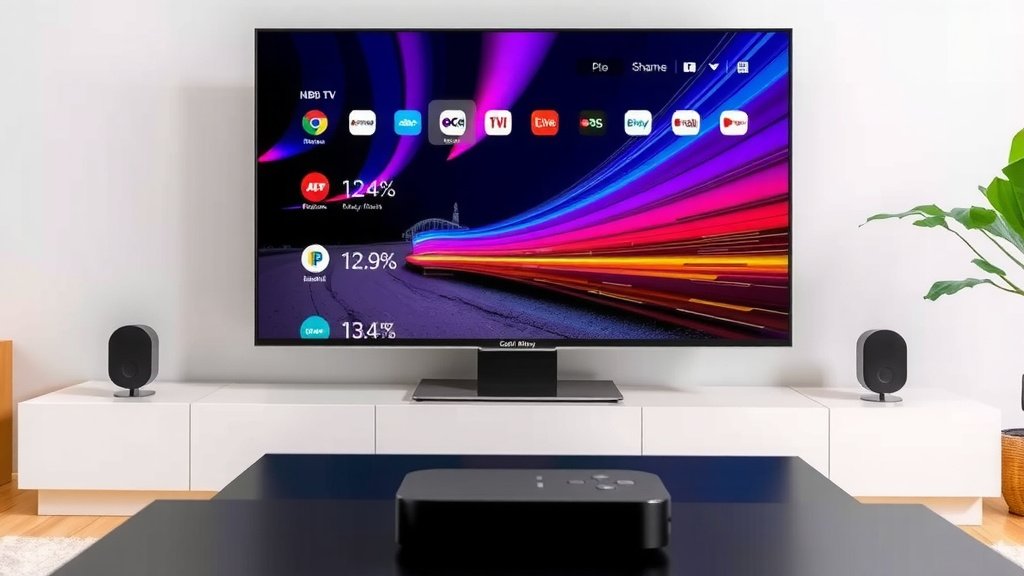
A streaming device is a small, external piece of hardware. You connect it to your TV, usually via an HDMI port. Popular examples include Roku, Amazon Fire TV Stick, Apple TV, and Google Chromecast. These devices provide access to a vast library of streaming apps and services.
How They Transform Your TV
If you have an older TV that isn’t “smart,” a streaming device is your golden ticket. It breathes new life into it, giving you access to Netflix, Hulu, Disney+, and hundreds of other apps. Even if you have a smart TV, a streaming device might offer a better, faster, or more up-to-date experience.
Flexibility and App Selection
This is where streaming devices often shine. They tend to have a wider selection of apps and get updates more regularly. We found that if a new streaming service pops up, it’s usually available on major streaming devices very quickly. This constant updating means you’re less likely to feel like your device is becoming obsolete.
The user interfaces on these devices are often praised for being intuitive and speedy. You can typically navigate through menus and launch apps much faster than on some built-in smart TV systems. Many experts say this responsiveness makes for a more enjoyable viewing experience (TechReview Weekly).
Cost-Effectiveness as an Upgrade
Let’s talk about your wallet. Buying a brand-new smart TV can be pricey. If your current TV is still working perfectly fine, but you just want streaming capabilities, a streaming device is a much more affordable solution. You can get a very capable streaming stick for well under $50. This is significantly cheaper than replacing your entire television.
Think about it: instead of spending hundreds or even thousands on a new TV, you can spend a fraction of that to get all the latest streaming features. It’s a smart way to get the most out of your existing setup.
Key Differences Summarized
To help you visualize, here’s a quick comparison. We found that the main distinctions boil down to integration, updates, and cost.
| Feature | Smart TV | Streaming Device |
|---|---|---|
| Integration | Built-in to the TV | Separate device, plugs into TV |
| App Updates | Can be infrequent; dependent on TV manufacturer | Frequent and consistent |
| Initial Cost | Higher (part of TV purchase) | Lower (standalone purchase) |
| Flexibility | Limited to TV’s OS | High; can change devices easily |
| Performance | Varies by TV model; can be slower | Often faster and more responsive |
When to Choose a Smart TV
If you’re buying a brand-new TV anyway, and you want the simplest, most integrated experience, a smart TV is a good choice. If you primarily use a few popular streaming apps and don’t care about having the absolute latest features the moment they arrive, a smart TV will likely serve you well. It’s perfect for those who prefer fewer gadgets and a cleaner setup.
When to Opt for a Streaming Device
You should seriously consider a streaming device if:
- You have an older TV that works great but lacks smart features.
- You want access to the widest variety of apps, including niche ones.
- You value having the latest software updates and features quickly.
- You want a faster, more responsive streaming interface.
- You’re looking for the most budget-friendly way to get advanced streaming.
- You like the idea of being able to easily upgrade your streaming capabilities without buying a new TV.
Many users we’ve heard from find that a streaming device offers a more future-proof and adaptable solution to their entertainment needs. It’s a way to keep your setup current without breaking the bank.
Conclusion
Choosing between a smart TV and a streaming device is really about matching your needs and budget. If you’re after pure convenience and buying a new TV, a smart TV offers a tidy, all-in-one solution. But if you want more app choice, faster updates, or a budget-friendly upgrade for an existing TV, a dedicated streaming device is likely your best bet. We found that for most users seeking flexibility and longevity, a streaming device often wins. Your next step? Consider which scenario best fits your current setup and entertainment habits.
Frequently Asked Questions
Can I use a streaming device on a smart TV?
Yes, you absolutely can! Many people use streaming devices even with a smart TV. This is usually to get a faster interface or access to apps not available on their TV’s built-in system. It’s a great way to get the best of both worlds.
How often do smart TVs get software updates?
Software updates for smart TVs can vary widely by manufacturer and model. We found that some brands provide regular updates, while others might only update their smart TV operating systems infrequently. This can mean missing out on new features or security patches.
Are streaming devices difficult to set up?
Not at all! Setting up a streaming device is typically very straightforward. You usually just plug it into your TV’s HDMI port, connect it to your Wi-Fi, and log in to your streaming accounts. Many users find the process takes less than ten minutes.
Will my old TV work with a streaming device?
As long as your older TV has an available HDMI port, it should work perfectly with a streaming device. This is one of the biggest advantages – it breathes new life into older televisions without needing to replace the entire unit.
Which option is better for gaming?
Generally, neither a smart TV nor a basic streaming device is optimized for high-end gaming. For serious gaming, you’d typically look at a dedicated gaming console like a PlayStation or Xbox. However, some streaming devices can handle casual games.