Understanding TV Banding: What It Is and How to Fix It
TV banding is a visual defect that causes uneven color or brightness. You might see it as faint gray or colored bands. This happens during scenes with subtle color gradients. It can make movies and shows look less realistic. Fortunately, it’s often not a sign of a serious problem.
This banding is also known as “dirty screen effect.” It’s a common issue, especially with newer TV technologies. It can appear in different ways across your screen. Understanding what it is can help you decide if it’s worth fixing.
- TV banding shows up as uneven colors or brightness.
- It’s often seen in scenes with smooth color transitions.
- This effect is also called the “dirty screen effect.”
- It’s a common visual glitch, particularly on newer TVs.
- You might notice it during sports or slow-paced scenes.
Let’s break down why TV banding happens and what you can do about it.
Understanding TV Banding: What It Looks Like and Why It Happens
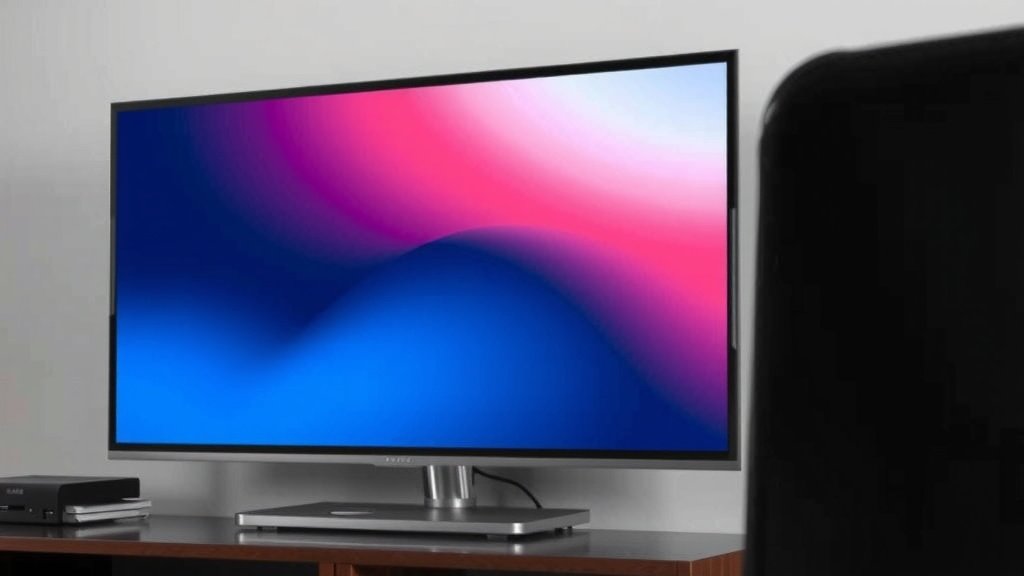
So, you’ve noticed some strange lines or splotches on your TV screen? That’s likely TV banding. It’s when smooth color gradients, like a sunset or a clear blue sky, show up with visible steps or bands instead of a smooth transition. Think of it like a staircase where there should be a ramp. This effect is also often called the “dirty screen effect”. It can make your viewing experience a bit jarring.
It’s not always obvious. You might only see it during certain types of scenes. Slow pans across a landscape or a bright, uniform background are prime suspects. You might also catch it during live sports, especially on the field or court. Sometimes, it’s a subtle gray tint; other times, it’s more colorful. Let’s figure out why this happens.
How Your TV Creates Images: The Basics
To understand banding, you need a tiny bit of info on how TVs work. Your TV screen is made of millions of tiny dots called pixels. Each pixel can show a different color. To create a full spectrum of colors, these pixels mix red, green, and blue light. The intensity of each color is controlled to make every shade imaginable. This is done in a series of steps, or “bit depth.”
Think of it like mixing paint. You can get millions of shades by blending red, yellow, and blue. A TV does something similar with light. When there’s a smooth change in color, like going from dark blue to light blue in the sky, the TV has to adjust the intensity of the blue light very gradually. Banding happens when these adjustments aren’t perfectly smooth.
Common Causes of TV Banding
Several factors can lead to this visual hiccup. It’s often a combination of the TV’s internal processing and the quality of the video signal. Here’s a breakdown of what research points to:
Panel Uniformity Issues
The physical panel itself can be a culprit. Even with advanced manufacturing, it’s hard to get every single pixel and sub-pixel to behave identically. Tiny variations in the panel can lead to slight differences in brightness or color across the screen. This is especially noticeable in areas that should be uniform.
Video Processing Limitations
Your TV’s brain, its video processor, is responsible for taking the video signal and displaying it. If the processor can’t handle subtle color transitions smoothly, it might “round up” or “round down” the color information. This creates those visible steps we call banding. Older or less powerful processors are more prone to this.
Bit Depth and Color Information
Modern TVs strive for higher bit depths. This means they have more steps available to represent color. An 8-bit panel has 256 steps for each color channel (red, green, blue). A 10-bit panel has 1024 steps. More steps mean smoother gradients. If the content you’re watching is also high bit depth, and your TV supports it, banding is less likely.
However, if the content is lower bit depth, or your TV is trying to display it on a lower bit depth panel, the processor has to make bigger leaps in color. This is a common reason for banding, especially with older TVs or when upscaling lower-resolution content (Content Provider Source).
The Video Signal Itself
Sometimes, the problem isn’t with your TV at all! The video signal coming from your cable box, streaming device, or game console might already have banding. This can happen during the broadcast or streaming process. If you see banding on multiple devices connected to the same TV, the source signal is a strong suspect.
Compression Artifacts
Streaming services and broadcasters often compress video to save bandwidth. This compression can sometimes affect smooth gradients, introducing banding or other visual artifacts. You might notice this more on heavily compressed streams or during peak internet traffic times (Streaming Service Technical Guidelines).
Different Types of Banding You Might See
Banding isn’t a one-size-fits-all issue. It can appear in a few distinct ways, and knowing the type can sometimes help pinpoint the cause.
Gray or Black Banding
This is perhaps the most common. You’ll see faint gray or black lines or patches where there should be a smooth shade. It often shows up on brighter, uniform backgrounds like a clear sky or a white wall.
Color Banding
Instead of gray, you’ll see distinct bands of slightly different colors. For instance, a sunset might show a clear division between orange and red, or yellow and orange, rather than a smooth blend.
Dirty Screen Effect (DSE)
This term is often used interchangeably with banding. It refers to a general cloudiness, unevenness, or smudged appearance on the screen, particularly noticeable on bright, uniform backgrounds. It can look like dirt smudges you can’t wipe off. It’s a form of panel non-uniformity.
How to Check for Banding on Your TV
Want to see if your TV is affected? It’s easy to test. You don’t need fancy equipment. You can simply play specific types of content.
- Use Test Patterns: Many websites and YouTube channels offer video test patterns designed to reveal banding. Search for “TV banding test” or “dirty screen effect test.”
- Watch Specific Content: Play movies or shows known for smooth gradients. Think nature documentaries with skies, animated movies with smooth color transitions, or even some video games.
- Check During Fast/Slow Motion: Observe scenes with slow camera pans across uniform areas, or fast-motion scenes during sports.
Is It a Serious Problem?
For most people, banding is a cosmetic issue. It doesn’t mean your TV is about to fail. However, it can detract from the viewing experience, especially if it’s very noticeable. Whether it’s “serious” depends on how much it bothers you. If it makes you miss details or pulls you out of the movie, it’s serious enough to warrant attention.
Many experts say that some degree of minor banding or DSE is almost unavoidable in LCD and OLED panels due to manufacturing tolerances. The key is whether it’s within an acceptable range. For some brands and models, it’s a known characteristic, while for others, it might indicate a defect.
What You Can Do About TV Banding
Don’t despair if you’ve spotted some banding. There are a few things you can try to minimize or fix it.
Adjust Picture Settings
Sometimes, simple settings adjustments can help mask banding. You might experiment with:
- Sharpness: Lowering sharpness can sometimes smooth out harsh lines.
- Noise Reduction: Turning on or adjusting digital noise reduction might help, though it can also soften the image.
- Motion Smoothing/Interpolation: Features that create “smooth motion” can sometimes exaggerate banding. Try turning these off.
Break-In Period for New TVs
Some research suggests that new TV panels, especially LCDs, might improve slightly after a “break-in” period. Running the TV for several hours a day for a week or two can sometimes help pixels settle and improve uniformity. This isn’t a guaranteed fix, but it’s worth trying for a new set.
Check Your Source and Cables
Ensure you’re using high-quality HDMI cables and that your source device (cable box, streaming stick) is set to output the best possible picture quality. Try connecting a different device to see if the banding persists. If it only appears with one source, the issue might be external to the TV itself.
Software Updates
Manufacturers occasionally release firmware updates that can improve picture processing. Check your TV’s settings menu for any available software or firmware updates and install them.
Consider Content Quality
Viewing higher-quality content (e.g., 4K Blu-ray discs or high-bitrate streaming) will generally have better color depth and be less prone to banding than heavily compressed sources.
Return or Exchange (If Possible)
If your TV is new and the banding is severe, especially if it’s a prominent feature on many different types of content, you might be able to return or exchange it. Check your retailer’s return policy and the manufacturer’s warranty. This is often the most effective solution for significant panel uniformity issues.
When to Seek Professional Help or Replace
If you’ve tried all the troubleshooting steps and the banding remains a major distraction, it might be time to consider professional help or even a replacement. If your TV is under warranty, contact the manufacturer. They may offer repair or replacement services. If the warranty has expired, you’ll need to weigh the cost of repair against the cost of a new TV.
Conclusion
You’ve learned that TV banding, often called the dirty screen effect, is a common visual glitch that appears as uneven color or brightness. It can stem from panel uniformity, video processing limits, or even compression artifacts in the source signal. While it can detract from your viewing, it’s usually not a sign of a failing TV. By understanding its causes and how to check for it, you’re equipped to address it. Your next step? Try adjusting your TV’s picture settings or checking your source device. If the banding is severe, don’t hesitate to explore return or warranty options.
Frequently Asked Questions
Is TV banding a sign my TV is broken?
Not usually. TV banding is most often a cosmetic issue, not a sign of a broken component. While it can be annoying, it doesn’t typically mean your TV is about to stop working. Minor banding is actually quite common due to manufacturing variations.
Can I fix TV banding with software updates?
Sometimes, yes. Manufacturers occasionally release firmware updates for TVs that can improve image processing. Checking for and installing these updates might help smooth out color transitions and reduce banding. It’s a simple step worth trying.
Does playing banding test videos actually help?
Yes, playing banding test videos or specific content is an excellent way to check for the issue. These patterns are designed to reveal subtle color gradients where banding is most noticeable. It helps you determine if banding is present and how severe it might be.
Will playing new TV content for a while make banding go away?
For some new TV panels, a “break-in” period can sometimes lead to slight improvements in uniformity. Running the TV for a few hours a day for a week or two might help pixels settle. This isn’t a guaranteed fix, but it’s a low-effort option for new sets.
Should I worry if I see banding during sports?
It’s common to notice banding during sports, especially during slow pans across the field or court. If it’s very distracting and pulls you away from the action, it’s worth investigating. Checking your picture settings or trying different sources can help.